
Memhub LLM Wiki Guide — AI skill for Claude Code
Guide: ChatGPT / Claude / Gemini → XTrace MemHub → LLM-Wiki mindmap & Obsidian Markdown export.
How to install Memhub LLM Wiki Guide
This entry records only its repository, not the path inside it, so there is no
exact command to give. Open XTraceAI/memhub-llm-wiki-guide and copy the folder into
~/.claude/skills/, or the file into ~/.claude/agents/.
What Memhub LLM Wiki Guide does
Guide: ChatGPT / Claude / Gemini → XTrace MemHub → LLM-Wiki mindmap & Obsidian Markdown export.
Alternatives in AI
- Open Knowledge — Beautiful, AI-native markdown IDE and LLM wiki 3.7k ★
- Claude Fable 5 System Prompt Clean — the optimized, token-efficient version of the leaked Claude Fable 5 / Mythos 5 system prompt 475 ★
- LLM Council Skill — A skill to claude code that enables brainstorming with other LLMs (ChatGPT, Gemini) before presenting the impl 416 ★
README
XTrace MemHub — LLM-Wiki Mindmap Guide
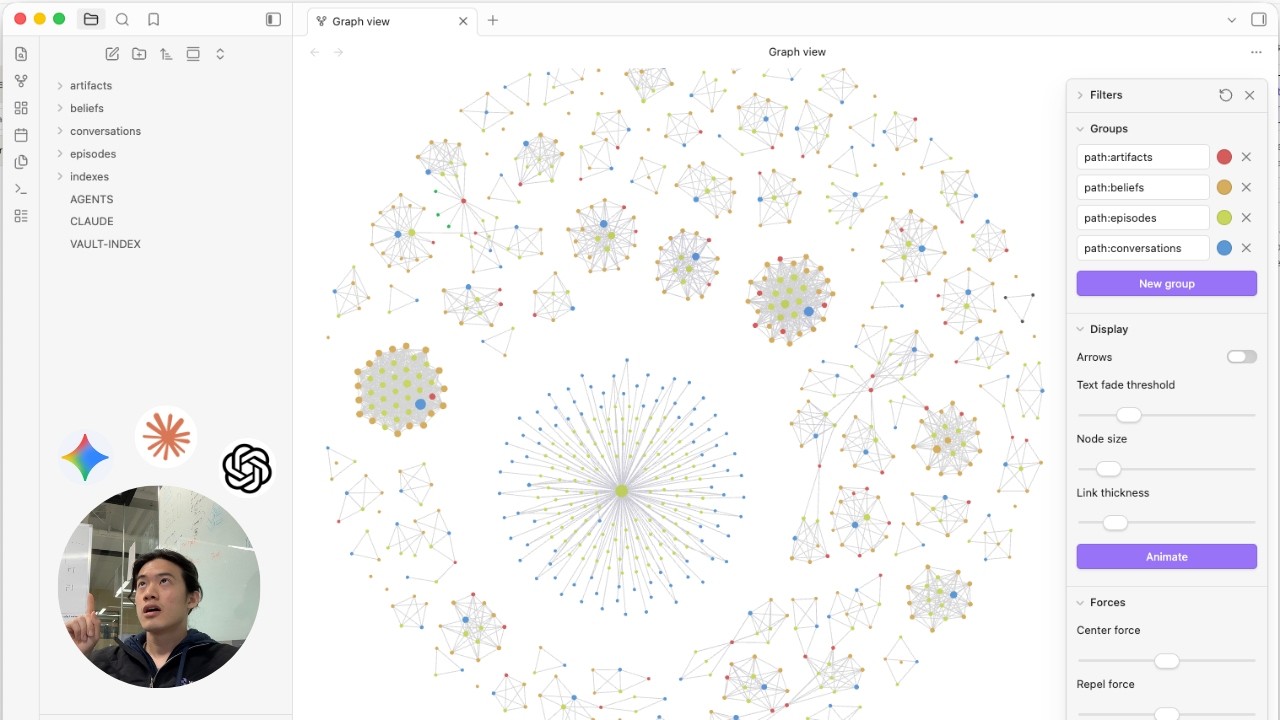
Turn your **ChatGPT**, **Claude**, and **Gemini** history into an **Andrey Karpathy's LLM-Wiki mindmap** — structured Markdown you can browse in Obsidian-style tools and explore as a graph in MemHub.
**MemHub** is your context control panel for AI agents. This guide walks through exporting chat history, importing it into MemHub, exploring the **Mindmap**, and downloading a **Markdown ZIP** (“Mindmap Markdowns”) for your second brain — without writing code or using Claude Code.
MemHub extracts AI memory and context from your chats, stores it in an encrypted vector database, and organizes it in a file layout that tools like Obsidian work well with.
Watch
[](https://www.youtube.com/watch?v=78CBcpO30v0)
**[Open on YouTube →](https://www.youtube.com/watch?v=78CBcpO30v0)**
[](https://www.producthunt.com/products/xtrace-memhub?utm_source=badge-featured&utm_medium=badge&utm_campaign=badge-xtrace-memhub)
Quick links
| Link | Description |
|---|---|
| MemHub | Web app |
| MemHub Chrome extension | Capture context from the browser (including Gemini in-product) |
1. Install the Chrome Extension
These steps match the in-product **Instructions** panel when **ChatGPT** is selected in MemHub.
- Go to MemHub Chrome extension
- Add XTrace Memory to your browser.
2. Export from ChatGPT (OpenAI) / Claude (Anthropic) / Gemini (Google)
- Open ChatGPT/Claude/Gemini in your browser.
- Click the XTrace Memory extension in the Extensions.
- Sign in
- You would see a Memory button at your top right, click
Related Skills

AI Chat Exporter
Export your ChatGPT, Claude, Copilot, Gemini and Grok chat, using Tampermonkey on chrome, firefox, and other s

LLM Wiki Skills
Turn your markdown vault into a compounding knowledge wiki (Karpathy inspired). Six agent skills - knowledge g

Claude Brain Skill
Un skill de Claude Code que instala una LLM Wiki (base de conocimiento estilo Obsidian) en cualquier proyecto.

Tasknotes Skill
Agent skill for task management in Obsidian reads and writes your TaskNotes directly as markdown files. Pairs

Vault Organizer
Clean up, organize and index any markdown knowledge base (Obsidian/PARA) with Karpathy's 3-layer LLM-wiki meth


Ctk
Conversation Toolkit - Unified CLI for managing AI conversations from ChatGPT, Claude, Gemini, and more. Impor

Related Agents
Visibility Agent
Audits and optimizes brand visibility in AI Search (ChatGPT, Claude, Perplexity, Gemini). Runs visibility scan


Second Brain Curator
Maintains the user's Obsidian "second brain" vault (Karpathy LLM-Wiki pattern) and its ingest pipeline — runs/


ChatGPT On Wechat
CowAgent是基于大模型的超级AI助理,能主动思考和任务规划、访问操作系统和外部资源、创造和执行Skills、拥有长期记忆并不断成长,比OpenClaw更轻量和便捷。同时支持微信、飞书、钉钉、企微、QQ、公众号、网页
