
Agentsview
Description
Local-first session intelligence and analytics for coding agents, supporting Claude Code, Codex, and 14 other agents. Also: 100x faster replacement for ccusage!
Installation
This entry records only its repository, not the path inside it, so there is no
exact command to give. Open the source below and copy the folder into
~/.claude/skills/, or the file into ~/.claude/agents/.
README
agentsview
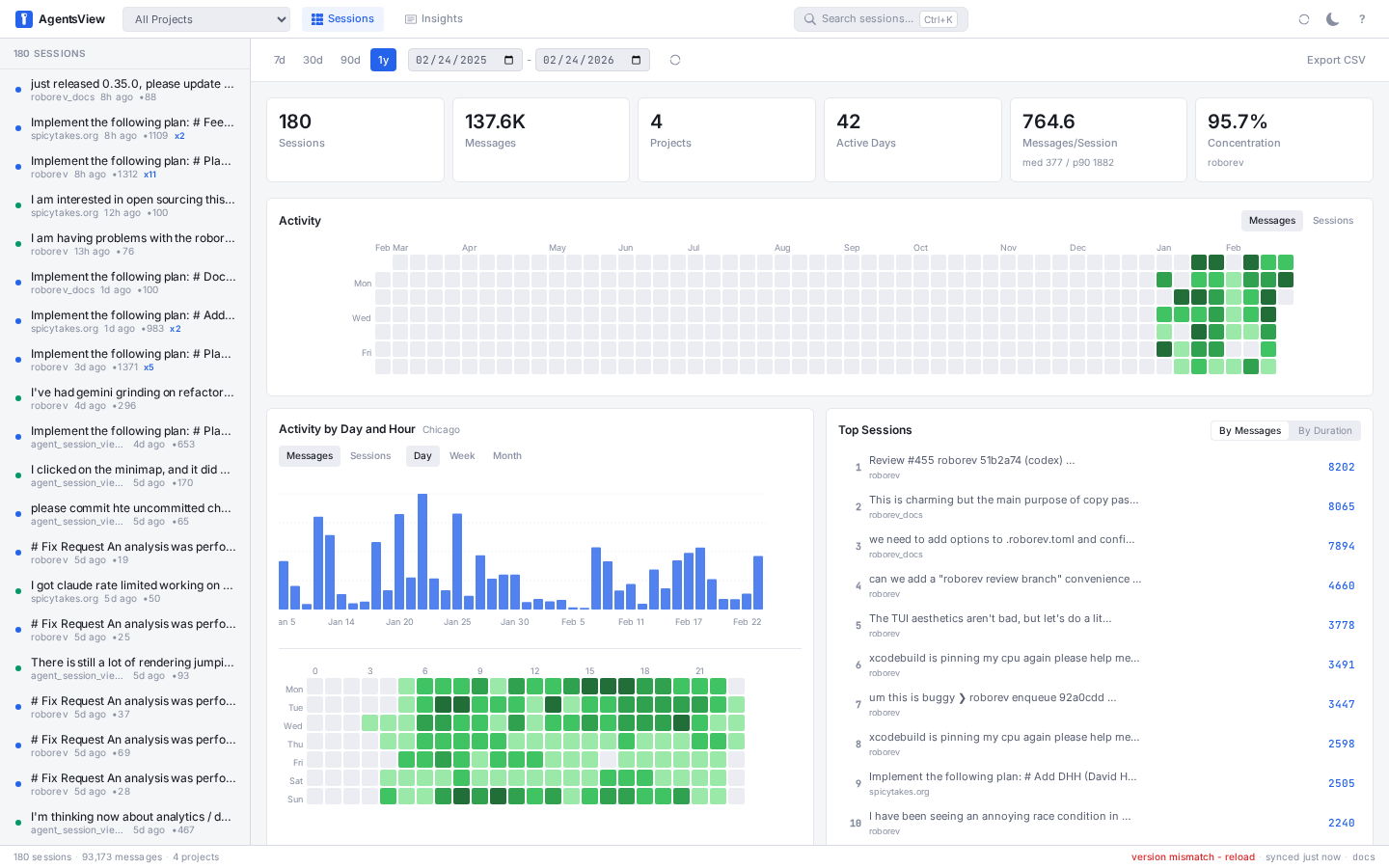
Browse, search, and track costs across all your AI coding agents. One binary, no accounts, everything local.
Install
# macOS / Linux
curl -fsSL https://agentsview.io/install.sh | bash

# Windows
powershell -ExecutionPolicy ByPass -c "irm https://agentsview.io/install.ps1 | iex"
Or download the **desktop app** (macOS / Windows) from [GitHub Releases](https://github.com/wesm/agentsview/releases).
Quick Start
agentsview serve           # start server, open web UI
agentsview usage daily     # print daily cost summary
On first run, agentsview discovers sessions from every supported agent on your machine, syncs them into a local SQLite database, and opens a web UI at `http://127.0.0.1:8080`.
Token Usage and Cost Tracking
`agentsview usage` is a fast, local replacement for ccusage and similar tools. It tracks token consumption and compute costs across **all** your coding agents -- not just Claude Code. Because session data is already indexed in SQLite, queries are over 100x faster than tools that re-parse raw session files on every run.
# Daily cost summary (default: last 30 days)
agentsview usage daily

# Per-model breakdown
agentsview usage daily --breakdown

# Filter by agent and date range
agentsview usage daily --agent claude --since 2026-04-01

# One-line summary for shell prompts / status bars
agentsview usage daily --all --json
agentsview usage statusline
Features:
- Automatic pricing via LiteLLM rates (with offline fallback)
- Prompt-caching-aware cost calculation (cache creation / read tokens)
- Per-model breakdown with
--breakdown - Date filtering (
--since,--until,--all), agent filtering (--agent) - JSON output (
--json) for scripting - Timezone-aware date bucketing (
--timezone) - Works standalone -- no server required, just run the command
Session Sta
Related Skills
mcp-server-postgres
Read-only PostgreSQL database access.

mcp-server-sqlite
SQLite database interaction and querying.
mcp-server-google-maps
Google Maps integration for location data.
Bitbucket Data Center
---

Csv Data Summarizer
Automatically analyze CSV files and generate comprehensive insights with visualizations

Financial Services
Reference agents, skills, and data connectors for the financial-services workflows we see most — investment ba
