

Charmoji — Development skill for Claude Code
一张 IP 正面照 → 整套可提交的微信表情素材:出图、切图、机检、文案校验、提交清单全脚本化(Claude Code skill).
How to install Charmoji
This entry records only its repository, not the path inside it, so there is no
exact command to give. Open webkubor/charmoji and copy the folder into
~/.claude/skills/, or the file into ~/.claude/agents/.
What Charmoji does
一张 IP 正面照 → 整套可提交的微信表情素材:出图、切图、机检、文案校验、提交清单全脚本化(Claude Code skill).
Alternatives in Development
- Auto Update — Pull the latest ECC repo changes and reinstall the current managed targets 243.5k ★
- Sharing Skills — skill for guidance 115.1k ★
- Template Skill — Minimal skeleton for a new skill project structure 97.5k ★
README
charmoji
[](LICENSE) [](https://claude.com/claude-code) [](https://www.python.org/) [](https://python-pillow.org/) [](references/animated.md) [](https://sticker.weixin.qq.com/cgi-bin/mmemoticon-bin/readtemplate?t=guide/index.html#/makingSpecifications) [](https://github.com/webkubor/charmoji/stargazers) [](https://github.com/webkubor/reel-kit) [](CHANGELOG.md)
**一张 IP 正面照,出一整套能直接提交的微信表情素材。**
微信表情开放平台的投稿门槛不在画功,在规格:240×240 的表情图、750×400 的横幅、 必须透明背景的封面与图标、每张 ≤4 字且不许重复的含义词…… 而超规格的素材平台**不拒收、不报错,直接压缩裁剪** —— 主体被裁掉才发现就白做了。
这是一个 [Claude Code](https://claude.com/claude-code) skill:形象管理、出图、切图、机检、 文案校验、提交清单全部脚本化,零美术基础也能跑完。上架之后还能一条命令把整套串成 1080×1920 竖版推广视频发朋友圈 / 视频号 —— 合成委托 [reel-kit](https://github.com/webkubor/reel-kit), 本 skill 只负责读 `album.yml` 拼参数,出片和排版的事不在这里重造。
**规范与拒因都是实测的,不是抄文档**:官方规范全文抓取归档,登录后的真实 URL 与提交表单 逐字段记录,还有一条真实驳回记录(画面里写「微信」二字会被判推广非自有版权的应用程序)—— 这些在官方文档里读不到。
产物演示
一整套真跑出来的 —— 输入只有一张正面照,一条命令产出表情图 + 封面 + 图标 + 横幅,机检 FAIL 0:
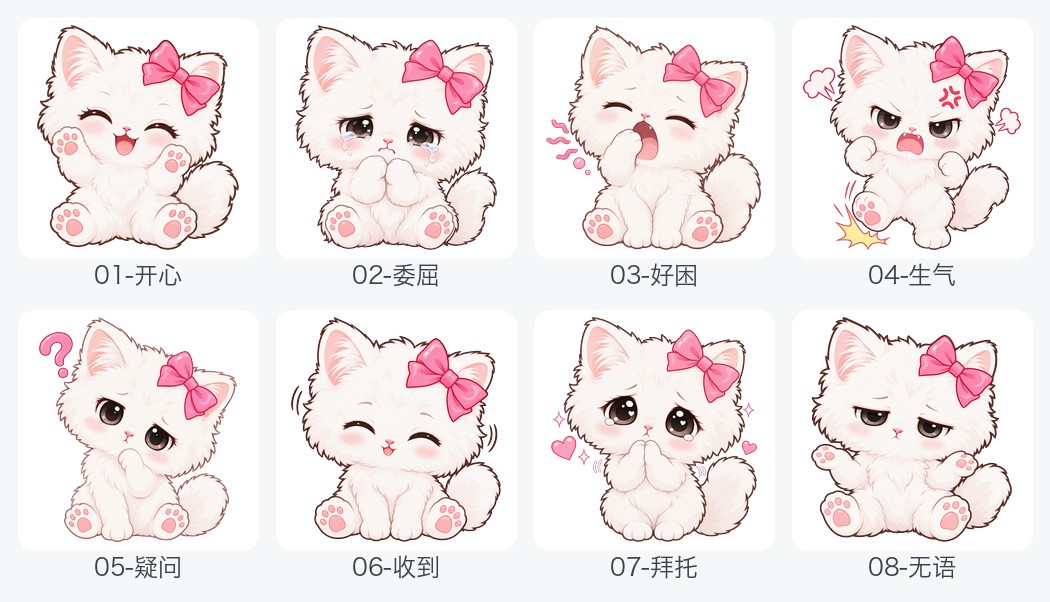
文件名自带含义词(`01-开心.png`、`02-委屈.png`…),编号即上传顺序,不用回头对映射表。
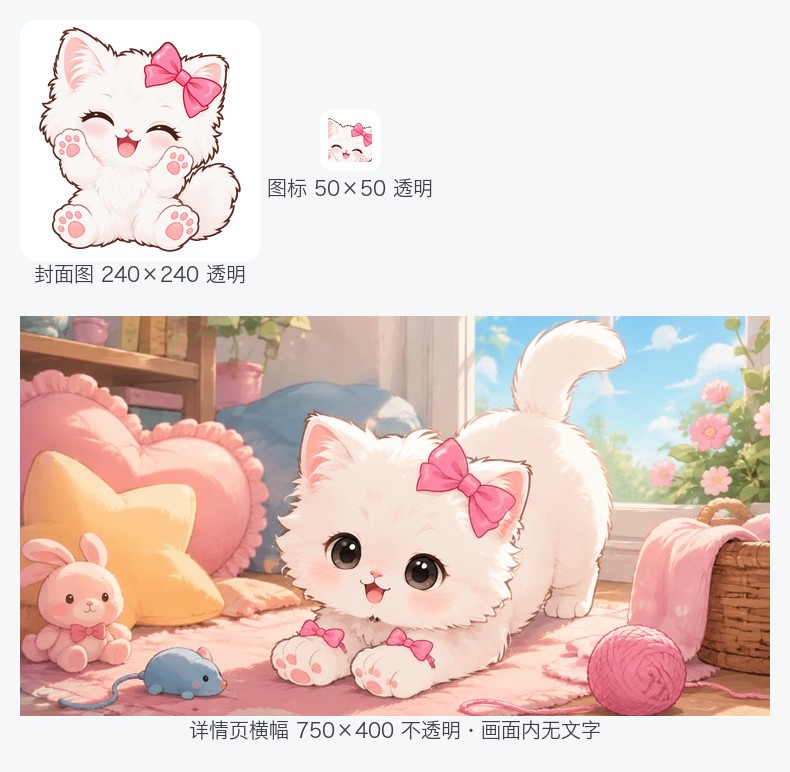
三件套的要求彼此矛盾,所以流水线分开处理:封面用正面半身像 + 透明背景, 图标用头部特写 + 透明背景,横幅要不透明、有场景、画面内不得有文字。
照片型表情 → 透明贴纸
Related Skills

Ecc Guide
Navigate ECC's current agents, skills, commands, hooks, install profiles, and docs from the live repository su

Epic Claim
Claim an epic issue, stamp coordination state, and sync local ownership.

Root Cause Tracing
Use when errors occur deep in execution and you need to trace back to find the original trigger.


Third-party Notices
THE FOLLOWING SETS FORTH ATTRIBUTION NOTICES FOR THIRD PARTY SOFTWARE THAT MAY BE CONTAINED IN PORTIONS OF THI

Claude API
Build apps with the Claude API or Anthropic SDK

Releases
.


