
Clodpod — AI skill for Claude Code
Run AI agents isolated inside an macOS virtual machine.
How to install Clodpod
This entry records only its repository, not the path inside it, so there is no
exact command to give. Open webcoyote/clodpod and copy the folder into
~/.claude/skills/, or the file into ~/.claude/agents/.
What Clodpod does
Run AI agents isolated inside an macOS virtual machine. Configured to run Claude Code, OpenAI Codex, Cursor Agent, Google Gemini.
Alternatives in AI
- Invisible Dots — Open-source, self-hosted alternative to OpenAI Dots, Meta Muse, Grok Bot, Manus Cue and Claude Cowork 31.8k ★
- Agentpet — A desktop pet for macOS & Windows that monitors your AI coding agents (Claude Code, Codex, Cursor, Gemini 334 ★
- Ask All — Ask GPT, Gemini, Grok, and any configured OpenRouter models in parallel for independent second opinions, then 135 ★
README
ClodPod - Run AI agents in a macOS VM sandbox
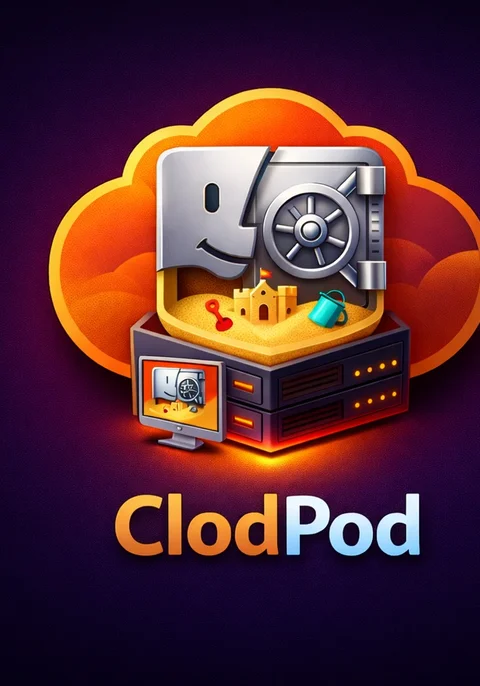 ClodPod creates a macOS virtual machine sandbox configured to run applications like Claude Code, Open AI Codex, Google Gemini, and Cursor Agent. It facilitates disabling AI permission prompts so you can get work done without risking your entire computer.
ClodPod maps any number of your project directories into the virtual machine so AI agents can work on your code while remaining isolated from your host computer.
ClodPod virtual machines include Xcode and common development tools, and it's easy to extend to add your own development tools and configuration files.
ClodPod creates a macOS virtual machine sandbox configured to run applications like Claude Code, Open AI Codex, Google Gemini, and Cursor Agent. It facilitates disabling AI permission prompts so you can get work done without risking your entire computer.
ClodPod maps any number of your project directories into the virtual machine so AI agents can work on your code while remaining isolated from your host computer.
ClodPod virtual machines include Xcode and common development tools, and it's easy to extend to add your own development tools and configuration files.
Key features
- Builds a virtual machine and launches AI agents with access to your projects
- Enables mapping multiple projects in the same virtual machine simultaneously
- Open multiple AI agents sessions and shell prompts, or use the GUI
- Bundled
herdragent multiplexer for running many agents in a single session - Headless mode for CI/CD workflows with
--no-graphics - Includes Xcode and common development tools; you can add your own tools too
- Fast rebuild and relaunch using a three-layer APFS CoW caching system
- Named VM instances for switching between projects or worktree branches
- Parallel VM execution with configurable memory budget
Usage:
# Clone clodpod
git clone https://github.com/webcoyote/clodpod ~/projects/clodpod

# Create an alias for clod or add it to your path
alias clod="$HOME/projects/clodpod/clod"
# - or -
alias clod="$HOME/projects/clodpod/clod --no-graphics"
# - or -
PATH="$PATH:"$HOME/projects/clodpod"

# Note: for the first run you'll want to start in the project directory,
# which will get remembered. Use add/remove for changing projects.
cd "YOUR PROJECT DIRECTORY"

# Run Claude Code
clod claude
# also clod cl"

# Run OpenAI
Related Skills
LLM Bridge
Local OpenAI-compatible LLM API gateway for Google Antigravity (AGY), multi-account Gemini, Claude Code and Co


Use Crew Gateway
Route an OpenAI/Anthropic-compatible client through the portable farmd control plane's virtual crew model, for

SkillWorkflowEngine
Native macOS app for composing and executing AI-powered consulting workflows. Combine personas (WER) with skil

Model Crosscheck
Adversarial multi-model planning & code review for Claude Code: /dual-plan and /dual-review (Claude + OpenAI C

Somepulp Agents
Claude Code plugin providing AI-powered agents for code auditing, research, and multi-model consultation (Open

Multigateway
AI Client for Android. Support OpenAI API, Google Gemini, Anthropic, Ollama, OpenAI Codex, Claude Code, Antigr

Related Agents

Model Runner
Deterministic wrapper that runs a prompt on a non-Claude model (OpenAI via Codex, Cursor's composer/grok/glm,

Opencode
Coding subagent that runs inside opencode, on any provider and model opencode supports (OpenAI, Google, Moonsh


Developer Overview
code-container (container) creates isolated Docker environments for AI coding harnesses (Claude Code, OpenCode
