
Claude Code Wakatime — skill for Claude Code
Track how much time you spend using Claude Code to AI-code.
How to install Claude Code Wakatime
This entry records only its repository, not the path inside it, so there is no
exact command to give. Open wakatime/claude-code-wakatime and copy the folder into
~/.claude/skills/, or the file into ~/.claude/agents/.
What Claude Code Wakatime does
Track how much time you spend using Claude Code to AI-code.
Alternatives in general
- Jetbrains Cc Gui — Jetbrains Claude Code and Codex GUI Plugin 2.7k ★
- Claude Code Lsps — Claude Code Plugin Marketplace with LSP servers 408 ★
- Jean Claude — A companion for syncing Claude Code configs 54 ★
README
WakaTime for Claude Code
Track your AI usage, lines of code generated, time spent prompting AI, etc. using the WakaTime plugin for Claude Code.
[WakaTime](https://wakatime.com/) is an open source plugin for metrics, insights, and time tracking automatically generated from your programming activity.
Installation
`claude plugin marketplace add https://github.com/wakatime/claude-code-wakatime.git`
`claude plugin i claude-code-wakatime@wakatime`
Add your [API key][api-key] to `~/.wakatime.cfg`:
[settings]
api_key = waka_123
Upgrading
claude plugin marketplace updateUsage
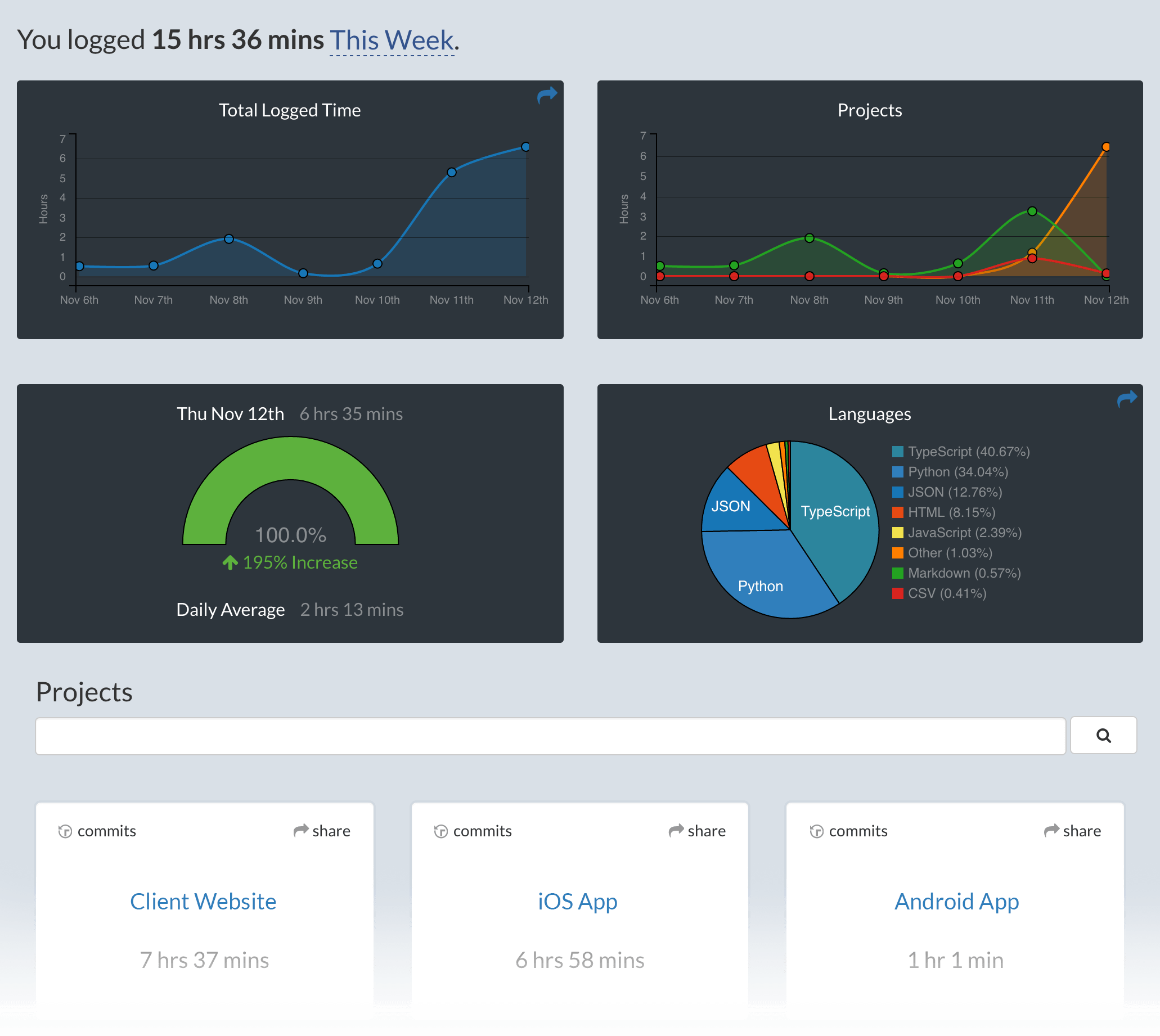
New: See the lines of code generated by AI on your [dashboard][wakatime.com]!
Visit [https://wakatime.com][wakatime.com] to see your coding activity.
Development
npm run watchTroubleshooting
Diagnostic tool for troubleshooting the installation and health of Claude Code and plugins:
claude doctorMake sure you have node.js installed and in your `$PATH`:
node -vRun claude with verbose logging to see any plugin load errors:
claude --debugLook for errors in the [wakatime-cli][wakatime-cli] log file:
grep error ~/.wakatime/wakatime.log | grep -v backoffRelated Skills


Related Agents

Cost Governor
Track aggregate token spend and API costs across all agent operations. Enforce budget constraints, detect cost


Pipeline Icp Mapper
Growth-pipeline Agent 3. Use to map a startup's product, competitor landscape, and user base to platforms — wh


Monitor UI
Use this agent proactively whenever:\n- The user mentions monitoring, dashboards, metrics, or real-time data v
