

Claudet — AI skill for Claude Code
Add voice input capability to Claude.ai using Transformers.js and Groq API.
How to install Claudet
This entry records only its repository, not the path inside it, so there is no
exact command to give. Open unclecode/claudet and copy the folder into
~/.claude/skills/, or the file into ~/.claude/agents/.
What Claudet does
Add voice input capability to Claude.ai using Transformers.js and Groq API.
Alternatives in AI
- Pretty Mermaid Skills — To provide AI with Mermaid chart rendering capability, supporting both SVG and ASCII output formats 552 ★
- Maestro Companion — Quick execution for small tasks — minimal run lifecycle (start + done) with evidence recording 530 ★
- AI Pair Collaboration — Coordinate heterogeneous AI teams: one creates, two review from different angles 190 ★
README
🎙️ Claude AI Speech-to-Text Chrome Extension 🤖
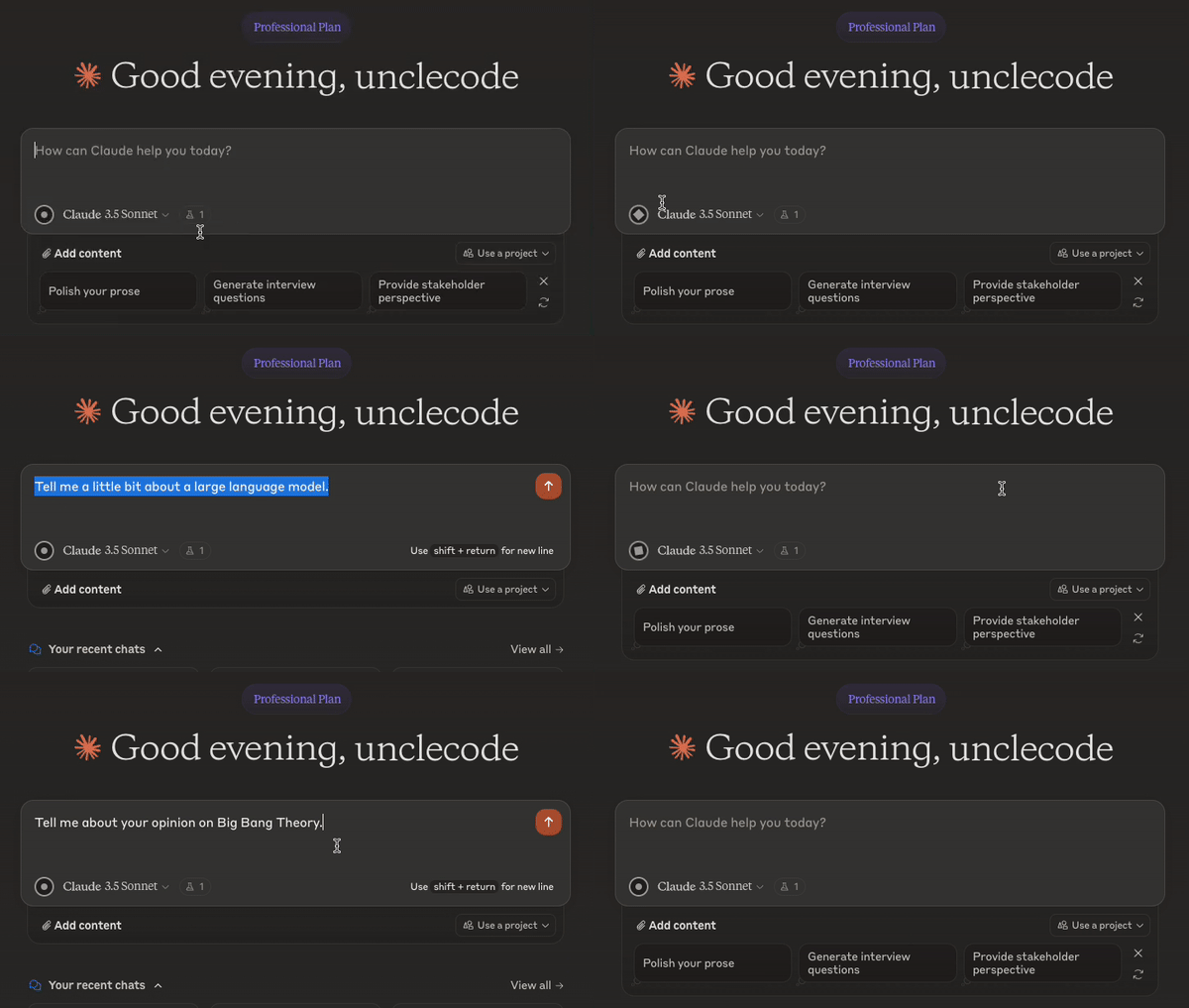
Why This Extension? 🤔
Hey there!
I don't know if you've felt this way, but I love using AI assistants like Claude. Recently, I found myself wishing I could talk to Claude instead of typing all the time. I enjoyed the speech-to-text feature when communicating with ChatGPT, and I wanted the same experience with Claude.
That's when I had an idea: why not create a Chrome extension to bring this functionality to Claude? I like Groq's super-fast Whisper model. So, I decided to create an extension.
This Chrome extension has been a great tool for me personally, making my interactions with Claude more natural and efficient. I hope it can do the same for you!
Features 🚀
- 🎤 Adds a microphone button to Claude AI's text input area
- 🔄 Speech-to-text using Whisper model offered by Groq API or OpenAI
- 🔀 Switch between speech-to-text providers easily
- 🔒 Privacy-focused design with local processing
Groq API and OpenAI - Speed and Accuracy ⚡
If you're looking for lightning-fast transcription, both the Groq API and OpenAI are excellent options. They use the Whisper model, which is known for its speed and accuracy. These options are perfect when you need quick, reliable transcriptions.
Installation 📥
From Chrome Web Store
Great news! The extension is available on the Chrome Web Store. Install it from here https://tinyurl.com/claudetvoice
From GitHub (Available Now! 🎉)
- Clone this repository or download it as a ZIP file
- Unzip the file (if downloaded as ZIP)
- Open Chrome and go to
chrome://extensions/ - Enable "Developer mode" in the top right corner
- Click "Load unpacked" and select the extension directory
Usage 🔧
- After installation, click on the extension icon in your Chrome toolbar
- Choose your preferred speech-to-text provider (Groq or OpenAI)
- Enter your API token for the chosen provider
Related Skills
Omnilingua AI
Agentic AI translator: auto-detects Groq/OpenAI/Claude/Gemini keys, RAG translation memory, OCR + PDF, live vo

TelegramAgent
Self-hosted Telegram AI agent: Claude, OpenAI, Gemini, DeepSeek or free Groq. Live streaming replies, topics a


PiAgentUI
Professional AI Agent Desktop & Web UI — sessions, MCP tools, skills browser, voice input, terminal, file expl


Tsukumo
Give your AI agent a body: a 3D VRM desktop companion that becomes the face and voice of Claude Code, Codex, G

Claude Voice Skill
Voice interaction capability for Claude Code


Freetoken
🆓 Free AI tokens by V Groups — pool every free LLM API (Gemini, Groq, OpenRouter, NVIDIA, Cohere, GitHub Mode

Related Agents

Container Breakout
Delegates to this agent when the user asks about container escape, Docker breakout, Kubernetes pod escape, run


ZeroClaw Android
Run AI agents 24/7 on your Android phone. Native Rust core, 25+ providers (OpenAI, Claude, Gemini, Groq, DeepS


Sanity Builder
Sanity CMS content architect + integrator — schema (defineType/defineField), GROQ queries, TypeGen, Portable T
