
Twicc — Design skill for Claude Code
TWICC - The Web Interface for Claude & Codex - A web UI to browse and interact with your Claude Code and Codex sessions.
How to install Twicc
This entry records only its repository, not the path inside it, so there is no
exact command to give. Open twidi/twicc and copy the folder into
~/.claude/skills/, or the file into ~/.claude/agents/.
What Twicc does
TWICC - The Web Interface for Claude & Codex - A web UI to browse and interact with your Claude Code and Codex sessions. View projects, sessions, conversation history, costs, and run Claude and Codex agents — all from your browser.
Alternatives in Design
README
TwiCC
**T**he **W**eb **I**nterface for **C**laude and **C**odex
One self-hosted web interface for both [Claude Code](https://docs.anthropic.com/en/docs/claude-code) (Anthropic) and [Codex](https://openai.com/codex/) (OpenAI): browse your projects and sessions, run agents and follow them live, track costs and quotas, and stay in control of your AI coding work — from your desktop or your phone.
Screenshots
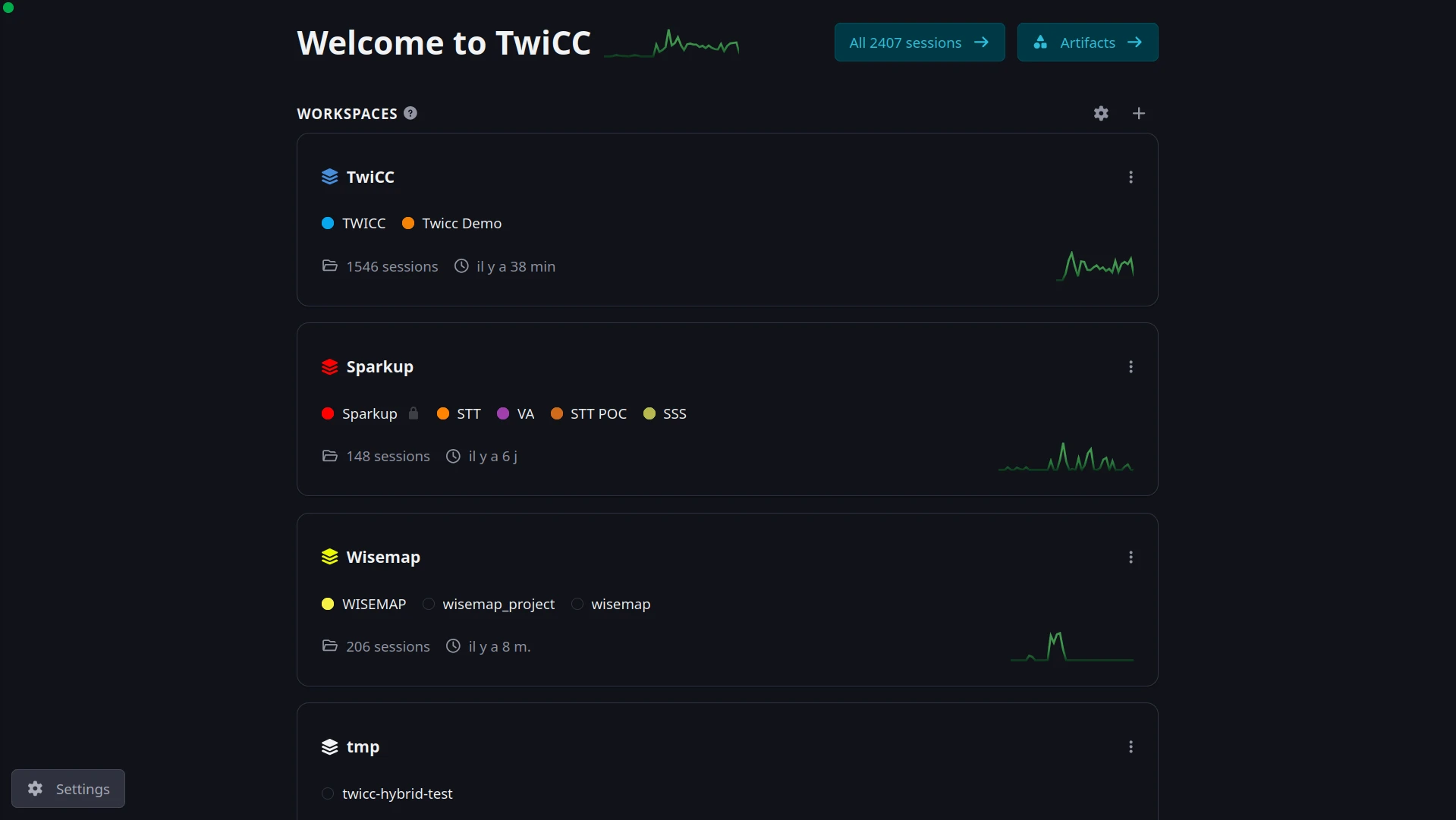
Home — your workspaces, each grouping related projects, with live activity and session counts at a glance:
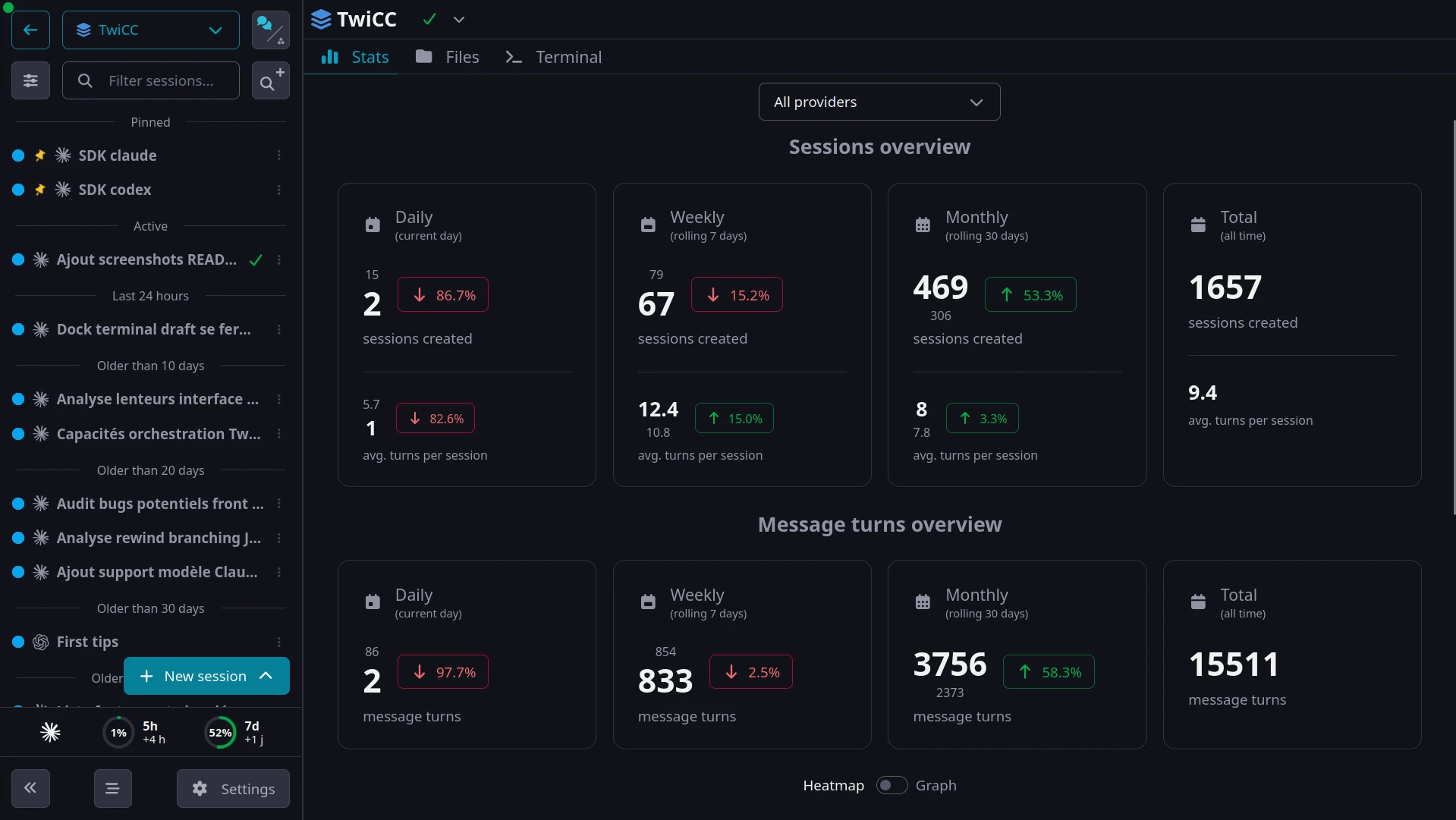
Workspace overview — sessions in the sidebar, plus stats on sessions, message turns and costs:
A session in a custom dockable layout: chat, files, git and terminal, side by side:
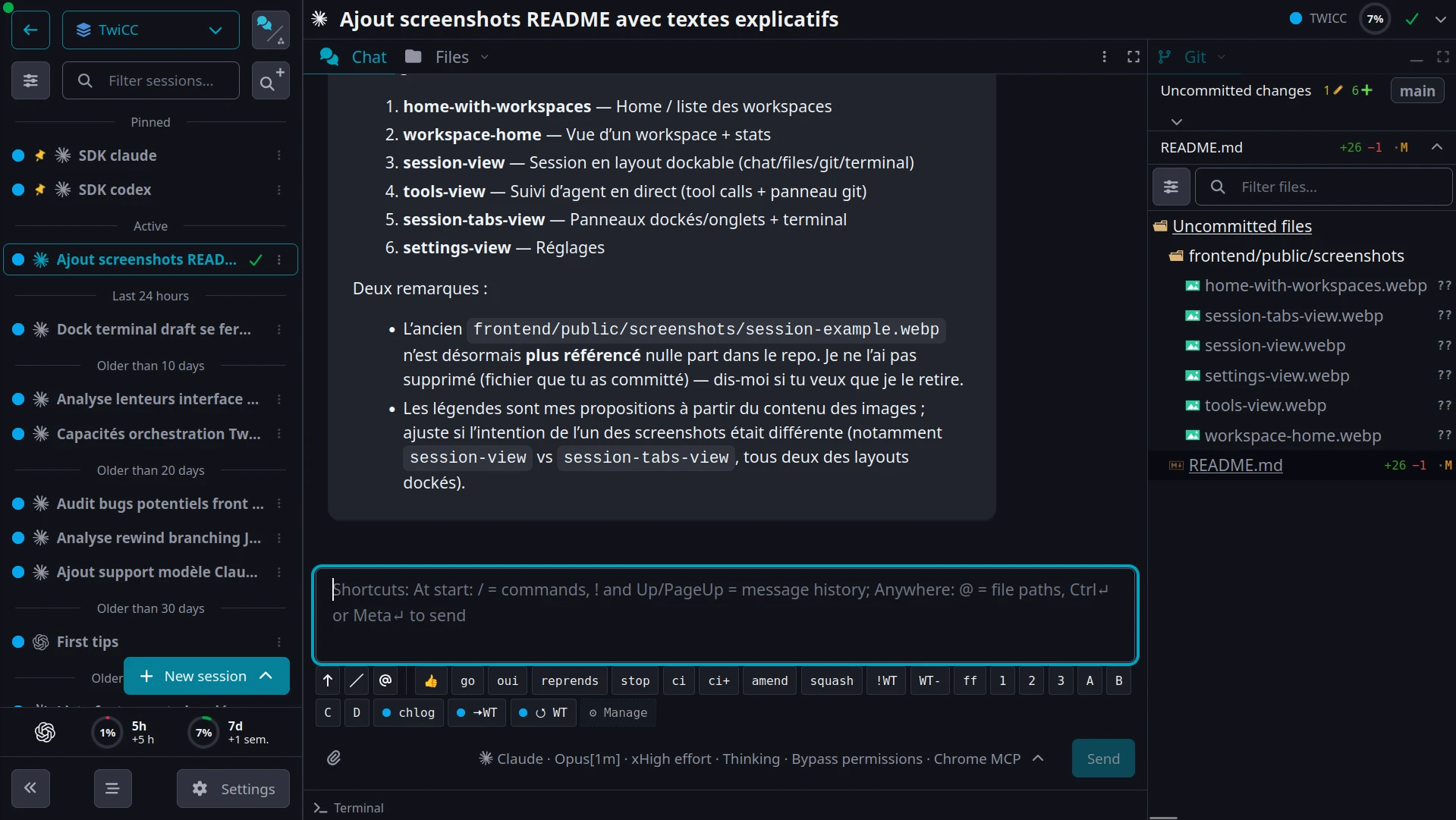
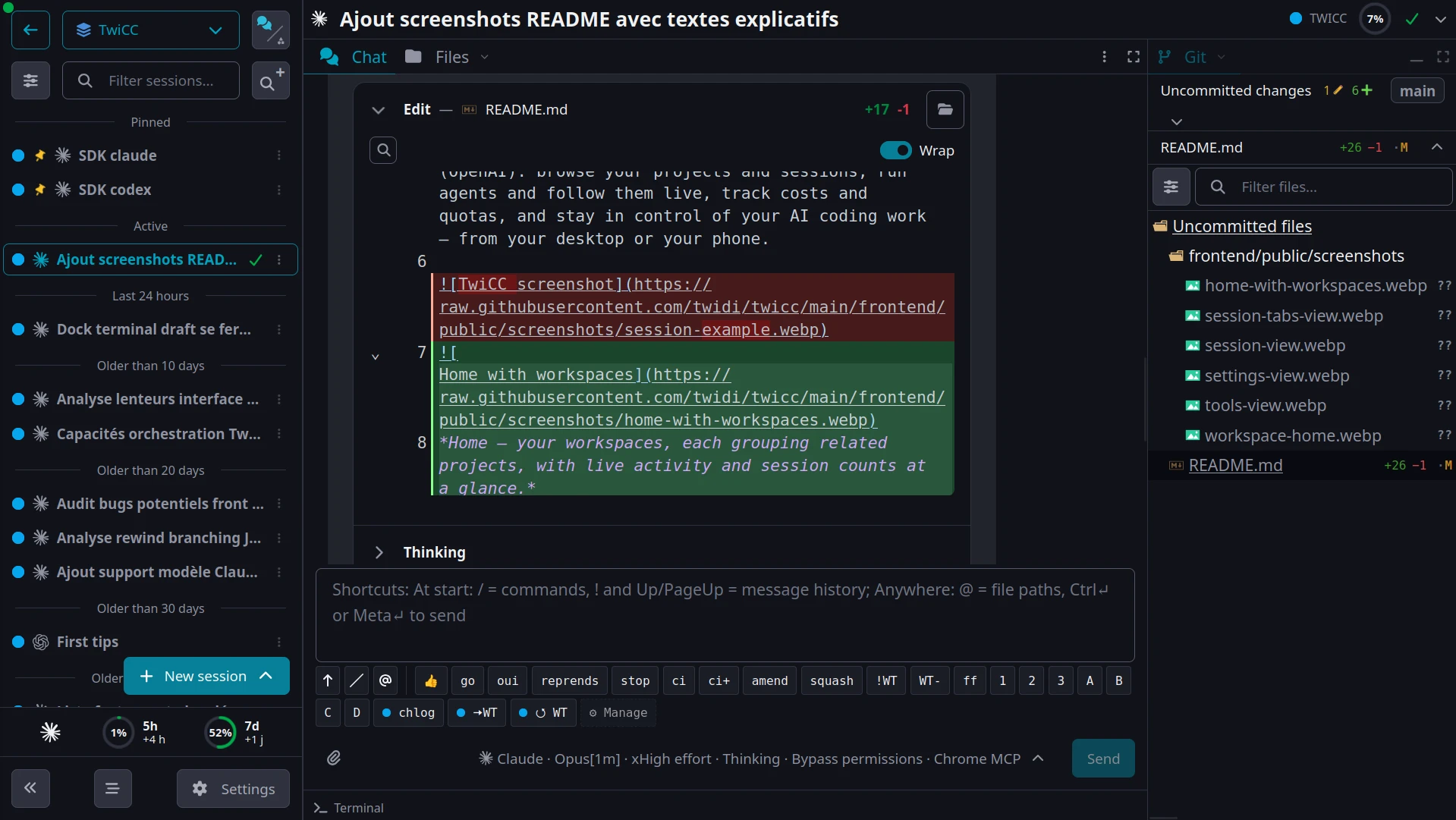
Follow an agent live — every tool call, thinking step and diff, with the git panel alongside:
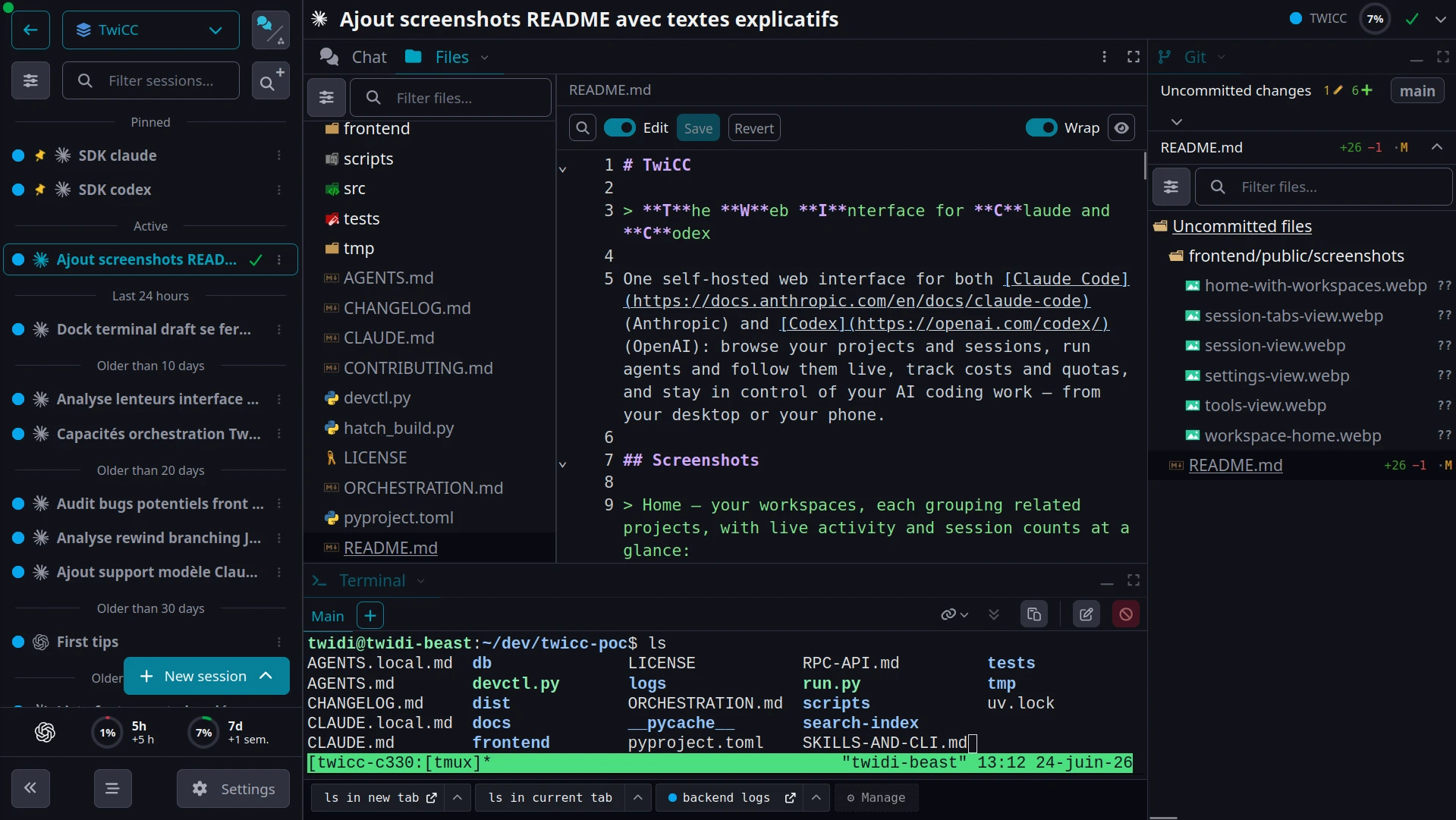
Dock and tab panes as you like — here a file editor next to an integrated terminal:
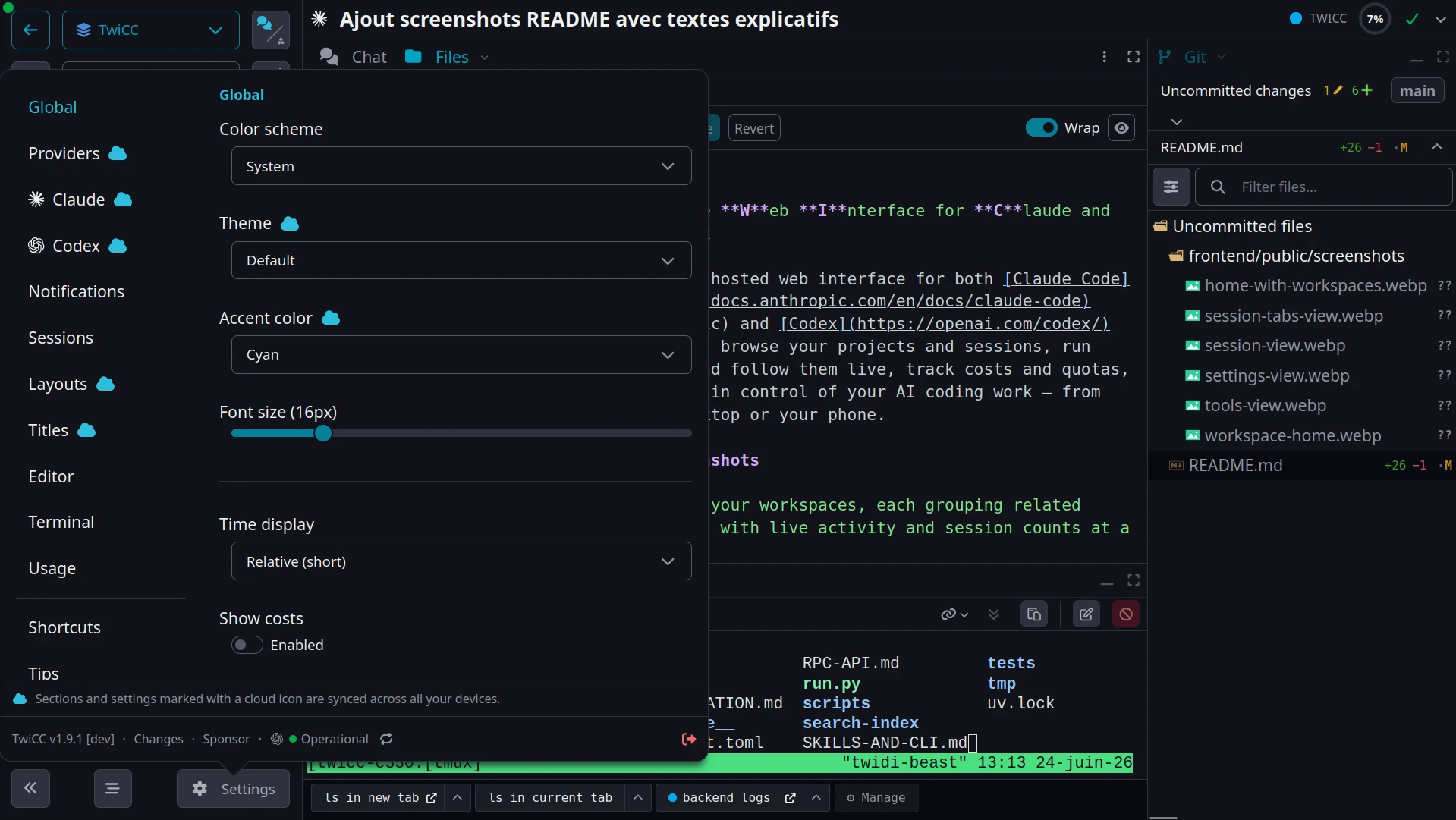
Settings, synced across your devices: theme, providers, layouts, notifications and more:
Pick a model and reasoning effort in seconds:
https://github.com/user-attachments/assets/65033859-ed67-42fc-8b64-fa13204659da
[](https
Related Skills
Agent Session Viewer
A pure python solution to view sessions, memory and prompt history in a web ui from claude code cli, codex cli

Claude Code Manager UI
Local web UI for managing Claude Code sessions, jobs, agents, profiles, tools, costs, search and configuration


Claude Run
A beautiful web UI for browsing Claude Code conversation history.


Session Steward
Claude Code and Codex session manager. Browse sessions, back up, and safely delete old ones — from a local bro

Figloo
Chrome extension + local MCP server that lets coding agents like Claude Code and Codex read Figma designs thro


Style Tengu
I have extracted prompts from my Claude Code conversation history. These prompts represent the types of reques

Related Agents

Claude Bowser Agent
Browser automation agent. Use when you need to browse websites, take screenshots, interact with web pages, or


Conversation Historian
Use when analyzing Claude Code conversation history, finding past sessions by topic, tracing how implementatio


Session Error Analyzer
Analyzes specific AI IDE sessions (Claude Code, OpenAI Codex, OpenCode) for LLM behavior errors and returns a
