

AI Dev Tasks — AI skill for Claude Code
A simple task management system for managing AI dev agents.
How to install AI Dev Tasks
This entry records only its repository, not the path inside it, so there is no
exact command to give. Open snarktank/ai-dev-tasks and copy the folder into
~/.claude/skills/, or the file into ~/.claude/agents/.
What AI Dev Tasks does
A simple task management system for managing AI dev agents.
Alternatives in AI
- Claude Task Master — by eyaltoledano - A task management system for AI-driven development with Claude, designed to work seamlessly 26k ★
- Khazix Skills — DA collection of AI Skills for managing and evolving your skill library 1.5k ★
- Proxypal — A desktop app that lets you use your AI subscriptions (Claude, ChatGPT, Gemini, GitHub Copilot) with any codin 1.2k ★
README
AI Dev Tasks
Welcome to **AI Dev Tasks**! This repository provides a collection of markdown files designed to supercharge your feature development workflow with AI-powered IDEs and CLIs. These tools work with any AI coding assistant including [Amp](https://ampcode.com), Claude Code, Windsurf, and others. By leveraging these structured prompts, you can systematically approach building features, from ideation to implementation, with built-in checkpoints for verification.
Stop wrestling with monolithic AI requests and start guiding your AI collaborator step-by-step!
The Core Idea
Building complex features with AI can sometimes feel like a black box. This workflow aims to bring structure, clarity, and control to the process by:
- Defining Scope: Clearly outlining what needs to be built with a Product Requirement Document (PRD).
- Detailed Planning: Breaking down the PRD into a granular, actionable task list.
- Iterative Implementation: Guiding the AI to tackle one task at a time, allowing you to review and approve each change.
This structured approach helps ensure the AI stays on track, makes it easier to debug issues, and gives you confidence in the generated code.
Workflow: From Idea to Implemented Feature
Here's the step-by-step process using the `.md` files in this repository:
1. Create a Product Requirement Document (PRD)
First, lay out the blueprint for your feature. A PRD clarifies what you're building, for whom, and why.
You can create a lightweight PRD directly within your AI tool of choice:
Ensure you have the `create-prd.md` file from this repository accessible.
In your AI tool, initiate PRD creation:
Use @create-prd.md
Here's the feature I want to build: [Describe your feature in detail]
Reference these files to help you: [Optional: @file1.py @file2.ts]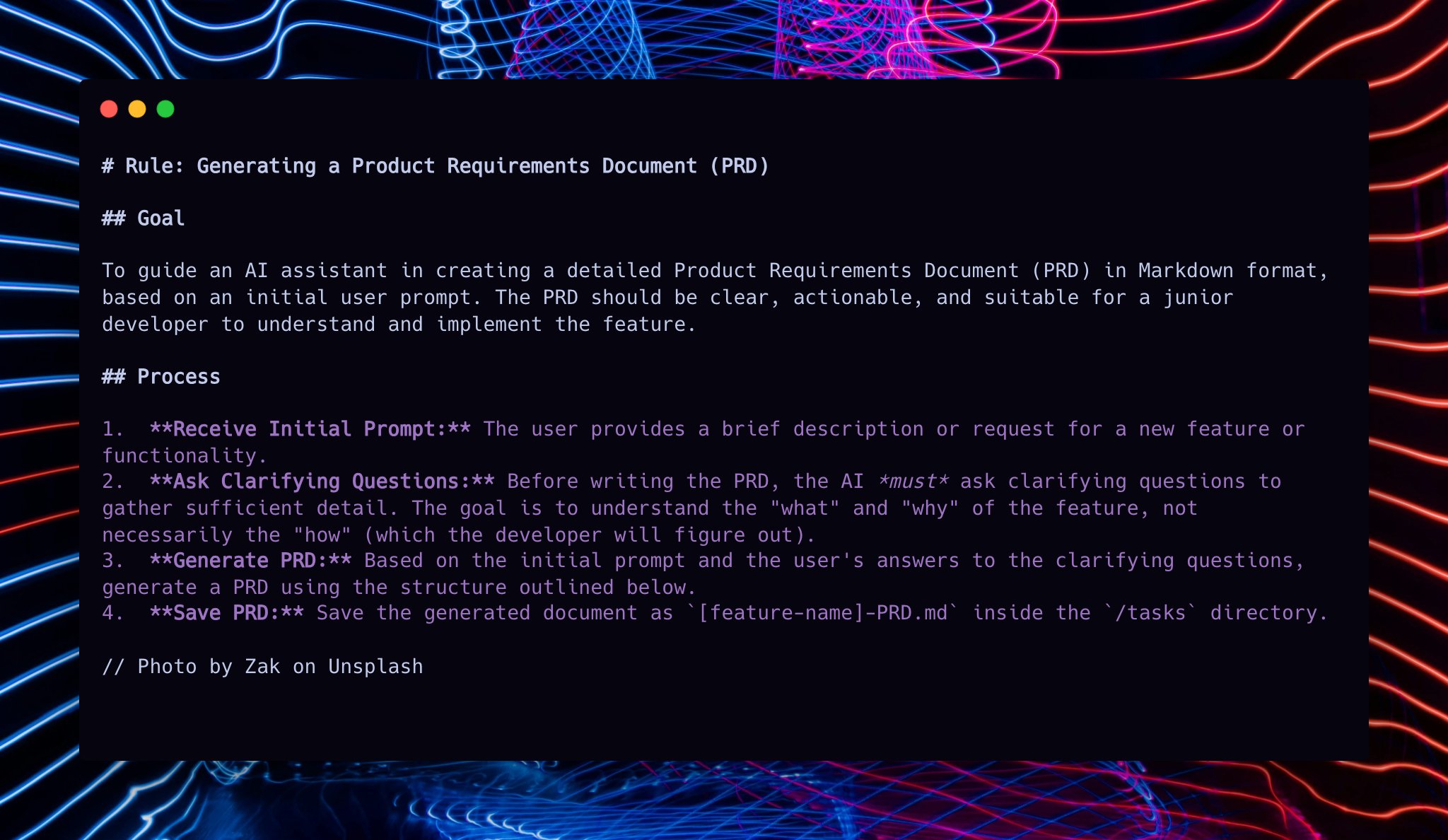
2. Generate Yo
Related Skills
Topsha
Local Topsha 🐧 AI Agent for simple PC tasks - focused on local LLM (GPT-OSS, Qwen, GLM)

Laya Fast Router
A lightweight decision routing model designed to replace slow, expensive LLMs for simple classification and co

Agentinit
Universal CLI for managing AI coding agent configurations. Unify Claude Code, Cursor, Windsurf agents configs


Jeff
AI assistant CLI for managing email, calendars, contacts, and tasks through conversation.


Agent Session.Nvim
A Neovim plugin for managing multiple AI agent sessions (Claude Code, terminal agents, LLM CLI sessions) with


AI Tech Task Solver Chrome Extension
Simple Chrome extension that uses AI (OpenAI GPT-4 Vision, Anthropic Claude) to analyze web page screenshots,

Related Agents

Junior Dev
Junior Developer - handles simple, well-defined tasks like typo fixes, formatting, simple one-line changes, an


Dev DevOps
DevOps and release guardian. EXCLUSIVE authority for git push, gh pr create/merge, CI/CD management, and relea


Milo
Use this agent when the user needs to interact with Jira for project management tasks including creating epics
