
Vect — AI skill for Claude Code
Local-first AI native IDE.
How to install Vect
This entry records only its repository, not the path inside it, so there is no
exact command to give. Open seonglae/vect and copy the folder into
~/.claude/skills/, or the file into ~/.claude/agents/.
What Vect does
Local-first AI native IDE. Download Vect desktop installers and releases, browse plugins, and report issues here.
Alternatives in AI
- Open Knowledge — Beautiful, AI-native markdown IDE and LLM wiki 3.7k ★
- Token Monitor — Local-first desktop widget for tracking token usage, costs, and limits across 32+ AI coding tools—including Cl 1.8k ★
- Open Science — Open Science Desktop — local-first, model-agnostic AI research workbench for macOS, Windows & Linux 1.5k ★
README
Vect

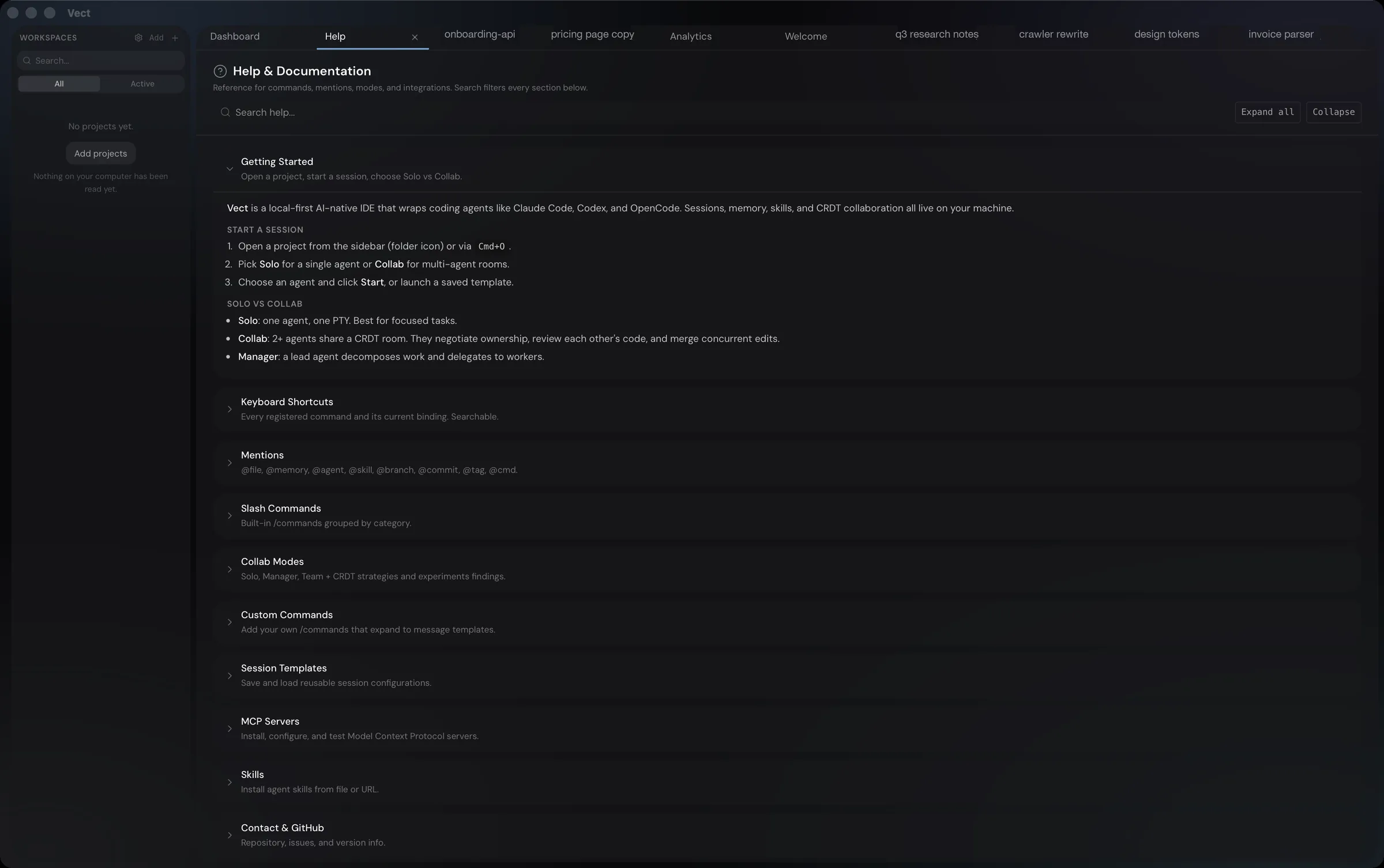
**AI-native IDE.** Local-first. One shell over Claude Code, Codex, OpenCode and Hermes.
Coding is one of the things it is for. Writing and research sessions use the same surface.
[vectai.org](https://vectai.org) · [Documentation](https://vectai.org/docs) · [Changelog](./CHANGELOG.md)
Install
**macOS / Linux**
curl -fsSL https://raw.githubusercontent.com/seonglae/vect/main/scripts/install.sh | bash**Homebrew (macOS)**
brew install --cask seonglae/tap/vect**Windows**
irm https://raw.githubusercontent.com/seonglae/vect/main/scripts/install.ps1 | iex**Manual.** Grab the installer for your platform from [releases](https://github.com/seonglae/vect/releases/latest).
macOS builds are signed and notarized, and Vect keeps itself up to date from this releases page.
What you get
- One window for the whole project. A project opens as a single tab holding everything it needs: the conversation, your files, a terminal, a preview. Drag any pane onto the edge of another and it splits there. It opens as just the conversation, and the rest appears when you ask for it.
- A room, not one agent. Put several agents on the same work and they claim a file before touching it, read what the others have already written, and merge changes that land at the same moment. It is the default, not an advanced setting.
- Agents can drive the app.
vect mcp servehands any agent Vect itself as tools: reading and running things in the panel you are looking at, opening a page in the preview, starting and steering other agents. It can also read and write what the project remembers, and every change it makes is written down. - Your phone as a second screen. Scan a QR code and your phone is paire
Related Skills
Dev Report Weekly
Local-first desktop app that turns reviewed Git history into auditable weekly reports with Codex, Claude Code,


Vibe Island Updates
Vibe Island releases & update feed — download the latest DMG of the macOS notch panel for 25 AI coding agents

Codex GodMode ON
GPT-5.6-ready local Codex orchestration with 14 agents, 10 core skills, an optional local-first Paperwork plug

Oxi
Native, local-first coding-agent desktop app in Rust (egui) — run any model: local GGUF, Ollama/LM Studio, SSH


Coding Agent Heat Index
Daily leaderboard ranking 12 AI coding agents (Cursor, Claude Code, Cline, Aider, Codex, Gemini CLI and more)


Agent Viewer
One window for every AI agent session — browse Claude Code, Codex, OpenCode, Gemini, DeepSeek, Hermes & Kimi t

Related Agents

Ehs Local App
Local application security specialist for the Ethical Hacker Squad. Reviews command-line tools, desktop applic

Google Docs Fetcher
Use this agent when you need to download Google Docs content for local work. This includes scenarios where use

Reel Worker
Watches ONE reel or post end to end in the background (download, Gemini or local analysis, breakdown, Telegram
