
TwitCanva Video Workflow
Description
A next-generation AI-powered infinite canvas workspace built for creators and developers. Experience the future of Generative AI with a drag-and-drop node interface that combines Google Gemini 3 Pro, Veo 3.1, and LangGraph Agents into a seamless creative workflow.
Installation
This entry records only its repository, not the path inside it, so there is no
exact command to give. Open the source below and copy the folder into
~/.claude/skills/, or the file into ~/.claude/agents/.
README

TwitCanva
A modern, AI-powered canvas application for generating and manipulating images and videos using OpenAI GPT Image, Google Gemini, Kling AI, Hailuo AI (MiniMax), and Fal.ai. Built with React, TypeScript, and Vite.
   
Star History
[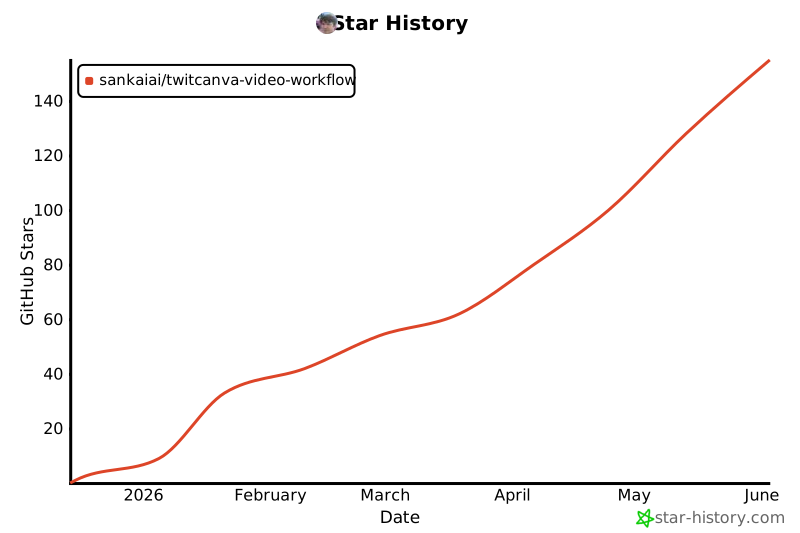](https://www.star-history.com/?repos=SankaiAI%2FTwitCanva-Video-Workflow&type=date&legend=top-left)
✨ Features
- 🎨 Visual Canvas Interface - Drag-and-drop node-based workflow
- 🤖 Multi-Model AI Generation - GPT Image 1.5, Gemini Pro, Kling V1-V2.5 for images
- 🎬 Multi-Model Video Generation - Veo 3.1, Kling V1-V2.6, Hailuo 2.3/O2 for videos
- 🎥 Camera Angle Control - Transform any image by adjusting camera rotation and tilt angles (Qwen-Image-Edit)
- 📋 Storyboard - Create video storyboards with consistent characters and layouts
- 💃 Motion Control - Transfer motion from reference videos to character images (Kling V2.6 via Fal.ai)
- 📥 TikTok Import - Download TikTok videos without watermark for use as motion references
- 📤 Post to X - Share generated images/videos directly to Twitter/X with one click
- 📤 Post to TikTok - Share generated videos directly to TikTok with one click
- 🖼️ Image-to-Image - Use reference images for generation
- 📽️ Frame-to-Frame Video - Animate between start and end frames
- 🔗 Smart Node Connections - Type-aware validation (IMAGE→VIDEO, TEXT→IMAGE, etc.)
- 💬 AI Chat Assistant - Built-in chat with LangGraph agent
- 📚 Asset Library - Save and reuse generate
Related Skills
Agency Agents
A complete AI agency at your fingertips - From frontend wizards to Reddit community ninjas, from whimsy inject

Firecrawl
🔥 The API to search, scrape, and interact with the web for AI

Artifacts Builder
Suite of tools for creating elaborate, multi-component claude.ai HTML artifacts using modern frontend web tech

Headroom
Compress tool outputs, logs, files, and RAG chunks before they reach the LLM. 20% fewer tokens for coding agen

CrewAI
Framework for orchestrating role-playing, autonomous AI agents. By fostering collaborative intelligence, CrewA

TrendRadar
⭐AI-driven public opinion & trend monitor with multi-platform aggregation, RSS, and smart alerts.🎯 告别信息过载,你的
