Keenetic MCP — Development skill for Claude Code
Keenetic router control for Claude Code, Codex, Cursor and any MCP agent.
How to install Keenetic MCP
This entry records only its repository, not the path inside it, so there is no
exact command to give. Open salatmaster/keenetic-mcp and copy the folder into
~/.claude/skills/, or the file into ~/.claude/agents/.
What Keenetic MCP does
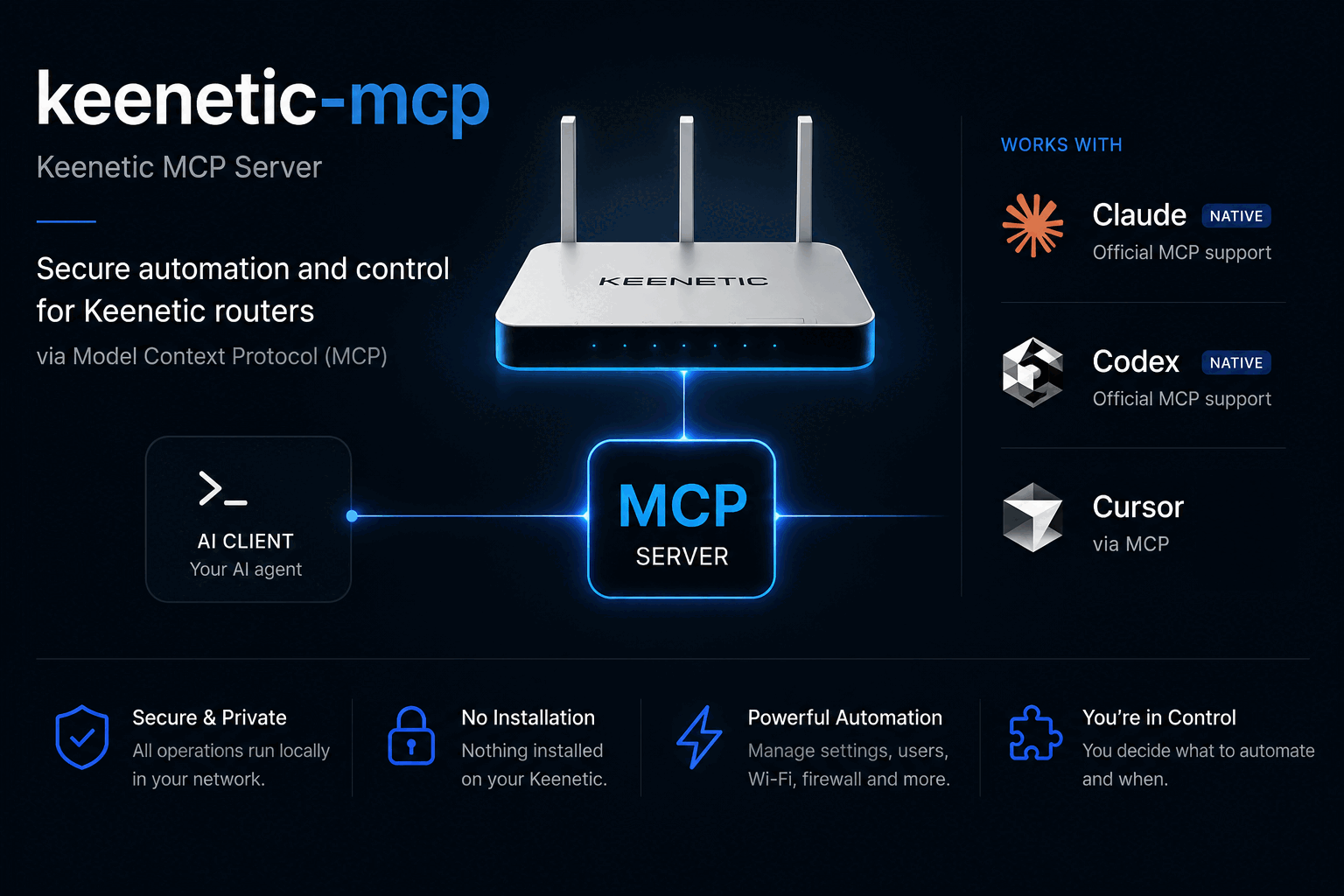
Keenetic router control for Claude Code, Codex, Cursor and any MCP agent. An MCP server over the router's own RCI API, plus ready-made plugins whose skills teach the agent how the hardware really behaves. Devices, Wi-Fi, VPN routing, isolated segments. Nothing installed on the router.
Alternatives in Development
- Understand Anything — Graphs that teach graphs that impress 80.7k ★
- Mempalace Init — Set up MemPalace — install the package, initialize a palace, register the MCP server with Cursor, and verify e 58.6k ★
- Happy Coder — by GrocerPublishAgent - Spawn and control multiple Claude Codes in parallel from your phone or desktop 15.7k ★
README
keenetic-mcp
**Control your Keenetic router from Claude, Codex, Cursor, or any MCP agent.**
[](https://www.npmjs.com/package/keenetic-mcp) [](LICENSE) [](https://modelcontextprotocol.io) [](#supported-routers)
Ask your agent about your network in plain language. No USB stick, no Entware, nothing installed on the router.
> who is using the most bandwidth right now?

  Three devices are active. Sorted by traffic:

  work-laptop      wifi:HomeNet   -46 dBm    7.7 GB down
  living-room-tv   wired:Home                3.2 GB down
  hallway-camera   wifi:HomeNet   -48 dBm    5.4 MB down

  The laptop is on the 2.4 GHz radio at -46 dBm, which is a strong
  signal, so the throughput is not a coverage problem.

> block the camera until tomorrow morning

  Blocked hallway-camera (02:00:00:00:00:14).

  Applied to the running configuration and verified, but NOT saved.
  A reboot discards it. Backup taken before the change:
  ~/Library/Application Support/keenetic-mcp/backups/…txt

  Say the word and I will make it permanent, or leave it and it
  reverts on the next restart.
Why
- Nothing on the router. It talks to the router's own HTTP API over your LAN. No USB drive, no Entware, no firmware modific
Related Skills

Signal Bridge Remote
A remote MCP server that lets Claude control Bluetooth intimate hardware over the internet via Buttplug.io / I


Claude Remote Plus
Hot-swap Claude Code remote sessions between projects from your phone. A daemon + MCP server that manages clau

Mastermind
Universal intent router — deeply understands what a prompt is really asking for, matches it against the full m


Openclaw Control MCP
The OpenClaw control plane MCP server — 134 typed tools to operate the gateway's full management surface (cron

Perplexity Web Wrapper
Use your existing Perplexity subscription with MCP - no API costs. Web wrapper + MCP server for coding agents

Exa Skills
Exa web search as standalone Agent Skills — no MCP server, just an EXA_API_KEY. Company, people, papers, code,

Related Agents

5dive
5dive exists for people who want a fleet of coding agents working unattended on hardware they control, without


Monk Installer
Install, upgrade, and troubleshoot monk-agent plus Monk CLI/daemon for Claude, Codex, and Cursor users.


Intellij Debugger Maintainer
Fix issues, add features, and maintain quality in intellij-debugger. MCP server that lets Claude control Intel
