

Open Claude In Chrome — Development skill for Claude Code
Claude in Chrome, reverse-engineered and open-source.
How to install Open Claude In Chrome
This entry records only its repository, not the path inside it, so there is no
exact command to give. Open noemica-io/open-claude-in-chrome and copy the folder into
~/.claude/skills/, or the file into ~/.claude/agents/.
What Open Claude In Chrome does
Claude in Chrome, reverse-engineered and open-source. No domain blocklist. Any Chromium browser. Same 18 MCP tools, same performance.
Alternatives in Development
- Chrome Devtools MCP — Chrome DevTools for coding agents 29504 108 1 31.7k ★
- Dive — Dive is an open-source MCP Host Desktop Application that seamlessly integrates with any LLMs supporting functi 1.8k ★
- Dao Code — Open-source TypeScript terminal coding agent for DeepSeek-V4 — builds on DeepSeek's strong price-performance a 1.3k ★
README

Open Claude in Chrome
Official Claude in Chrome gives you 58 blocked domains and two browsers.
Open Claude in Chrome gives you the whole web.
Clean-room reimplementation of Anthropic's browser extension. No blocklist. Any Chromium browser. 100% feature & performance parity.
by noemica
What's different · Install · Imitation learning · Architecture · Demo · How I built it
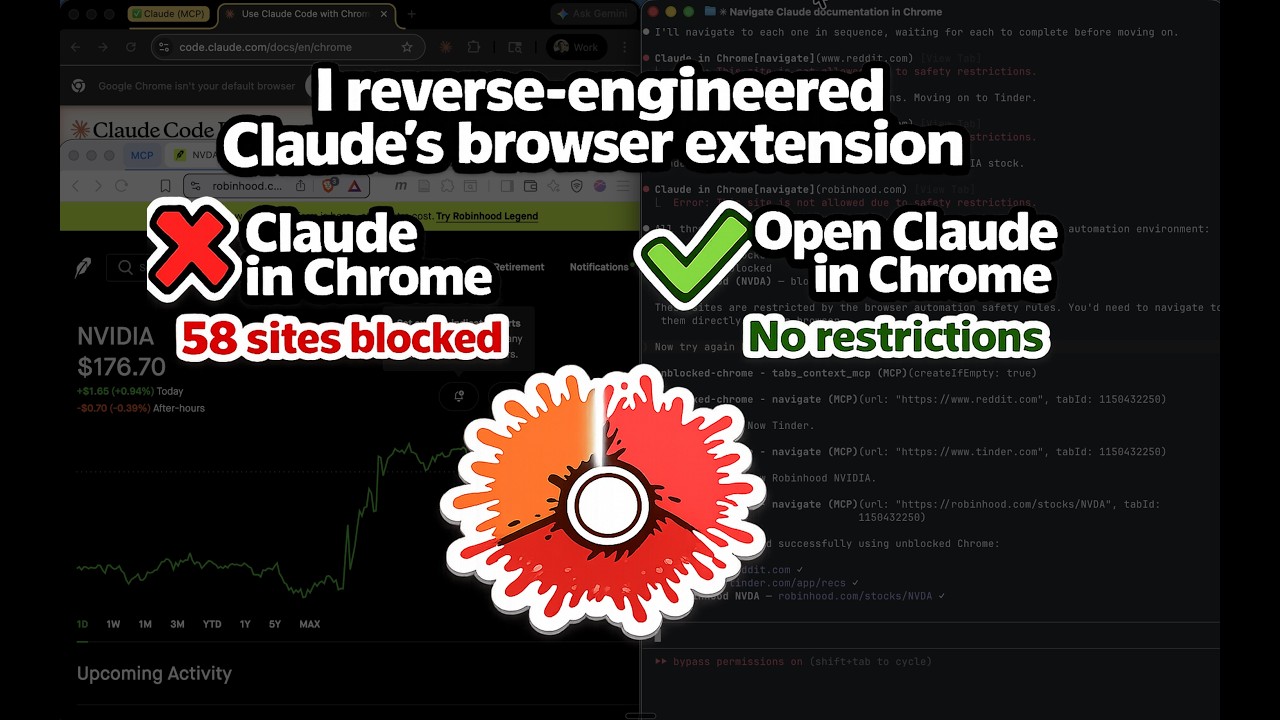
Watch Claude navigate Tinder, Reddit, and Robinhood — sites the official extension can't reach.
The official [Claude in Chrome](https://code.claude.com/docs/en/chrome) extension gives Claude Code full browser automation — as long as you stay within Anthropic's allowlist of "safe" sites. Open Claude in Chrome is a clean-room reimplementation that strips the restrictions while keeping all 21 MCP tools and matching the official extension's performance.
What's Different
| Claude in Chrome | Open Claude in Chrome | |
|---|---|---|
| Domain blocklist | 58 blocked domains across 11 categories | No blocklist. Navigate anywhere. |
| Browser support | Chrome and Edge only | Any Chromium browser (Chrome, Edge, Brave, Arc, Opera, Vivaldi, etc.) |
| Source code | Closed source | Open source (MIT) |
Related Skills
Activate Browser
Activate Chrome DevTools MCP for heavy browser sessions (network inspection, Lighthouse, performance tracing).


Web Agent Mate
Open-source Chrome assistant for Codex, Claude Code, and OrcaRouter, with browser tools and local workspaces

Article Sweeper
Agent skill: summarize open article tabs in Thorium, Chromium, Chrome, Brave, Edge and Firefox, append to a da

Claude Code
Claude Code Source - Buildable Research Fork. Reverse-engineered build system, runnable with Bun.


Claude Code Prompt Engineering Patterns
10 production prompt engineering patterns reverse-engineered from the Claude Code source leak. Python implemen

Open Claude Code
Nightly Claude Code CLI Decompile — Reverse Engineered & Rebuilt

Related Agents
Web Debugger
Interactive headful Chrome debugging via Chrome DevTools MCP — live DOM snapshots, console, network, and perfo


Browser Scout Sonnet
Default browser tier. Read-only work in the user's real Chrome — open a ticket, a chat channel, a dashboard or

Browser Executor
Browser automation agent that executes test scenarios using Chrome DevTools MCP integration with enhanced auto
