
Pi Inspect — Development skill for Claude Code
Introspection dashboard for the pi coding agent — tools, prompts, skills, and the system prompt injected on init.
How to install Pi Inspect
This entry records only its repository, not the path inside it, so there is no
exact command to give. Open NikiforovAll/pi-inspect and copy the folder into
~/.claude/skills/, or the file into ~/.claude/agents/.
What Pi Inspect does
Introspection dashboard for the pi coding agent — tools, prompts, skills, and the system prompt injected on init.
Alternatives in Development
- 10 Context And Prompts — Prompt 10: Wire Up System Prompt, Context Gathering & Memory System 2.3k ★
- Codex Prompt Handgepflegte Mega Und Mini Prompts — Codex-Prompt — Handgepflegte Mega- und Mini-Prompts fuer alle Plugins 1.5k ★
- Claude Fable 5 Prompt Strategies — Use when composing prompts targeting Claude Opus 5 (Claude 디폴트), Fable 5, Opus 4.8, or Sonnet 5 — 최신 Claude 프롬 176 ★
README
pi-inspect
[](https://www.npmjs.com/package/pi-inspect) [](https://www.npmjs.com/package/pi-inspect)
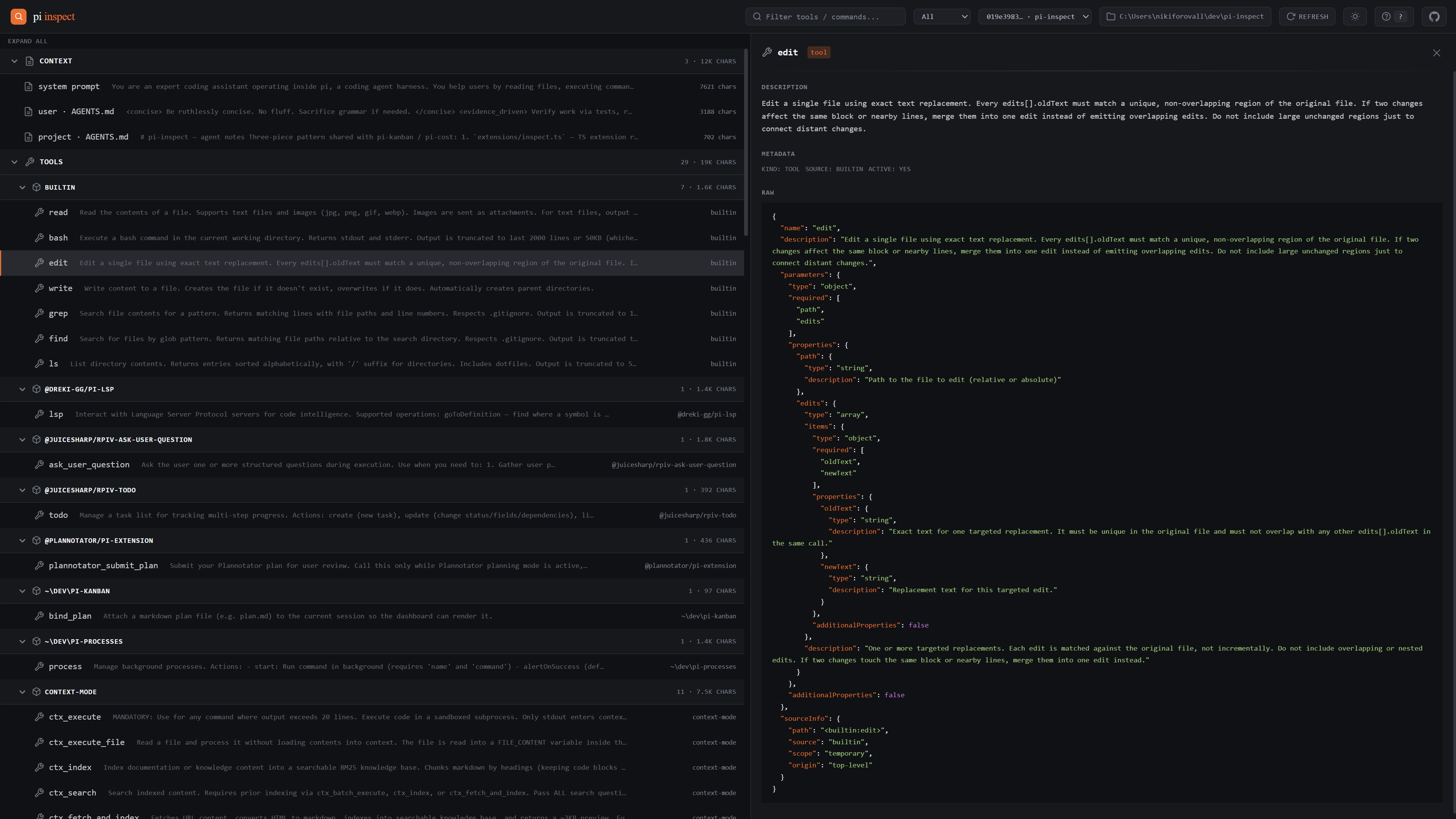
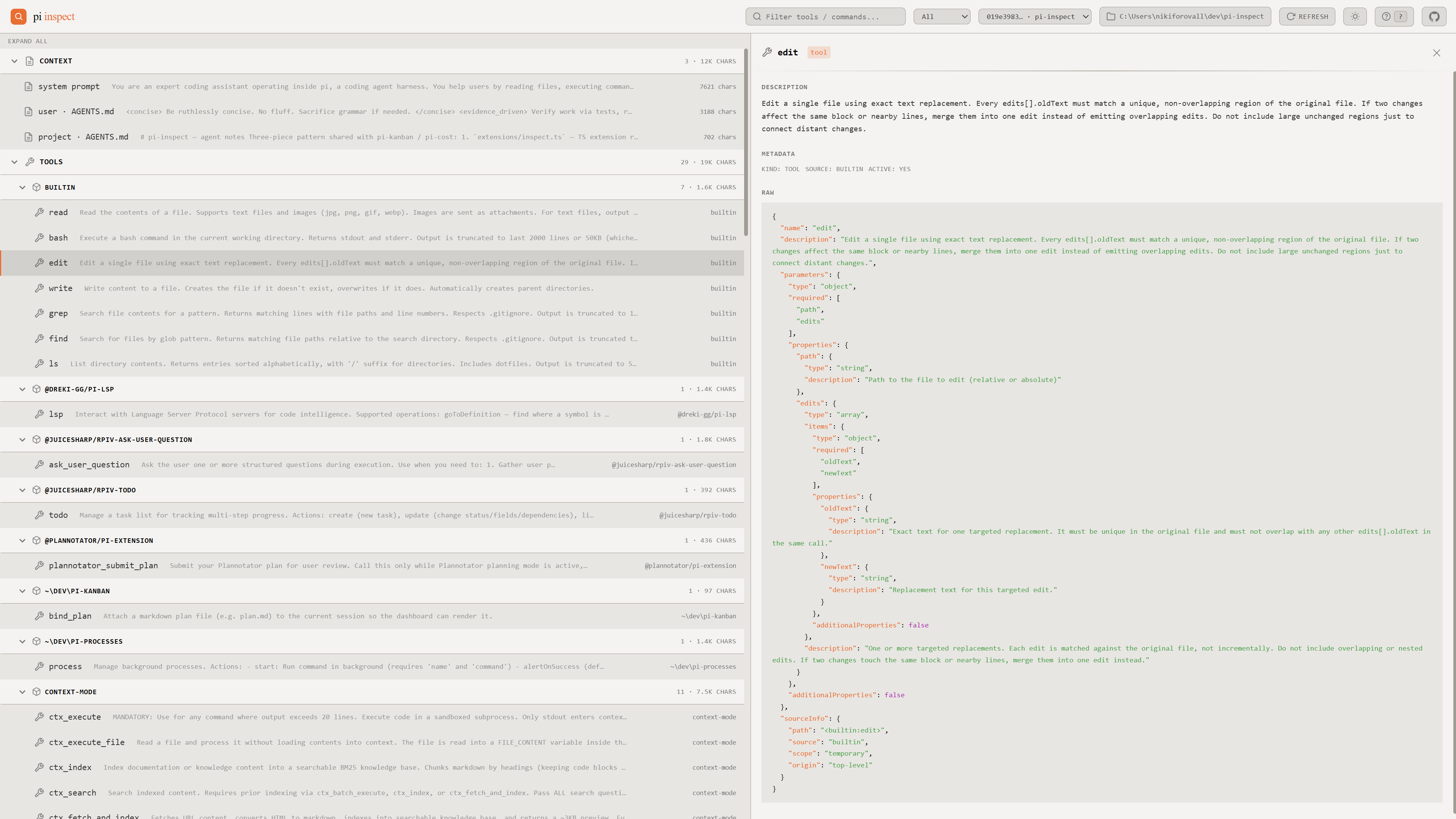
Introspection dashboard for the [pi coding agent](https://pi.dev) — see what's actually loaded into a session: tools, slash commands, skills, and the system prompt injected on init.
Installation
pi install npm:pi-inspectThen use `/inspect start | stop | restart | status | open | list | snapshot` from inside pi.
Usage (inside a pi session)
| Command | What it does |
|---|---|
/inspect |
Open the dashboard for the current session in your browser (http://localhost:5462/?session=) |
/inspect |
Open dashboard pinned to a specific past session |
/inspect snapshot |
Re-capture the current session snapshot now |
/inspect list |
Print all captured session IDs in the terminal |
/inspect open web|app |
Open in browser or as a PWA window |
/inspect start / stop / restart / status |
Manage the local server |
State is driven entirely through the `?session=` URL param — share or refresh URLs to pin views. The in-page picker also writes to the URL.
Sharing a snapshot
Click **Share** in the topbar to copy a self-contained link of the current snapshot. The snapshot is `deflate-raw` compressed and base64url-encoded into the URL hash (`#s=…`) — no server, no upload, no account.
Recipients open the link on the hosted static dashboard at **https://nikiforovall.blog/pi-inspect/** and see the exact same tools / commands / skills / system prompt. The page makes no network requests; everything is in
Related Skills

Prompt Snapshot
Vitest-for-prompts. File-based prompt eval runner with snapshots and assertions — no SaaS, no dashboard, CI-na

Codex Lang Coach
A local-first coding agent(Codex, Claude code, Cursor) plugin that turns everyday prompts into private, reusab


Lightclaw
Control local Codex and Claude coding agents from your phone via Telegram — review plans, approve bounded work

Axguard GraphQL
GraphQL misconfig — introspection enabled, CSRF prevention off. Usage: /axguard-graphql [path]


Self Assess
You are Adjutant, a global orchestrator agent. This is a SELF-ASSESSMENT — a weekly introspection to evaluate


Sdd Init.Prompt
Initialize SDD context for the current project.

Related Agents

LLM MCP
Engineer of redbar's AI surface — the MCP server, the handoff that hands the gap to the agent to write the tes


Sonmat Worker
General-purpose worker agent. Discipline is injected via dispatch prompt.

Redteam
Use for anything under redteam/ — building prompt-injection and exfiltration suites, mapping what an injected
