
Codigest — AI skill for Claude Code
Turn your codebase, diffs and terminal output into LLM-ready context.
How to install Codigest
This entry records only its repository, not the path inside it, so there is no
exact command to give. Open NaNIsaac/codigest and copy the folder into
~/.claude/skills/, or the file into ~/.claude/agents/.
What Codigest does
Turn your codebase, diffs and terminal output into LLM-ready context. CLI + MCP server for AI coding agents.
Alternatives in AI
- Gh PR Review — GitHub CLI extension that adds full inline PR review comment support — view, navigate, reply to, and resolve r 174 ★
- Clerkie CLI — Clerkie-cli is a terminal tool that uses an LLM to help debug and troubleshoot coding errors in any programmin 106 ★
- Modular Context Obsidian Plugin — Modular Context Karpathy LLM Knowledge Base + Gmail & G-Cal — multi-account MCP server for Claude Code, encryp 96 ★
README
Codigest
[](https://pypi.org/project/codigest/) [](https://github.com/NaNIsaac/codigest/actions/workflows/ci.yml) [](LICENSE)
**Share the code context you choose with an AI: your project, a few files, what changed, or the command that failed.**
[한국어](README.ko.md)
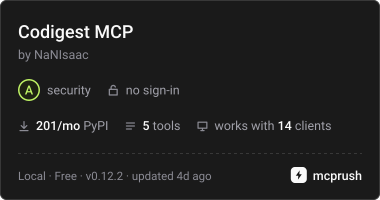
Automated release-specific security scan (A–F), not an independent security certification.
How ratings work.
Codigest is a command-line tool for the moment you ask ChatGPT, Claude or a coding agent about your code. It turns the part of your project you pick into one block of text you can paste into any chat.
A model only knows what you show it. Copying files by hand is slow, it is easy to miss the one file that matters, and it is just as easy to paste far more than the question needs. Codigest lets you decide what to share and then collects it for you: the whole project, a file and the files it imports, what changed since a point you marked, or a failing test with the code it points at.
What it does
- Bundles code you pick. The whole project, chosen files and folders, or the local files they import (Python, JS/TS), as one block with the file tree.
- Shows what changed. Text or function-level diffs since a baseline you set, without touching your Git history.
- Brings in terminal output. It records commands you run and can hand over a failing one together with the files its error points at.
- Says what it included. Every bundle reports its
Related Skills

Lm Resizer
Rust-native context compression for Claude Code, Codex & MCP agents: filters & compresses noisy tool output (t


Rustygrep
Fast grep with token-compressed, AI-native output for LLM coding agents. --llm cuts context-window tokens 60-9

Tokencut
Reduce verbose AI coding output with a local CLI and MCP server. Targeted reads, output budgets, and recoverab

Prompt Tower.Nvim
⚡ Turn your codebase into AI-ready context in seconds – the Neovim plugin that bridges the gap between your co


Atlassian Skills
Token-efficient CLI for Atlassian Server/DC (Jira, Confluence, Bitbucket) — drop-in alternative to mcp-atlassi

Codebone
A real-time semantic codebase knowledge graph powered by a local LLM for macOS, delivering clean architectural

Related Agents

Adal CLI
AdaL CLI (SylphAI, named after Ada Lovelace) is a terminal coding agent built for developers who want to see a


Backlog MCP Validator
Validate the backlog FastMCP server against the CLI. Calls MCP tools natively via the agent-scoped backlog ser


Claude Context Local
Code search MCP for Claude Code. Make entire codebase the context for any coding agent. Embeddings are created
