
Memva
Description
Chat with multiple Claude Code sessions in parallel
Installation
This entry records only its repository, not the path inside it, so there is no
exact command to give. Open the source below and copy the folder into
~/.claude/skills/, or the file into ~/.claude/agents/.
README
Memva
Multi-session manager for Claude Code.
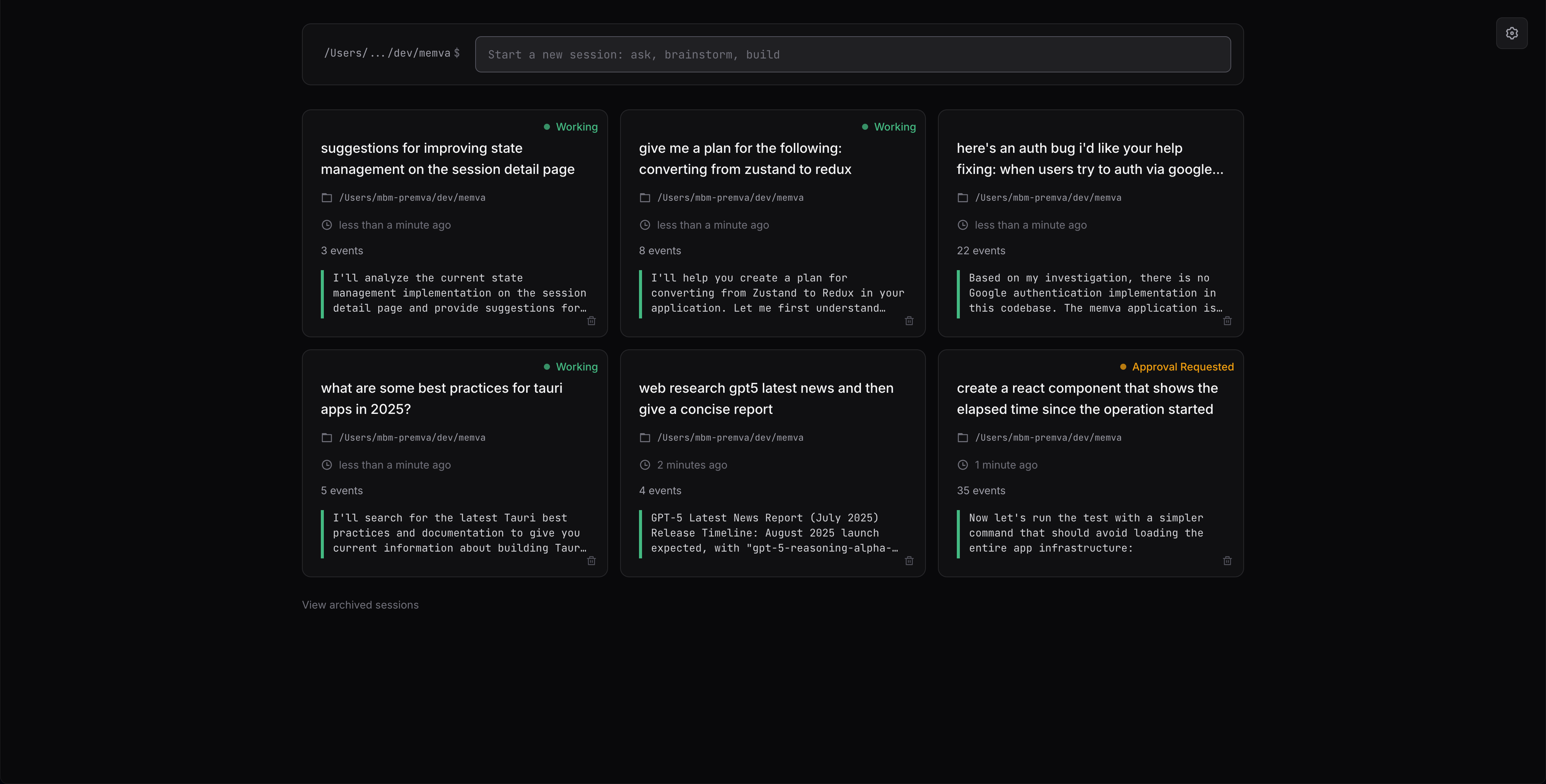
What Is It?
Memva makes it easier to manage multiple Claude Code sessions running in parallel. See a birds'-eye view of all your active sessions at once, and quickly jump into any session to manage or review its work.
Memva uses your existing Claude Code installation and configuration - no additional setup required.
Quick Start
npx memva@latestThis starts the web server on port 7823 and opens Memva in your browser. You're ready to go!
Features
- Manage multiple coding sessions in parallel
- Track conversation history across sessions
- Archive and resume sessions
- Permission control for AI interactions
- Local data storage
- Manage both global & per-session settings
- Image support via drag-&-drop
- No telemetry; no data collection; no email or auth required
Requirements
- Node.js 18+
Tested Platforms
- macOS 15.5
Data Storage
- Database:
~/.memva/memva-prod.db(SQLite) - Images:
~/.memva/tmp/
Tech Stack
- React 19
- React Router v7
- Embedded Node.js MCP server for receiving MCP calls from Claude Code
License
MIT
Questions?
Questions or find a bug? Email matt@premva.com.
Related Skills
prompts.chat
| f.k.a. Awesome ChatGPT Prompts. Share, discover, and collect prompts from the community. Free and open sourc

Internal Comms
Write internal communications like status reports, newsletters, and FAQs

mcp-server-slack
Slack workspace integration.

Google Workspace Groups Settings
Manage Google Groups settings

slack
| Communication | Slack integration via HTTP/OAuth MCP |