
Autoskills — AI skill for Claude Code
One command. Your entire AI skill stack.
How to install Autoskills
This entry records only its repository, not the path inside it, so there is no
exact command to give. Open midudev/autoskills and copy the folder into
~/.claude/skills/, or the file into ~/.claude/agents/.
What Autoskills does
One command. Your entire AI skill stack. Installed.
Alternatives in AI
- Repomix — 📦 Repomix is a powerful tool that packs your entire repository into a single, AI-friendly file 22.7k ★
- Welcome — AI Research Skills — You now have access to 86 production-ready skills covering the entire AI research lifecycle: literature survey 5.4k ★
- Peekaboo — Peekaboo is a macOS CLI & optional MCP server that enables AI agents to capture screenshots of applications, o 3.2k ★
README
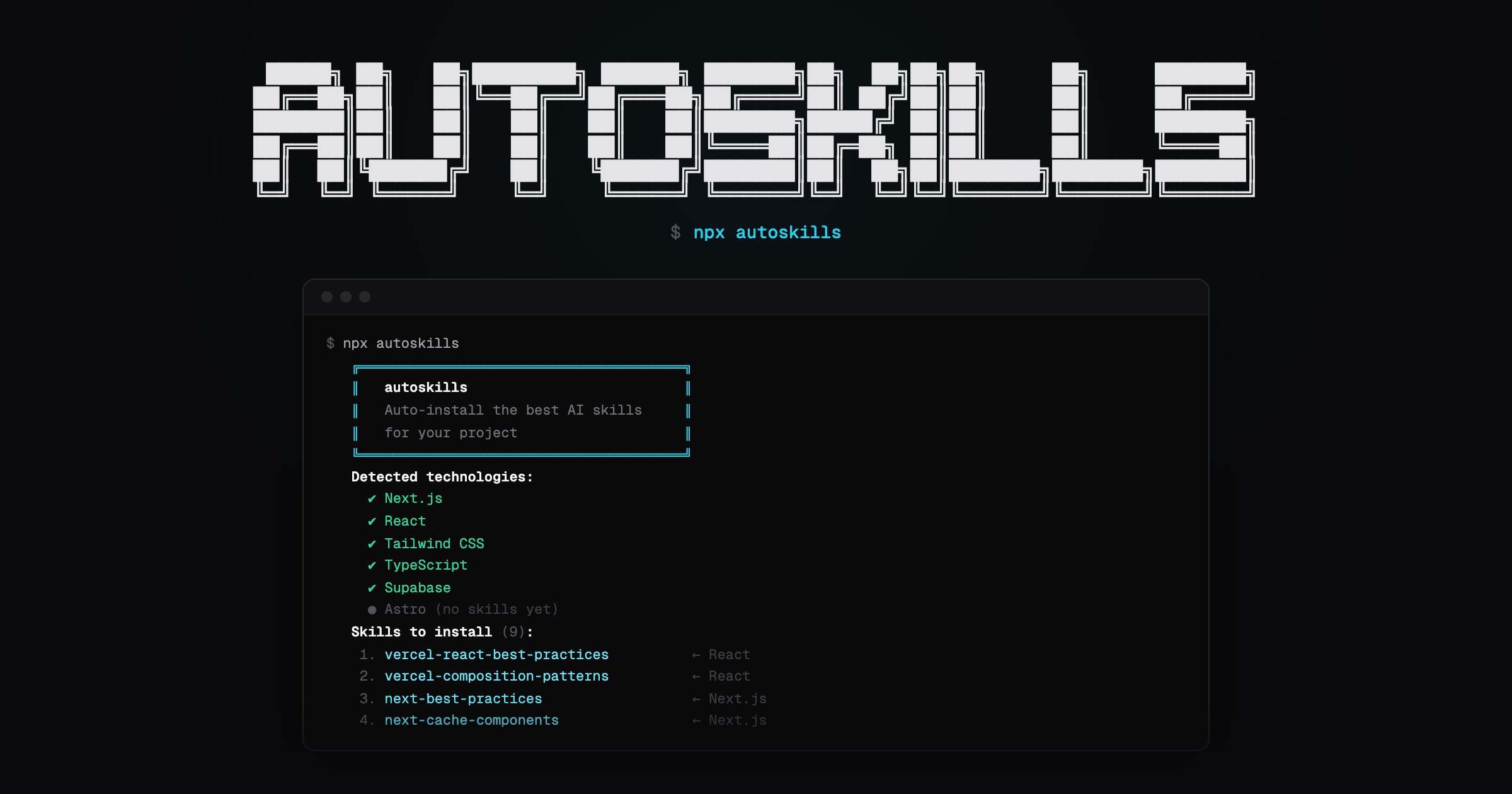
autoskills
**One command. Your entire AI skill stack. Installed.**
[autoskills.sh](https://autoskills.sh)
Scans your project, detects your tech stack, and installs curated AI agent skills automatically.
npx autoskillsHow it works
- Run
npx autoskillsin your project root - Your
package.json, Gradle files, and config files are scanned to detect technologies - The best matching AI agent skills are selected from the audited autoskills registry
- Only the selected skill files are downloaded from the registry and verified before writing them locally
That's it. No config needed.
Security model
`autoskills` does not install directly from random upstream repositories at runtime.
Skills are synced by maintainers into the repository-local autoskills registry, scanned for prompt-injection and supply-chain risks, and recorded with SHA-256 hashes in a manifest. When you run `autoskills`, the CLI downloads only the skills your project needs from that curated registry, verifies every file against the manifest, and writes a `skills-lock.json` entry with the installed source and bundle hash.
This keeps the package small while avoiding live downloads from third-party skill sources during installation.
Options
-y, --yes       Skip confirmation prompt
--dry-run       Show what would be installed without installing
-h, --help      Show help message
Supported Technologies
Built to work across modern frontend, backend, mobile, cloud, and media stacks.
- Frameworks & UI: React, Next.js, Vue, Nuxt, Svelte, Angular, Astro, Tailwind CSS, shadcn/ui, GSAP, Three.js
- Languages & Runtimes: TypeScript, Node.js, Go, Bun, Deno, Dart
- Backend & APIs: Express, Hono, NestJS, Spring Boot
- Mobile & Desktop: Expo, React Native, Flutter, SwiftUI, Android, Kotlin Multiplatform, Tauri, Electron
- **Data &
Related Skills
Fullstack Agent
Give your AI a full stack: memory, voice, face, and hands. This is the "I want an AI agent" shortcut. It sets


Prompt Tower
Context management for long-context LLMs, agents, and vibe coding. Instantly build context for an entire repo,


Claude Code Builder
AI-powered Python CLI tool that automates the entire software development lifecycle using the Claude Code SDK.

Prompt Tower.Nvim
⚡ Turn your codebase into AI-ready context in seconds – the Neovim plugin that bridges the gap between your co

Ecorp
Your 24/7 software factory with all of your human and agent team mates in one digital office. An entire AI com

RayCodes Archify
Archify GitHub Just Got Insane — AI Visualizes Your Entire Codebase! Instant AI-powered codebase architecture

Related Agents

Atlas
You are a specialized E2E testing agent. Your job is to run end-to-end tests, browser automation, and full-sta


Sub-Agent Performance Optimizer Command
Optimizes application performance across the entire stack using specialized agents for frontend, backend, data

Fullstack Dev
Versatile engineer capable of handling the entire application stack. Bridges the gap between UI excellence and