
Uipath AI Skills — AI skill for Claude Code
AI skills that turns coding agents into UiPath experts.
How to install Uipath AI Skills
This entry records only its repository, not the path inside it, so there is no
exact command to give. Open marcelocruzrpa/uipath-ai-skills and copy the folder into
~/.claude/skills/, or the file into ~/.claude/agents/.
What Uipath AI Skills does
AI skills that turns coding agents into UiPath experts.
Alternatives in AI
- Paritok 4b V1 — Non-destructive compression gateway for AI coding agents 1.4k ★
- Browserwing — BrowserWing turns your browser actions into MCP commands Or Claude Skill, allowing AI agents to control browse 1.2k ★
- Dream Xi AI — 🏄 Dream XI AI turns isolated AI agents into a World Cup-level dream team.🏄 Dream XI AI 是一个面向复杂任务执行的 Multi-Ag 441 ★
README

AI skills that turn natural language into production-quality UiPath Studio projects — powered by deterministic Python generators, real Studio-exported templates, and a validation layer tuned to catch LLM hallucination patterns. No hallucinated XAML. No guessed selectors. Every `.xaml` file opens cleanly in UiPath Studio.
The problem
LLMs are bad at generating UiPath code. The XAML they produce is typically invalid — wrong namespaces, hallucinated activity names, broken selectors, missing ViewState blocks, incompatible NuGet versions. Most of it won't even open in Studio.
**uipath-ai-skills** closes that gap. The agent writes JSON specs; the toolchain emits valid XAML, catches hallucination patterns before they reach your project, and wires the framework for you — so what usually takes days of Studio cleanup becomes minutes of review.
Complete walkthrough
[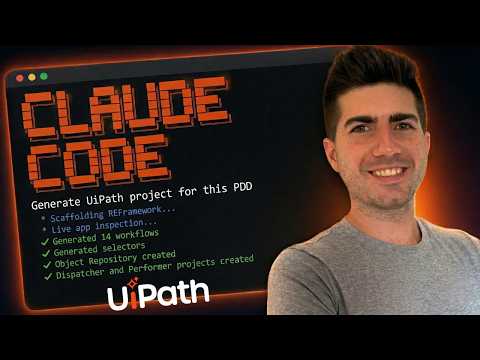](https://youtu.be/0JjiM8sGP08)
End-to-end walkthrough — setup, how to use the skills, and what production output looks like in UiPath Studio.
What you can build
| Automation type | Description | Recommended project |
|---|---|---|
| Web form filling | Browser-based data entry with real selectors from Playwright inspection | Sequence or REFramework |
| Queue dispatching | Read data sources (Excel, DB, API) and populate Orchestrator queues | REFramework Dispatcher |
| Queue processing | Process queue items with retry logic, exception handling, and status tracking | REFramework Performer |
| API integrations | HTTP requests with OAuth, retry policies, JSON parsing, credential management | Sequence |
| Excel processing | Read, filter, transform, and write Excel data with LINQ expressions | Sequence |
| PDF extraction | Extract text from PDFs using native parsing or OCR | Sequence |
| **Email a |
Related Skills

AI Consultants:Consult
Consult AI experts (Gemini, Codex, Mistral, Kimi, Qwen, GLM, Grok, DeepSeek, MiniMax) for coding questions. Us

Slotstream
Run a 105 GB AI model on a Mac that can't hold it. Slotstream streams Qwen3.8-Flash-Next (125B mixture of expe


Trading Skills
17 triggers × 44 algorithms × 3 AI experts — live crypto trading signals for Claude Code, Codex, Cursor & 30+


30x Growth Marketing Panel
AI Growth Marketing Expert Panel — 12 world-class experts distilled from 4,000+ YouTube videos into one Claude


Artemis
ARTEMIS turns natural-language instructions into reliable Android automation. It automates end-to-end workflow


AI Agent Session Center
Real-time dashboard that turns AI coding agent sessions (Claude Code, Gemini CLI, Codex) into animated 3D robo

Related Agents

Planner Opus
Turns research findings into an implementation plan — ordered steps, the exact files each step touches, the ob


UI Tester
Specialist in user experience, end-to-end user journeys, and cross-platform UI validation. Experts in Playwrig


Sc Business Panel Experts
Multi-expert business strategy panel synthesizing Christensen, Porter, Drucker, Godin, Kim & Mauborgne, Collin
