
Lo9i Assistant — AI skill for Claude Code
Your own AI assistant, running on your computer: Telegram, WhatsApp, web and terminal; email, calendar, bills, servers and code.
How to install Lo9i Assistant
This entry records only its repository, not the path inside it, so there is no
exact command to give. Open lo9i/lo9i-assistant and copy the folder into
~/.claude/skills/, or the file into ~/.claude/agents/.
What Lo9i Assistant does
Your own AI assistant, running on your computer: Telegram, WhatsApp, web and terminal; email, calendar, bills, servers and code. Plugins via MCP.
Alternatives in AI
- Phantom — An AI co-worker with its own computer 1.3k ★
- Lemma Platform — Multiplayer harness that shapes around your work 606 ★
- Tlive — Terminal Live — monitor and chat with AI coding agents (Claude Code, Codex) from Telegram, Discord & Feishu 193 ★
README
lo9i assistant
**Your own AI assistant, running on your computer.** Chat with it from Telegram, WhatsApp, Slack, the web or the terminal, and it handles your email, calendar, bills, servers and code. It remembers you across all of them.
Works with an Anthropic key, an OpenRouter key, any OpenAI-compatible API (including Ollama), or **just a GitHub Copilot subscription**.
Website: [lo9i.com.ar](https://lo9i.com.ar/) · MIT licensed
What it can do
- One assistant everywhere: terminal app, web app, Telegram, Slack and WhatsApp; a conversation continues across them
- Memory: a profile of you, saved facts and past conversations
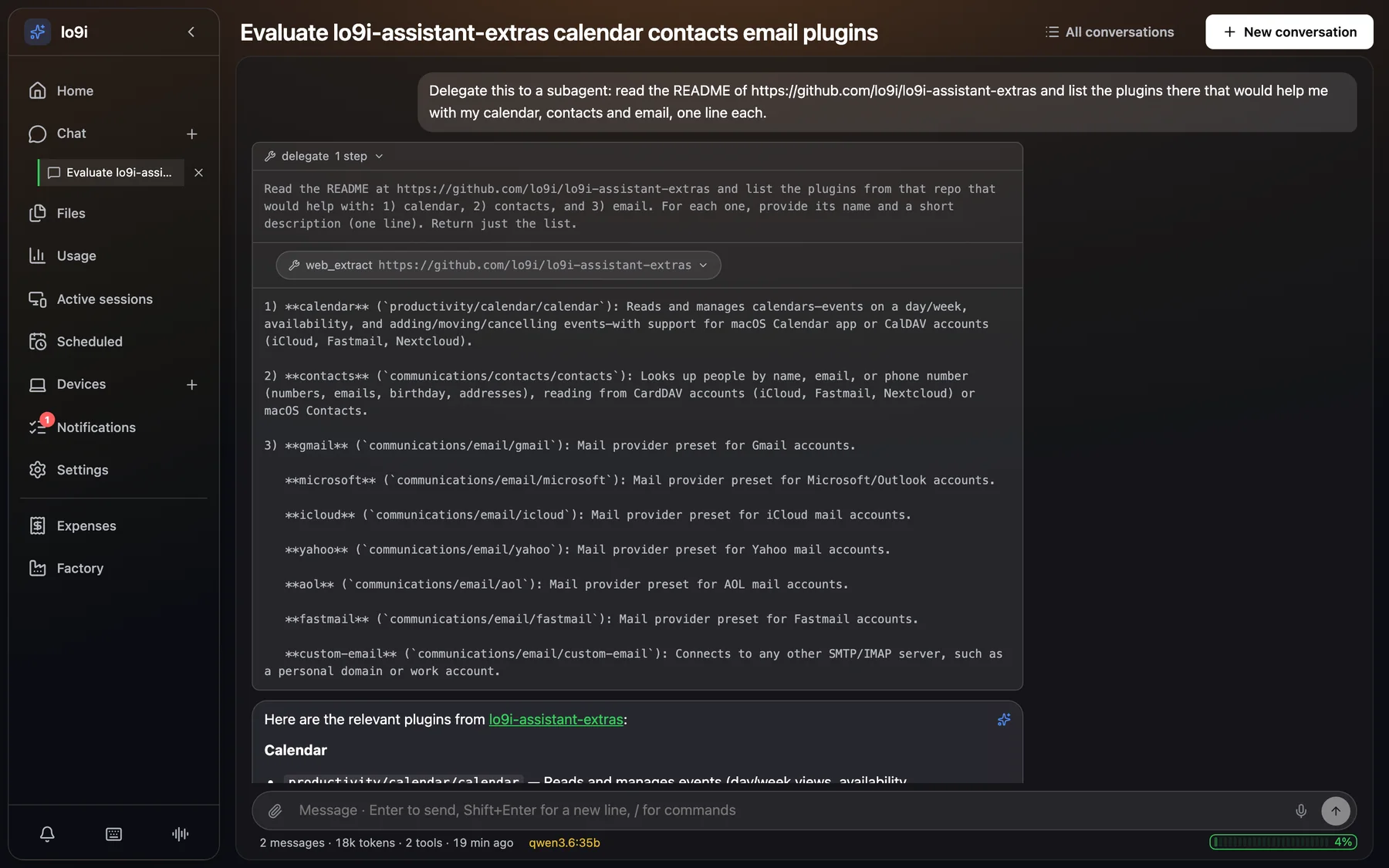
- Email and calendar: read, search and send mail, new-mail alerts, CalDAV and macOS calendars
- Life admin: bills and due dates, a movie/TV watchlist with downloads, YouTube videos and transcripts
- Your servers: run commands on your Linux hosts in a shared terminal, with SSH tunnels
- Coding: hand tasks to Claude Code, or to the factory, where several models debate the spec and plan before an agent builds it on a branch
- Scheduled jobs: "every morning, send me what's due this week"
- Safe by default: risky actions ask for your approval first; secrets stay in the daemon
- Extensible: everything is a plugin, built on MCP
Quick install
Linux, macOS, WSL2
curl -fsSL https://raw.githubusercontent.com/lo9i/lo9i-assistant/main/install.sh | bashIt downloads the assistant into `~/lo9i-assistant`, installs uv and the dependencies, and asks for your model provider and its key, which it saves in `.env` on that computer. On Linux it starts the assistant as a service that runs at boot; on macOS it tells you how to start it. Run it again to update.
Requirements
- macOS or Linux
- git and curl; the installer adds uv and Python 3.12
- Node.js, only to build the web app (without it, the web app isn't bui
Related Skills
CorvinOS
Self-hosted agentic OS — a Vibe-Engineering platform for Builders. Connect Claude Code, Codex or Hermes Agent


Mm Agent
One-click Windows AI assistant: Hermes Agent as the brain, OpenClaw as the chat interface. Chat in your browse


Matrixclaw
Always-on local AI assistant and AI coding agent runtime in Go. OpenClaw, Claude Code, Codex, and OpenCode alt


Langgraph Sales Agent
Multi-tenant LangGraph runtime that isolates each business's agent, catalog, tools and LLM across Telegram, In

Meepo
A local, privacy-first AI agent (Rust) that connects LLMs to your email, calendar, browser, code, and messages


Atrium
Zero-dependency, single-machine life dashboard — GitHub tasks, local AI agents, system health, email/calendar,

Related Agents

Integrador Herramientas
Especialista en conectar herramientas externas al proyecto (n8n, Kommo, WhatsApp, Slack, Notion, Airtable, MCP

Notification Manager
Designs, configures, and tests Claude Code notification channels. Use when the user wants to set up Slack/Disc


Configurator
Pitwall's built-in assistant for reconfiguring Claude Code (plugins, skills, MCP servers, hooks, memory files)
