
Clamicro
Description
在手机上审批 Claude Code 、DeepSeek Harness 的操作。局域网直连,零依赖。
Installation
This entry records only its repository, not the path inside it, so there is no
exact command to give. Open the source below and copy the folder into
~/.claude/skills/, or the file into ~/.claude/agents/.
README
Clamicro
[中文](./README.zh-CN.md)
Watch Claude Code from your phone, and approve what it wants to run.
Stop babysitting the terminal. When Claude Code needs permission, your Mac notifies you; open the page on your phone, read the command and a one-line summary, swipe to approve or reject — Claude Code continues immediately.

| Running | Something needs you | The decision |
|---|---|---|
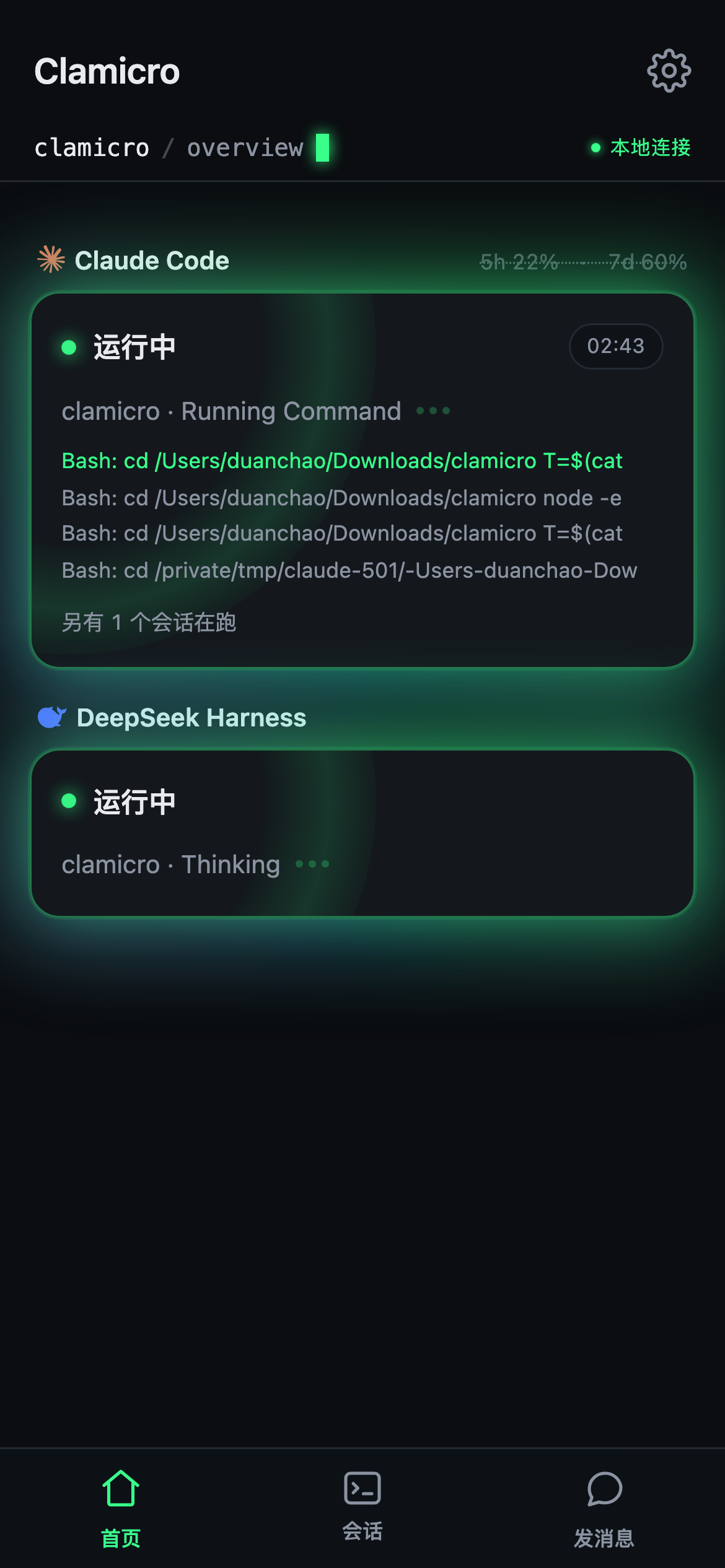 |
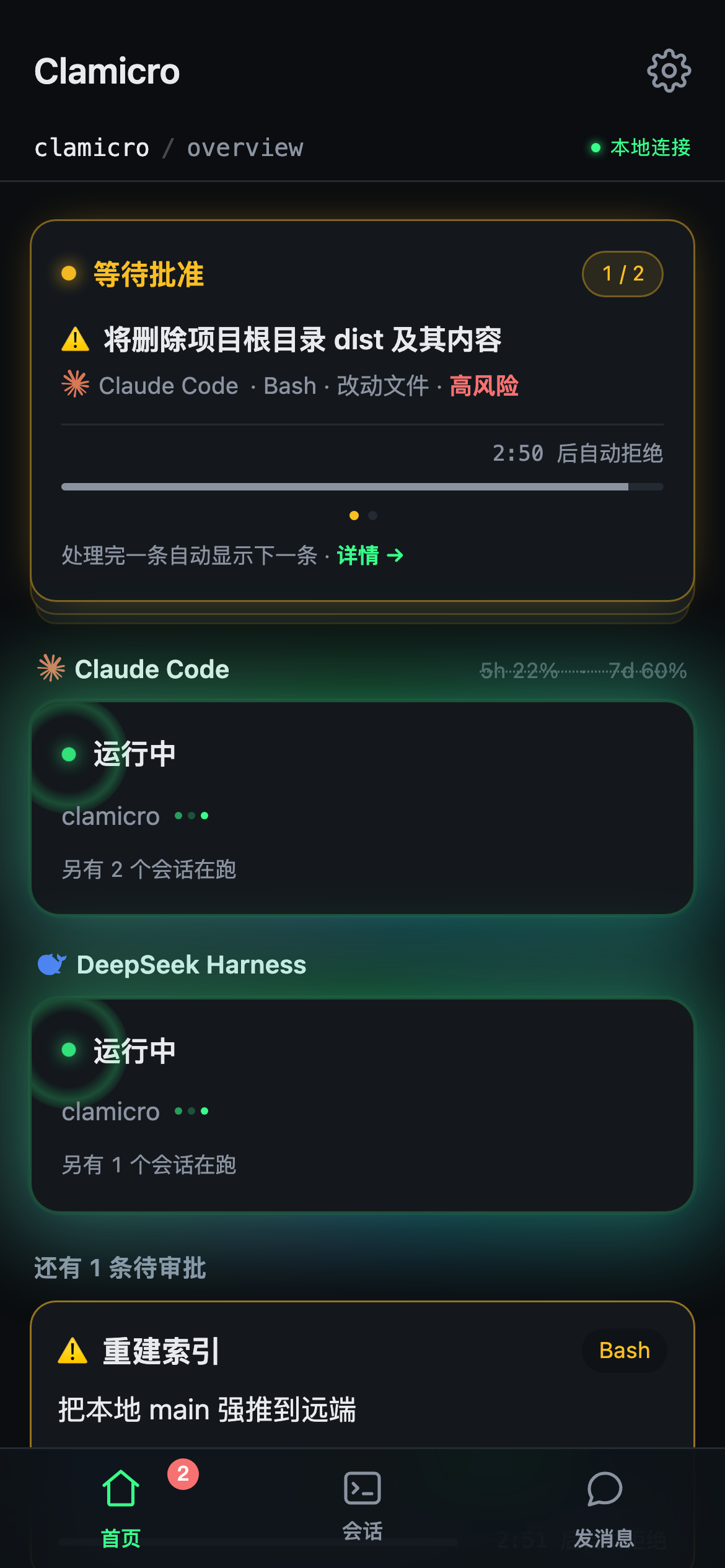 |
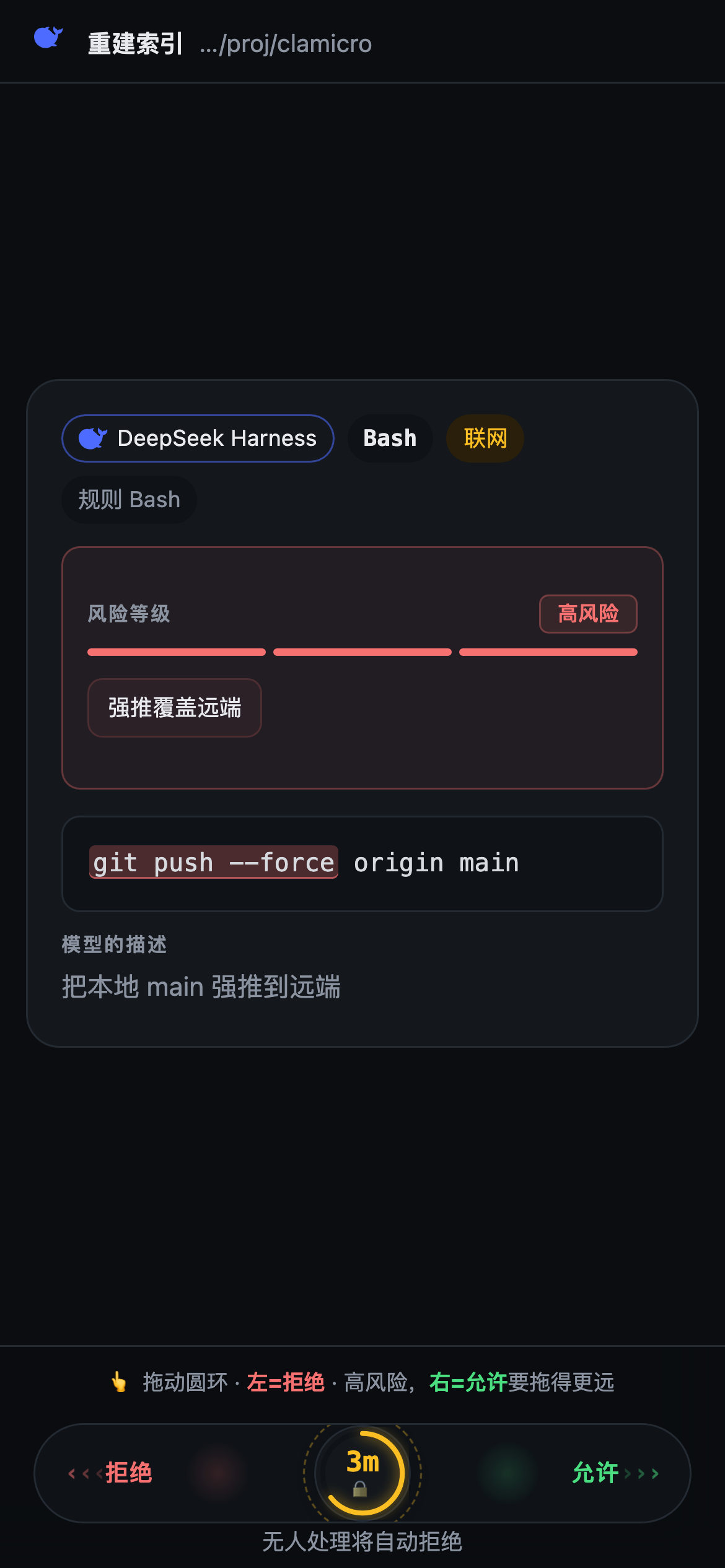 |
*The screenshots are the real UI, not mockups. The notch capsule is a screen capture from a Mac.*
**Be clear on the defaults before you assume it gates everything:**
| Waits | Then | Notifies you | |
|---|---|---|---|
| Ordinary operations | 10s | auto-approve | yes |
High-risk (rm -rf, force push, anything touching ~/.ssh) |
3 min | auto-deny | yes |
So out of the box it *tells you* about routine work and *stops* dangerous work. Both the wait and the timeout behaviour are adjustable in settings — set the 10s to 0 and every operation waits for you; the 3 minutes can go up to 570s (beyo
Related Skills
Auto Update
Pull the latest ECC repo changes and reinstall the current managed targets.

Ecc Guide
Navigate ECC's current agents, skills, commands, hooks, install profiles, and docs from the live repository su
Epic Claim
Claim an epic issue, stamp coordination state, and sync local ownership.
Epic Publish
Publish a validated epic update back to the issue and local cache.
Epic Review
Mark epic review requested, approved, or changes requested.
Epic Unblock
Sweep blocked epic issues and reopen anything whose dependencies are closed.