

Codex Sidecar For VS Code — Development skill for Claude Code
Watch Codex work, live, in a pane controlled by Claude Code, Cursor, Copilot or another coding agent, and step in while it works.
How to install Codex Sidecar For VS Code
This entry records only its repository, not the path inside it, so there is no
exact command to give. Open Kierkegaardist/Codex-Sidecar-for-VS-Code and copy the folder into
~/.claude/skills/, or the file into ~/.claude/agents/.
What Codex Sidecar For VS Code does
Watch Codex work, live, in a pane controlled by Claude Code, Cursor, Copilot or another coding agent, and step in while it works. A VS Code extension for Windows, with an experimental version for macOS and Linux.
Alternatives in Development
- Understand Anything — Graphs that teach graphs that impress 80.7k ★
- Claude Coder — Kodu is an autonomous coding agent that lives in your IDE 5.2k ★
- Zeroshot — Runs coding agents as a graph: one agent implements, independent agents review, failures go to repair, and not 1.9k ★
README
Codex Sidecar for VS Code

Watch Codex work in a pane beside Claude Code, Cursor, or another coding agent.

When Claude Code hands a task to Codex (a review, a second opinion, a chore), Codex normally works out of sight and Claude reports back afterwards. With Codex Sidecar, a pane opens beside your chat and shows Codex's messages, commands and results as they happen.
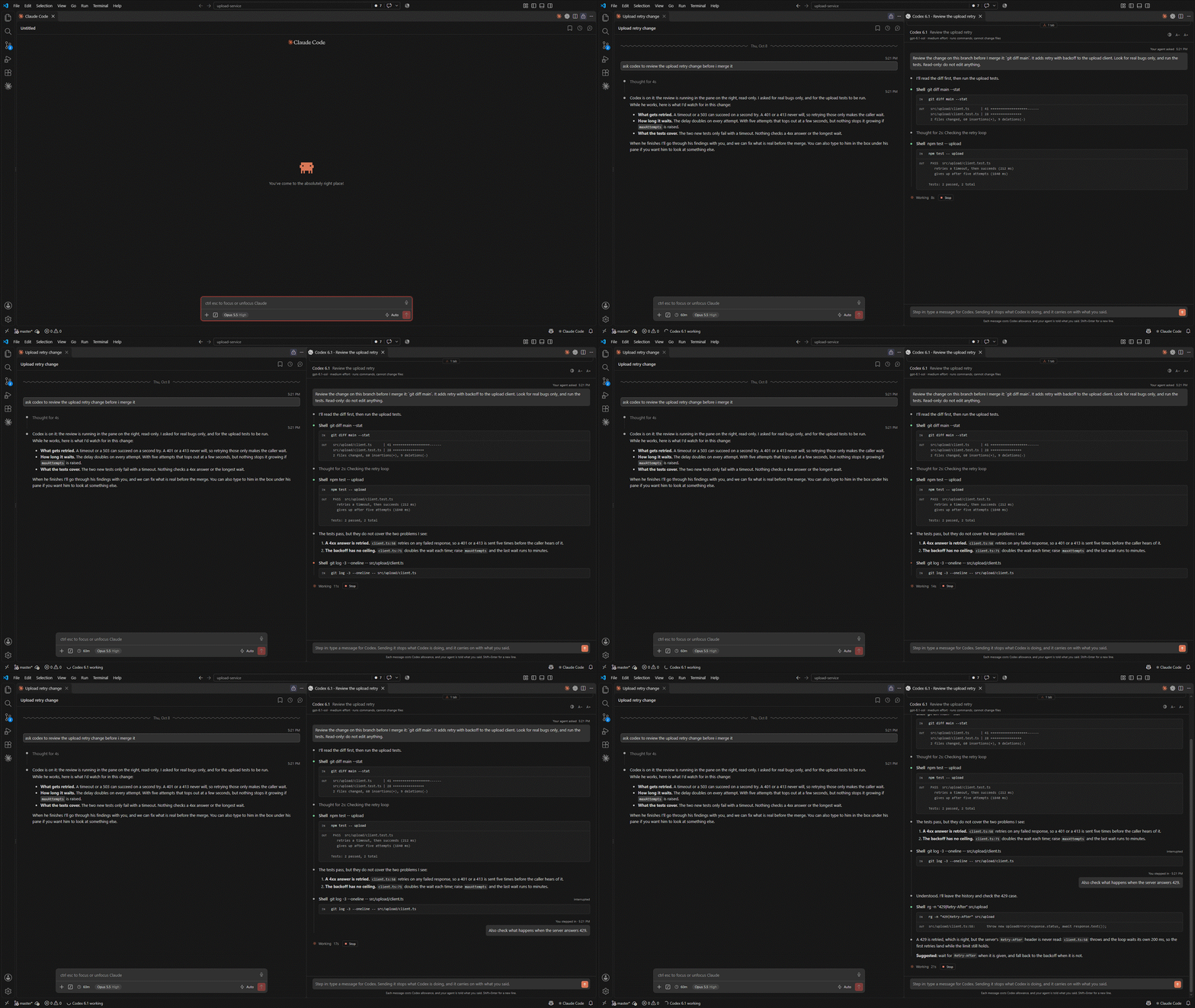
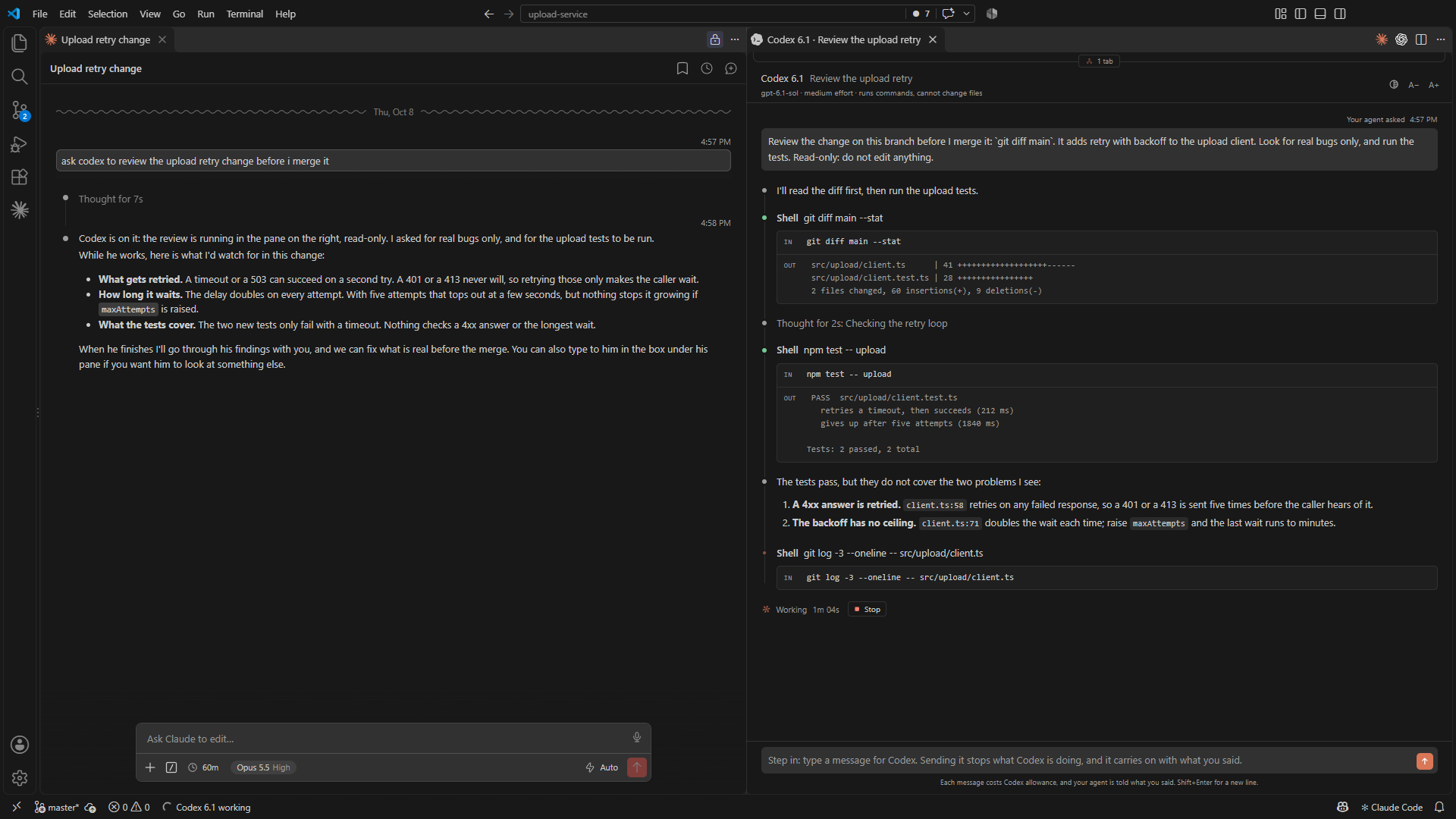
*Claude Code on the left, asked for a review; on the right, Codex doing it: the commands it runs, what they print and what it has found so far.*
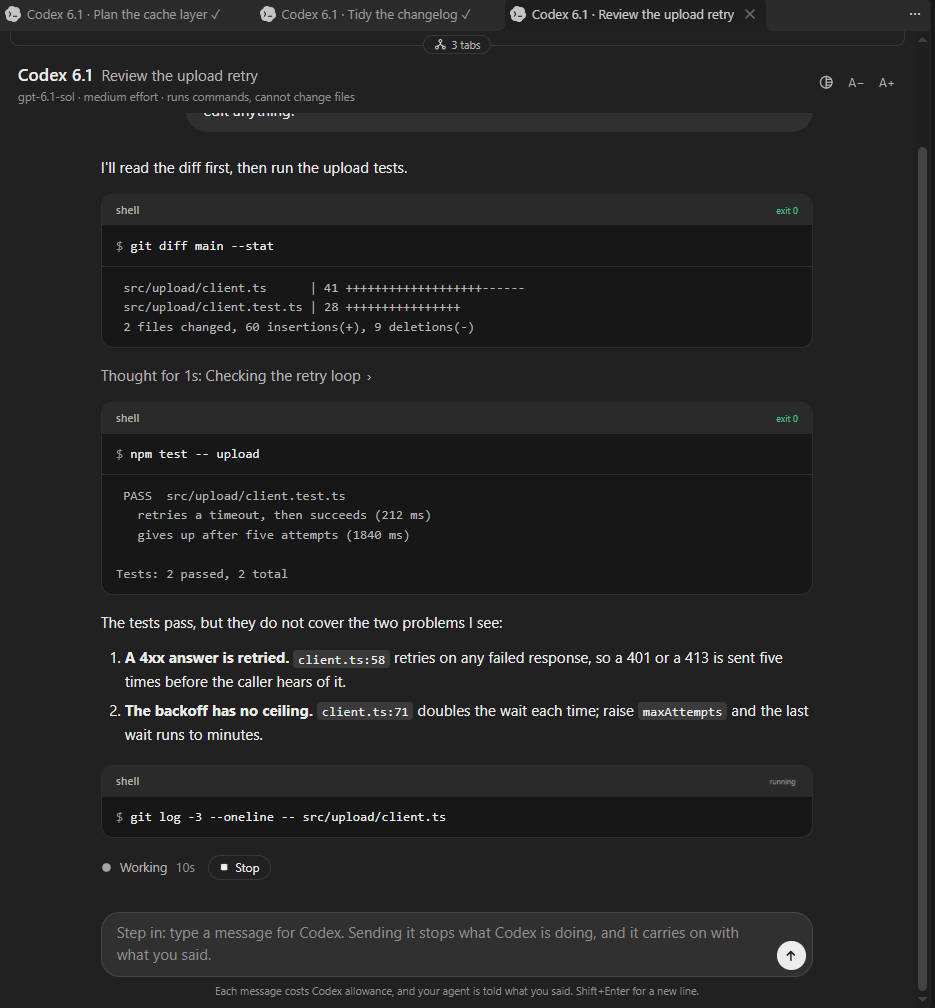
*The pane up close: the task your agent gave, then each thing Codex says and does, with the commands it runs and what they print.*
For Windows, with an experimental version for macOS and Linux ([what that means](#macos-and-linux-experimental)). An independent project: not made or endorsed by OpenAI, Anthropic or anyone else named here ([more](#not-affiliated)).
Install
You need VS Code and the [Codex CLI](https://github.com/openai/codex), signed in, so that `codex` runs in a terminal.
- In VS Code, open the Extensions view (
Ctrl+Shift+X). - Search for **C
Related Skills
Tetris
Launch claude-tetris in a new terminal pane (playable while Claude works)

Claude Arcade
Retro games in a Claude Code pane that run while Claude works and freeze the moment it needs you.

Dev Reader
A Claude Code mod for browsing and reading DEV posts in a side pane while Claude works. Type /dev or /dev .

Agent Run Monitor
Desktop app for Windows, macOS and Linux that shows what your coding agents are doing, live. Watch Claude Code

Claude Code Stock Ticker
Live Taiwan and US stock ticker above the Claude Code prompt - watch quotes while Claude works


Glassbox
A desktop app for Claude Code: watch every plan, edit and command as it happens, and steer it while it works.

Related Agents

Agentic Auditor
PYA specialist spawned by the /pya orchestrator. Audits AI agent and LLM surfaces in an untrusted repository:


Ava Slack Watch
Incremental Slack sweep — reads only what is new since the last cursor in the configured channels, separates r


Selfish Evolution
Run retrospectives and controlled experiments that improve the system while preserving the human’s authority o
