
Cool Shortcode
Description
Built with WDS-Shortcodes (and Shortcode_Button), this plugin demonstrates the capabilites of those libraries.
Installation
This entry records only its repository, not the path inside it, so there is no
exact command to give. Open the source below and copy the folder into
~/.claude/skills/, or the file into ~/.claude/agents/.
README
Cool Shortcode
**Contributors:** WebDevStudios **Donate link:** http://webdevstudios.com **Tags:** **Requires at least:** 4.4 **Tested up to:** 4.4 **Stable tag:** 0.1.0 **License:** GPLv2 **License URI:** http://www.gnu.org/licenses/gpl-2.0.html
Description
Built on top of [WDS-Shortcodes](https://github.com/WebDevStudios/WDS-Shortcodes) (which is built on top of [Shortcode_Button](https://github.com/jtsternberg/Shortcode_Button)), this plugin demonstrates the capabilites of those libraries.
For more info, [check out the wiki](https://github.com/WebDevStudios/WDS-Shortcodes/wiki) for the WDS-Shortcodes library.
(I also ought to mention, this plugin is built with the [WDS plugin generator](https://github.com/WebDevStudios/generator-plugin-wp/))
Installation
Manual Installation
- Upload the entire
/cool-shortcodedirectory to the/wp-content/plugins/directory. - Activate Cool Shortcode through the 'Plugins' menu in WordPress.
Frequently Asked Questions
Screenshots
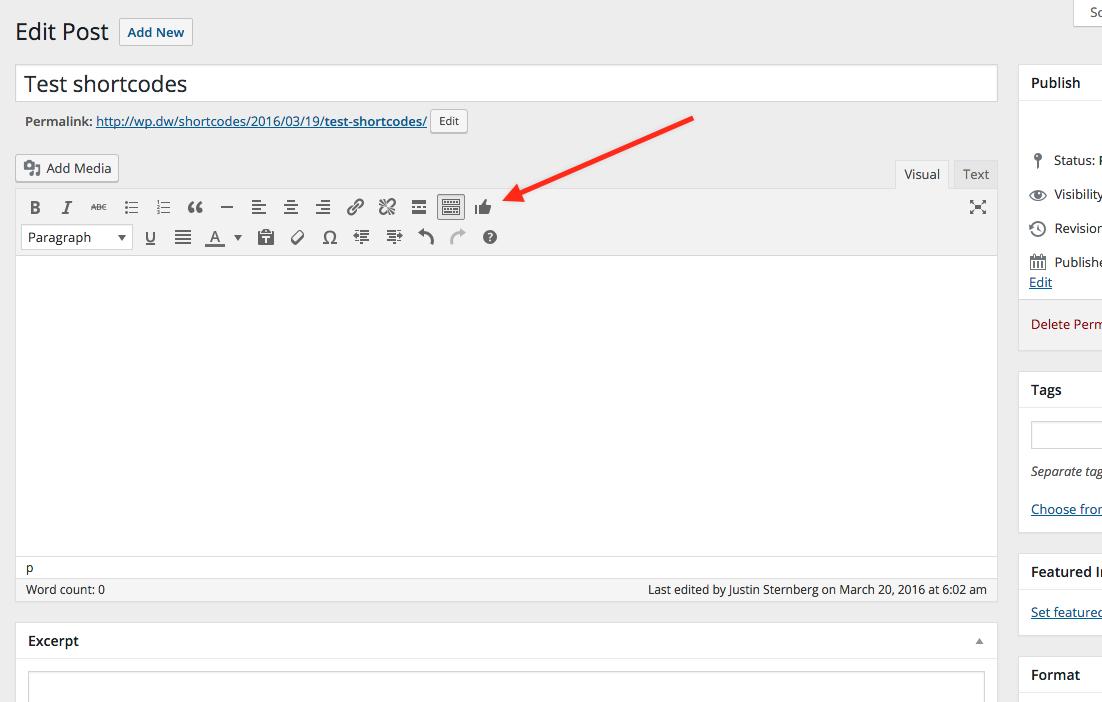 *Button*
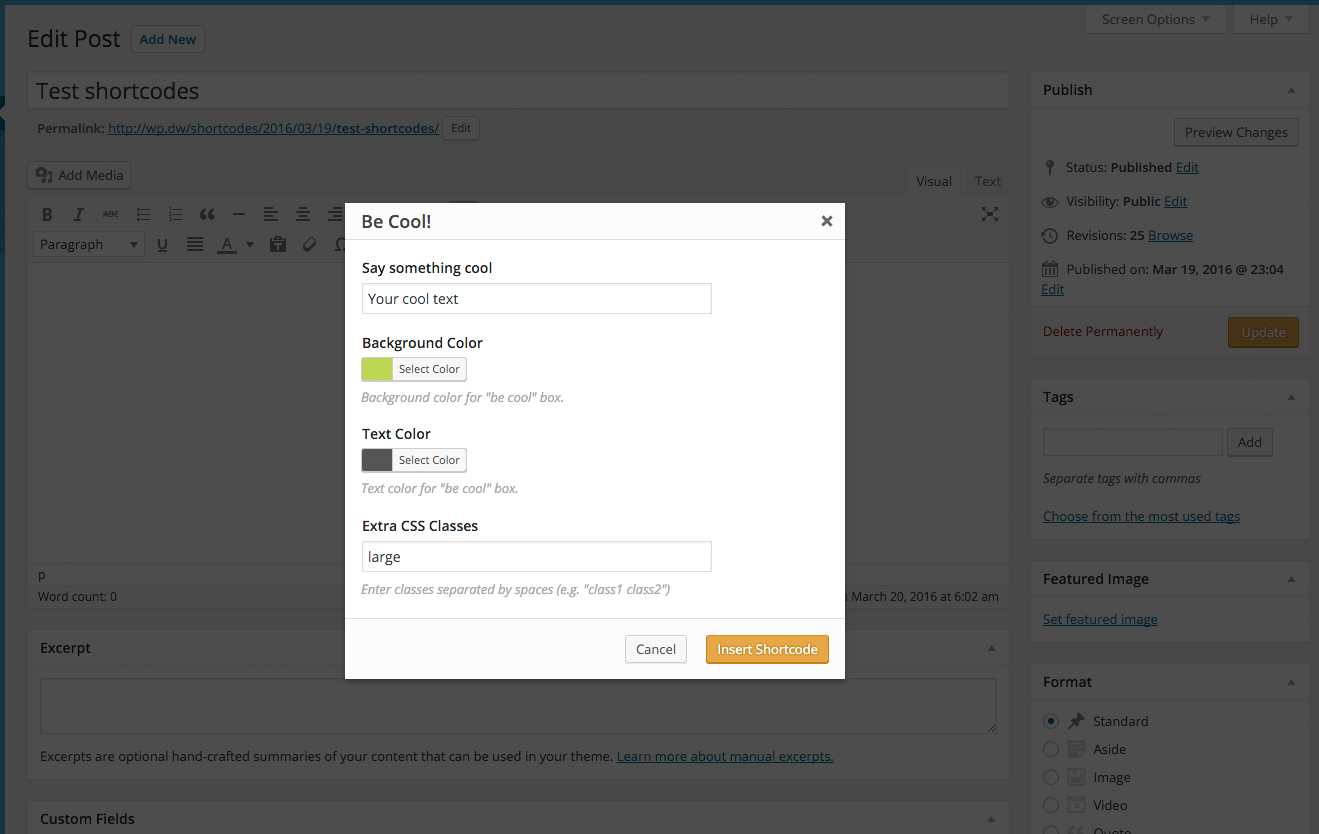 *Click button and open modal*
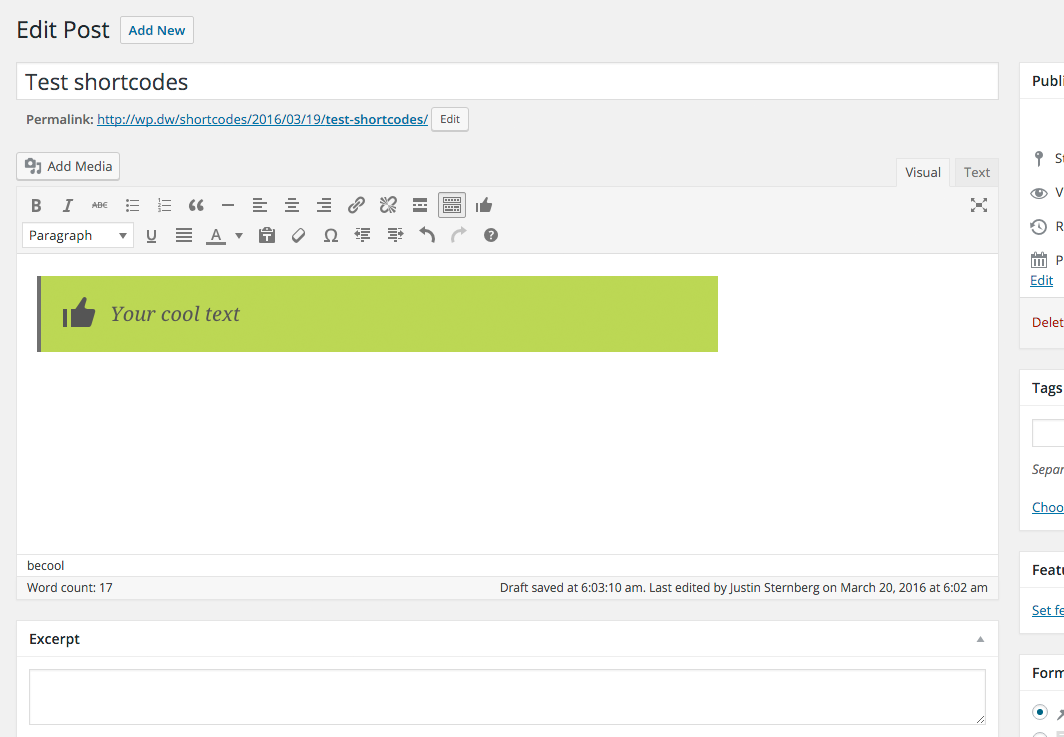 *Submitted form inserts shortcode, and we show a live preview*
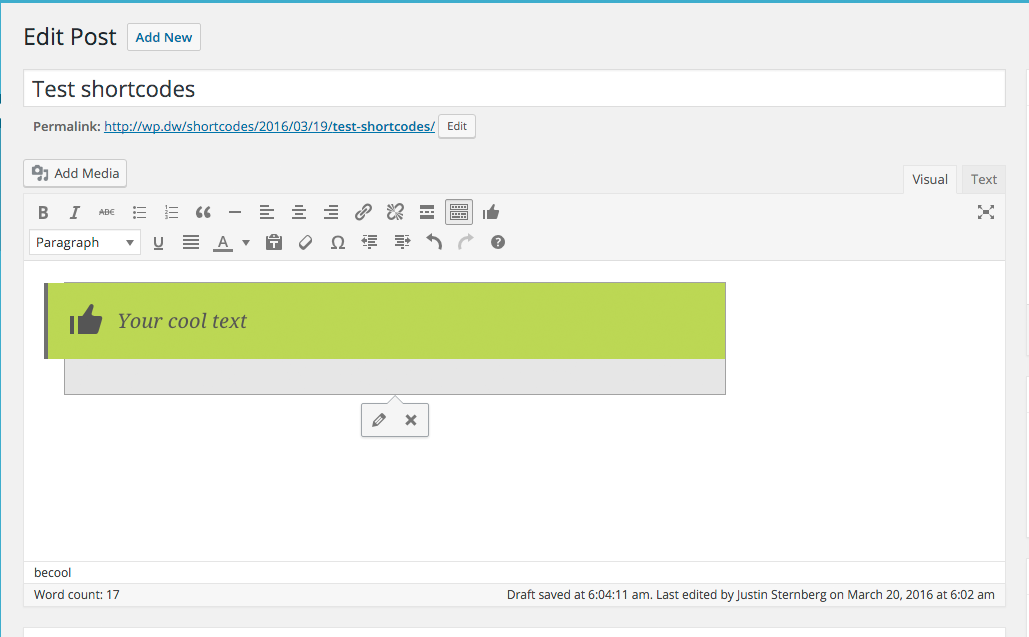 *Click on preview to get edit controls*
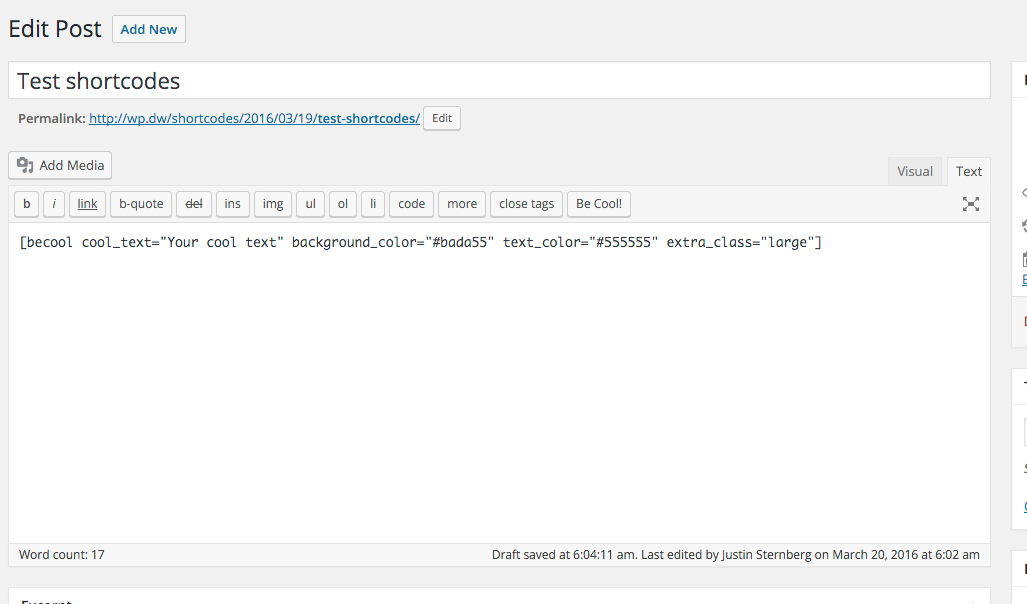 *Generated shortcode in html mode (the html mode button is visible also)*
Changelog
0.1.0
- Update to work with new WDS-Shortcodes structure
Related Skills
Auto Update
Pull the latest ECC repo changes and reinstall the current managed targets.

Ecc Guide
Navigate ECC's current agents, skills, commands, hooks, install profiles, and docs from the live repository su
Epic Claim
Claim an epic issue, stamp coordination state, and sync local ownership.
Epic Publish
Publish a validated epic update back to the issue and local cache.
Epic Review
Mark epic review requested, approved, or changes requested.
Epic Unblock
Sweep blocked epic issues and reopen anything whose dependencies are closed.