
Open Cowork — Development skill for Claude Code
open-cowork is a lightweight, simplified take on Claude cowork that supports multiple provider APIs, including Anthropic and OpenAI.
How to install Open Cowork
This entry records only its repository, not the path inside it, so there is no
exact command to give. Open jiji262/open-cowork and copy the folder into
~/.claude/skills/, or the file into ~/.claude/agents/.
What Open Cowork does
open-cowork is a lightweight, simplified take on Claude cowork that supports multiple provider APIs, including Anthropic and OpenAI.
Alternatives in Development
- Knowledge Work Plugins — Open source repository of plugins primarily intended for knowledge workers to use in Claude Cowork 9734 125 18 10.5k ★
- Deep Research From Scratch — Deep research has broken out as one of the most popular agent applications 768 ★
- Manage — Review all open positions and take management actions 722 ★
README
open-cowork
[](https://github.com/jiji262/open-cowork/releases) [](https://github.com/jiji262/open-cowork/releases)
open-cowork is an open-source desktop AI collaboration workspace built with Tauri and React. It brings agent-style workflows to the desktop with explicit permissions, streaming output, and session-based context for everyday tasks and development work.
Overview
- Local-first desktop agent environment with visible tool execution
- Session-based workflows with working directory binding
- Streaming output and Markdown rendering for long-running tasks
- Provider-agnostic support for Anthropic and OpenAI APIs
Demo
[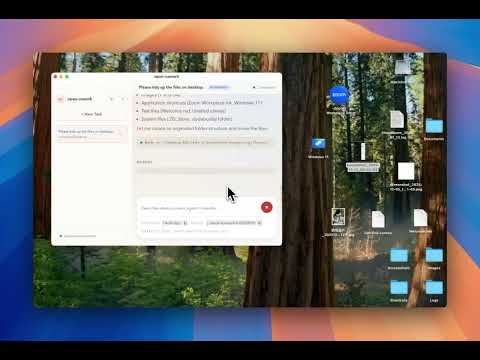](https://youtu.be/xZcm3pDD9NA)
Features
- Desktop-first UI with low overhead
- Multi-provider support (Anthropic/OpenAI)
- Token streaming with Markdown rendering
- Tool execution with approval modes
- Session management with working directory binding
Download
Quick Start (Source)
Requirements
- Node.js 18+ or Bun
- Rust toolchain (cargo)
- Tauri CLI (cargo tauri)
Install and Run
git clone https://github.com/jiji262/open-cowork.git
cd open-cowork

bun install
bun run tauri:dev
Build (Binary)
bun run tauri:buildProvider Setup
Open the settings panel and configure API keys and model names:
- Anthropic:
claude-sonnet-4-5-20250929 - OpenAI:
gpt-4o,gpt-4.1
Settings are stored locally on the machine.
Security Model
- Tool calls are visible in the UI
- Approval modes: auto-run or ask first
- Confirm before destructive actions
Tech Stack
| Layer | Tech |
|---|---|
| Desktop | Tauri 2.x |
| UI | React 19 + Tailwind CSS 4 |
| State | Zustand |
| Backend |
Related Skills

Codex Switch
Codex Switch 是一个 macOS 工具,一键配置 Codex 的自定义 API,同时保留官方 OpenAI 登录。保存后 Codex 的模型选择器里只会出现你选的那个 provider 的模型。也支持 Cla


Agentsw
CLI provider switcher for coding agents: manage OpenAI/Anthropic-protocol providers in one place and sync them


Claude Code Provider Switching Kit
Switch Claude Code between Anthropic, GLM, and OpenRouter (including free models) with one command.


Codebuddy2api
Proxy CodeBuddy with OpenAI-compatible and Anthropic-compatible APIs for Codex, Claude Code, and standard SDK

Antigravity Reverseproxy API
A proxy server that exposes both Anthropic-compatible and OpenAI-compatible APIs backed by Antigravity's Cloud

Thalamus
Bridge Cursor subscriptions to run Claude Code seamlessly using Anthropic and OpenAI APIs without needing a se

Related Agents

Cowork Comparison Lead
Kortix is open source. It is the open-source AI Management System and the leading open-source alternative to C


LLM Orchestrator
Use this agent for LLM integration work — prompt engineering, multi-provider abstraction (OpenRouter, Gemini,


LLM Integrator
LLM integration specialist who connects to OpenAI/Anthropic/Ollama APIs, designs prompt templates, implements
