

Obsidian Claude Notes — Productivity skill for Claude Code
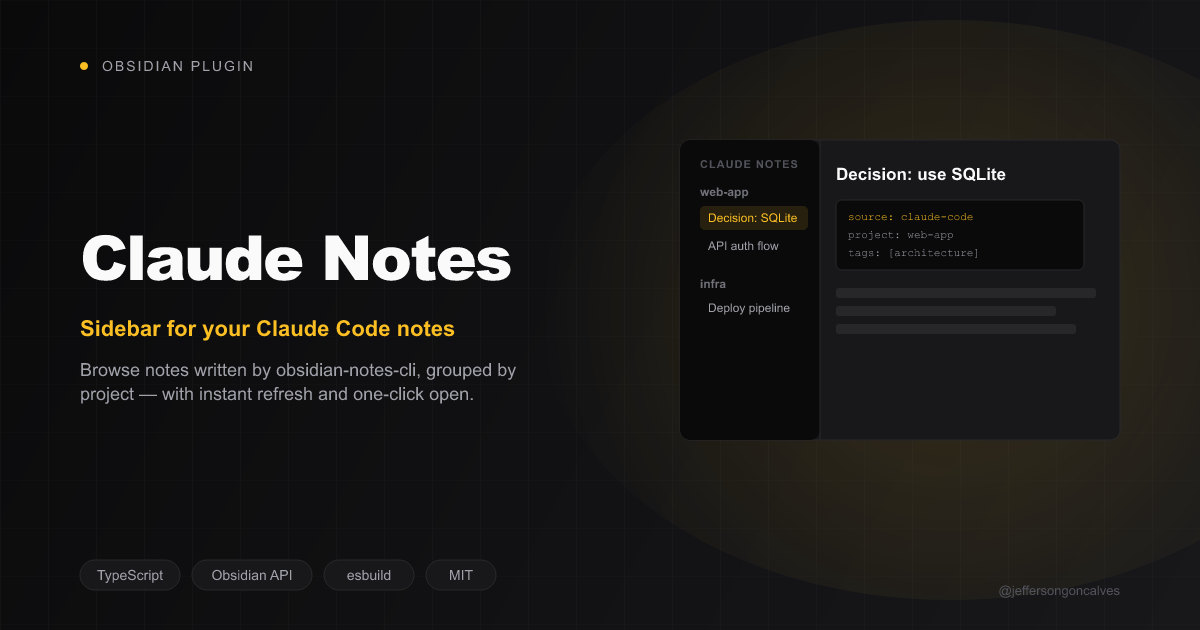
Obsidian plugin: sidebar, generate-note command, and live refresh for notes written by the Claude Code obsidian-notes-cli.
How to install Obsidian Claude Notes
This entry records only its repository, not the path inside it, so there is no
exact command to give. Open jeffersongoncalves/obsidian-claude-notes and copy the folder into
~/.claude/skills/, or the file into ~/.claude/agents/.
What Obsidian Claude Notes does
Obsidian plugin: sidebar, generate-note command, and live refresh for notes written by the Claude Code obsidian-notes-cli.
Alternatives in Productivity
- Om Correct — Sweep a corrected fact through the vault — finds every note restating it, applies the correction at the single 4.6k ★
- Pi Subagents — Claude Code like Sub-Agents & Workflow Orchestration for Pi — parallel execution, live widget, fleet view, cus 967 ★
- Obsidian Capture — Quick idea capture — zero friction, saves to Ideas/ and mentions in daily note 277 ★
README
Claude Notes (Obsidian plugin)
[](https://buymeacoffee.com/jeffersongoncalves)


Sidebar, generate-note command, and live refresh for Markdown notes written into your vault by the Claude Code [`obsidian-notes-cli`](https://github.com/jeffersongoncalves/obsidian-notes-cli). No custom note format, no lock-in — it reads plain Markdown with YAML frontmatter via Obsidian's own metadata cache.
Part of a 3-repo integration:
- `obsidian-notes-cli` — writes the notes; this plugin reads them. Works fine without this plugin installed.
obsidian-claude-notes(this repo, TypeScript).- `claude-code-obsidian-notes` — Claude Code plugin that shells out to the CLI.
Requirements
- Obsidian >= 1.13.0
- Desktop only (see below)
Features
- Sidebar — lists every note with
source: claude-codefrontmatter, grouped byproject. Click to open. Read via Obsidian's own metadata cache (getMarkdownFiles()+metadataCache.getFileCache()) — the plugin keeps no index of its own. - "Generate note here" command — spawns the CLI with the current selection (or, if nothing's selected, the whole active note) piped in as the body. Desktop only: it spawns a child
Related Skills

Obsidian Note
Save a note to the user's Obsidian vault via obsidian-notes-cli

Local Work
Professional CLI tools for task and note management. Streamline your development workflow with organized tasks


Florilegium
A runtime-agnostic local agent workflow that turns video links or transcripts into neutral, readable Obsidian


Obsidian Daily
Create or update today's daily note — pulls calendar events, overdue tasks, and conversation context

Obsidian Person
Create or update a person note from conversation context

2ndbrain
Quick-save the last response as a note in the 2ndBrain Obsidian vault

Related Agents
Note Writer
Создает и правит заметки в Obsidian-vault'е по конвенциям проекта (wiki-notes-style, wiki-linking-obsidian, wi


Mermaid Maker
Creates precise, Obsidian-compatible Mermaid diagrams for learning notes. Give it a concept (plus relevant con


Obsidian Note Doctor
Специализированный агент для работы с одной конкретной заметкой в Obsidian — обогащение frontmatter (aliases,
