
Kyoso — AI skill for Claude Code
Kyo-so (Kyoso / 協奏) is an MCP-native, ACP-powered multi-agent review gate for AI coding workflows.
How to install Kyoso
This entry records only its repository, not the path inside it, so there is no
exact command to give. Open hokupod/kyoso and copy the folder into
~/.claude/skills/, or the file into ~/.claude/agents/.
What Kyoso does
Kyo-so (Kyoso / 協奏) is an MCP-native, ACP-powered multi-agent review gate for AI coding workflows.
Alternatives in AI
- Fast Agent — Code, Build and Evaluate agents - excellent Model and Skills/MCP/ACP Support 3.7k ★
- Codeseek — Rust-powered code intelligence CLI for AI coding agents 764 ★
- Konnect — AI-assisted PCB design for KiCAD 10. Native KiCAD plugin — a single Rust binary exposing 171 schematic, layout 341 ★
README
Kyo-so
[](https://deepwiki.com/hokupod/kyoso)
[English](README.md) | [日本語](README.ja.md) | [简体中文](README.zh-CN.md)
Kyo-so (Kyoso / 協奏) is an MCP-native, ACP-powered multi-agent review gate for AI coding workflows.
The Japanese word 協奏 translates to concerto in English: multiple independent players performing one coordinated piece.
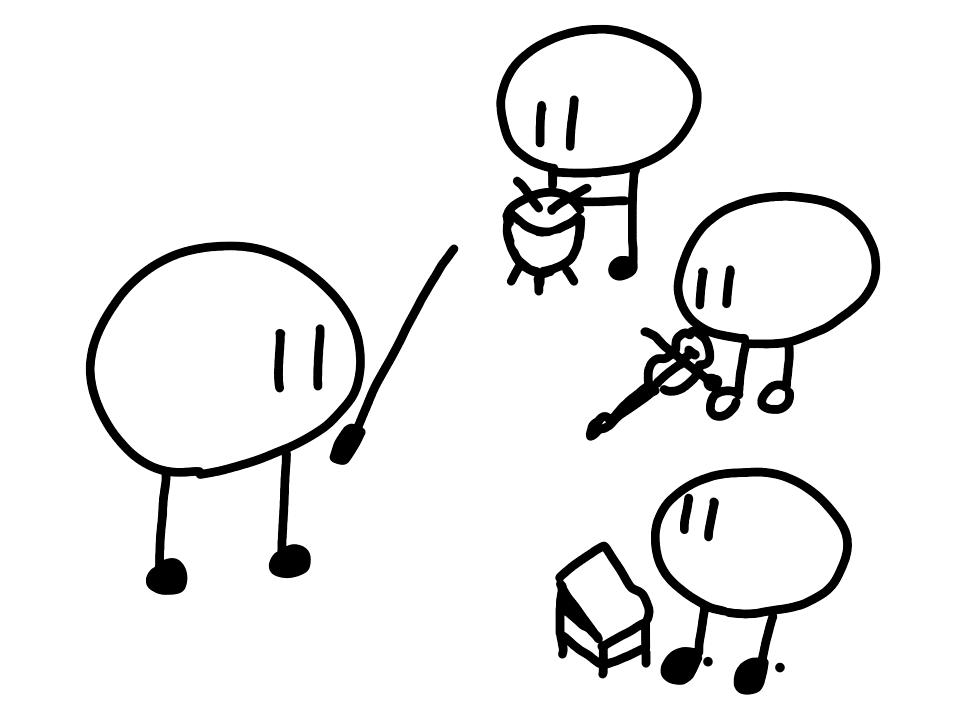
It coordinates Codex and Claude reviewers for:
- implementation plan review
- security review with CISA Secure by Design gates
- diff review after implementation
Kyoso does not apply code changes.
Review Flow
All three review tools run the same pipeline: scan for secrets, snapshot the workspace read-only, run the reviewer ensemble in parallel over ACP, then aggregate findings, apply gates, and decide.
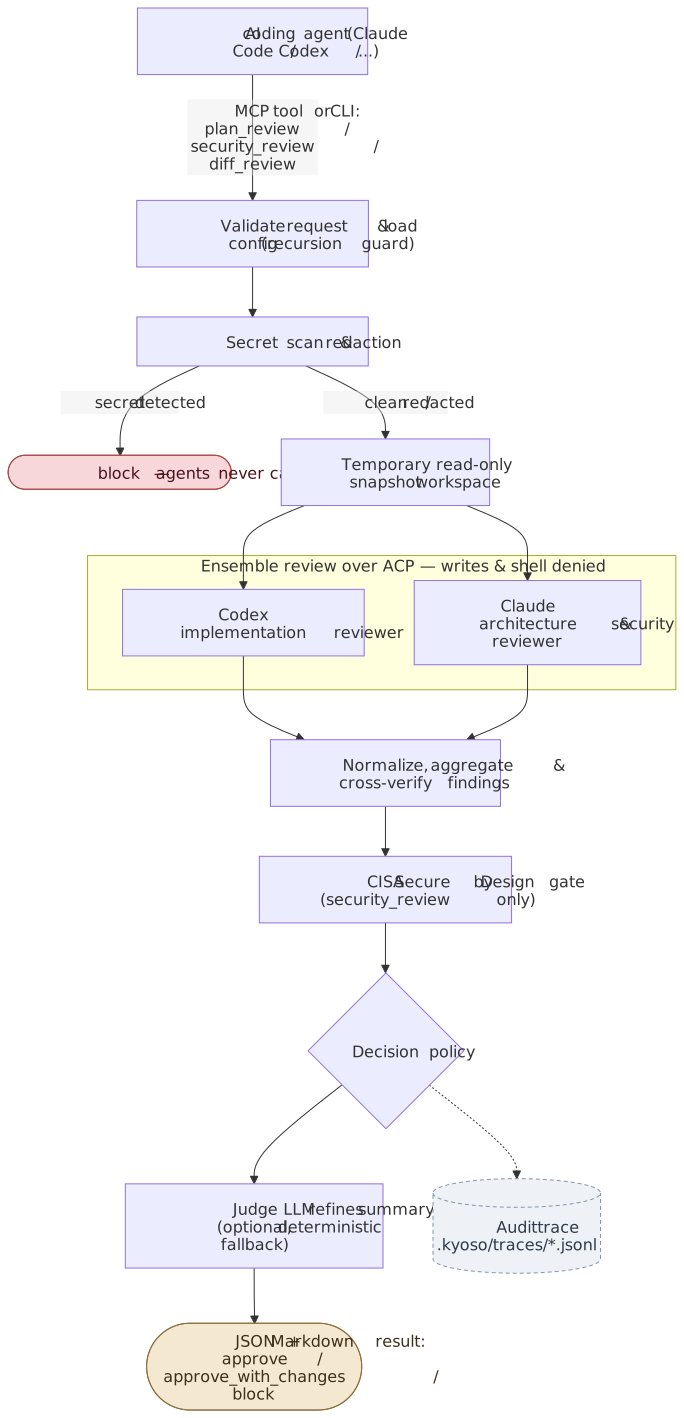
With a single backend enabled, one agent runs as `combined_reviewer` instead of the two-role ensemble (see [Single-backend mode](#single-backend-mode)). The Mermaid sources for this diagram live in [docs/assets/](docs/assets/).
Quick Start
No global install is required. Run Kyoso through `npx` or `bunx`. Running the packaged CLI requires Node.js 20 or newer.
Integration modes
| Mode | Installs | MCP | Clients |
|---|---|---|---|
| Marketplace Plugin | Skill plus local stdio MCP | Yes | Codex / Claude Code |
| CLI plus Skill-only | npm CLI plus Skill |
Related Skills
Sap Transport Gate
AI-powered release gate for SAP Transport Requests. CLI collects evidence from ADT; SKILL guides LLMs to revie


Satori
Self-learning loop for Claude Code — corrections and failures become skills, behind a human gate. MCP + hooks,

Cedr
Developer tools for humans and agents: route work to the right AI coding agent, merge multi-vendor reviews int

Oxi
Native, local-first coding-agent desktop app in Rust (egui) — run any model: local GGUF, Ollama/LM Studio, SSH

Codebone
A real-time semantic codebase knowledge graph powered by a local LLM for macOS, delivering clean architectural


Fuigo
A general-purpose, multi-provider AI agent engine. Tools, orchestration, persistent memory, and application in

Related Agents
Development Orchestrator Agent
Owns everything between contract lock and Gate 2 — branch verification, conditional shared-package-agent, para


Acp Client
The Agent Client Protocol standardizes how editors talk to coding agents, but each editor needs a client imple


Aux Delegator
Invokes external CLI coding agents (Codex, OpenCode, Claude -p, ACP). Use whenever a task should be offloaded
