
Grafana Plugin Repository
Description
The plugin repository for plugins that are published on grafana.com.
Installation
This entry records only its repository, not the path inside it, so there is no
exact command to give. Open the source below and copy the folder into
~/.claude/skills/, or the file into ~/.claude/agents/.
README
Community plugins
We originally created this repository years ago to accept plugin submissions from the Grafana community. With more than 150 plugins now published, it has become obvious that the community plugins are instrumental in Grafana's success. Due to this, we've make the process of submitting plugins easier.
You can now [submit](#submit-your-plugin) and [maintain your plugin](#maintain-your-plugin) directly from your Grafana Cloud account!
This also means that we're starting the process of deprecating this repository. Here's how it affects you:
- If your pull request has been triaged by us already and is waiting for review, you don't need to do anything. We'll continue to review the remaining plugin submissions in the pipeline.
- If you'd like, you can migrate your current plugin submission by submitting it through the new submission flow. Let us know that you'd like to use the new flow by updating your pull request. Please keep the pull request open to keep your position in the review queue.
- If you're submitting a new plugin or an update to an existing plugin, please use the new submission flow. We won't accept any new plugin submissions on this repository.
If you have any questions, [create a new issue](https://github.com/grafana/grafana-plugin-repository/issues/new), or send an email to `plugin-reviews@grafana.com`.
Submit your plugin
Before you submit your plugin, we ask that you read our [guidelines](#guidelines) and [frequently asked questions](#faq).
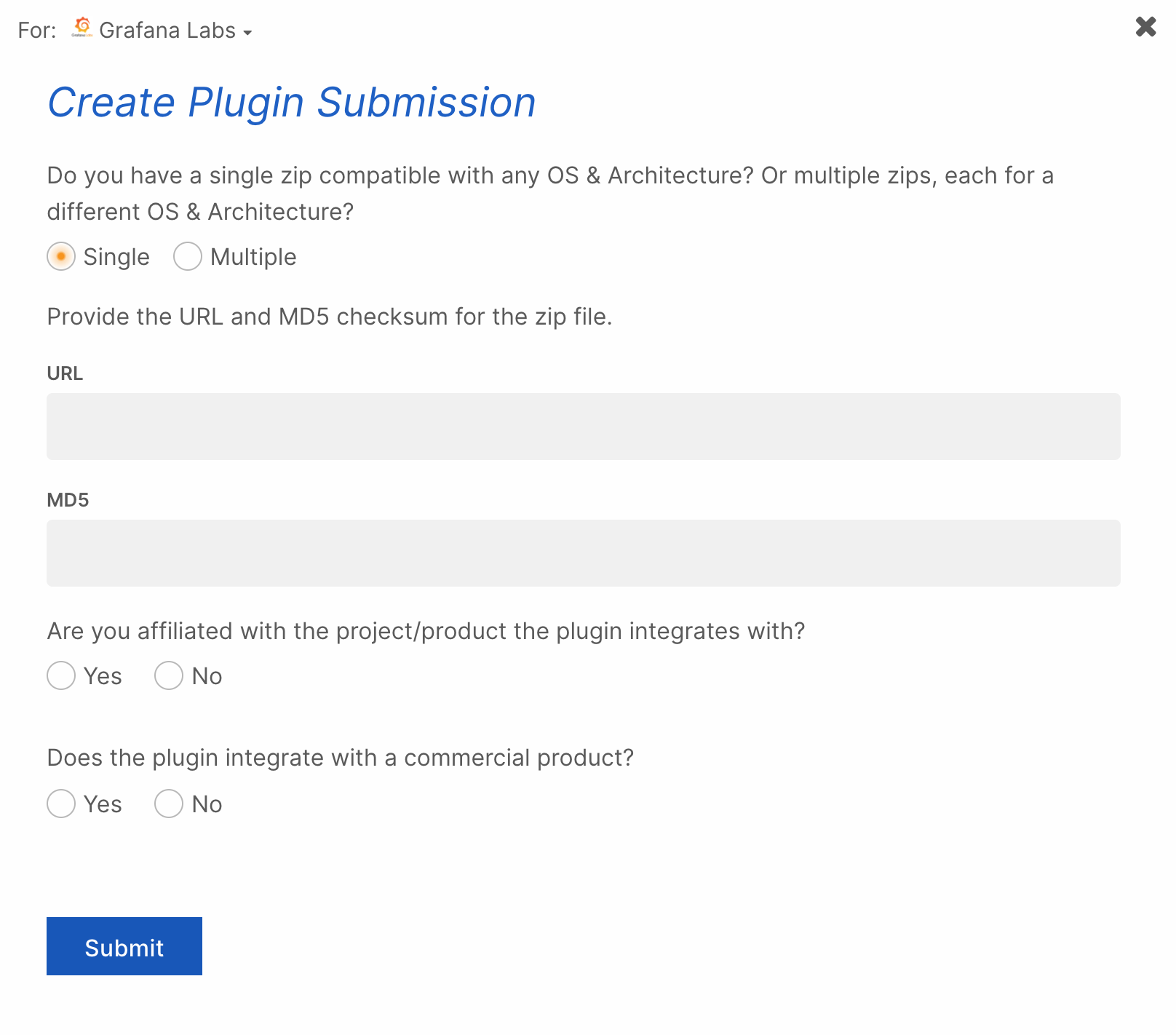
- Sign in to your Grafana Cloud account.
- In the left menu, under Org settings, click My Plugins.
- Click Submit Plugin.
- Enter the information requested by the form.
- OS & Architecture:
- Select Single if your plugin archive contains binaries for multiple
- OS & Architecture:
Related Skills
Auto Update
Pull the latest ECC repo changes and reinstall the current managed targets.

Ecc Guide
Navigate ECC's current agents, skills, commands, hooks, install profiles, and docs from the live repository su
Epic Claim
Claim an epic issue, stamp coordination state, and sync local ownership.
Epic Publish
Publish a validated epic update back to the issue and local cache.
Epic Review
Mark epic review requested, approved, or changes requested.
Epic Unblock
Sweep blocked epic issues and reopen anything whose dependencies are closed.