
Pi Usage Live — AI skill for Claude Code
Always-on subscription usage card for Pi: see how much of your Claude, ChatGPT Codex, OpenCode Zen, DeepSeek, Kimi, MiniMax, Moonshot, Z.AI and OpenRouter allowance you have left, live in your termina.
How to install Pi Usage Live
This entry records only its repository, not the path inside it, so there is no
exact command to give. Open Gateton/pi-usage-live and copy the folder into
~/.claude/skills/, or the file into ~/.claude/agents/.
What Pi Usage Live does
Always-on subscription usage card for Pi: see how much of your Claude, ChatGPT Codex, OpenCode Zen, DeepSeek, Kimi, MiniMax, Moonshot, Z.AI and OpenRouter allowance you have left, live in your terminal, without asking.
Alternatives in AI
- Zen MCP Server — The power of Claude Code + Gemini / OpenAI / Grok / OpenRouter / Ollama / Custom Model working as one 11.3k ★
- MiniMax AI/skills — Development skills for AI coding agents 6.5k ★
- EchoBird — One-click install + model switch:Claude Code,Codex CLI (OpenAI), Grok Build (xAI), DeepSeek Harness, Kimi Code 3.1k ★
README
pi-usage-live
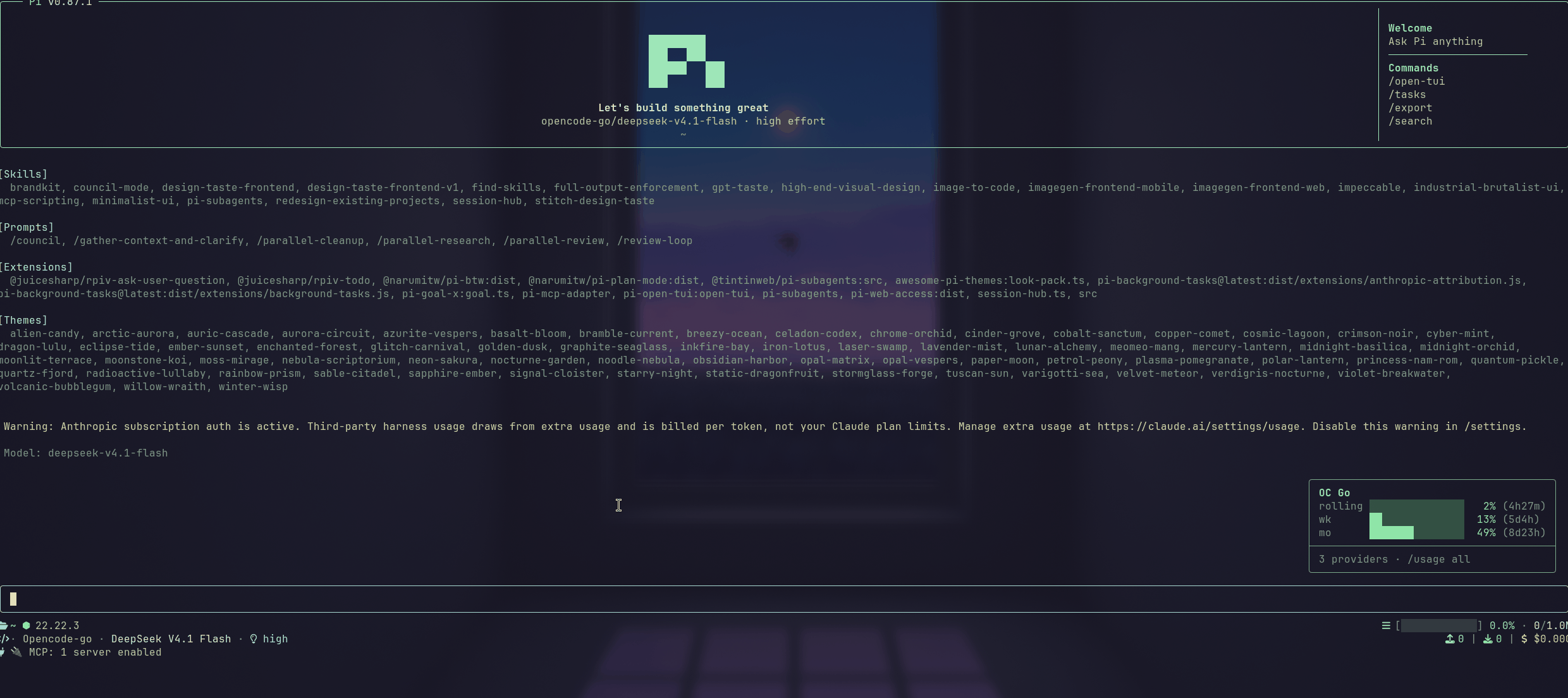
**Your subscription allowance, always on screen.**
Claude, ChatGPT Codex, OpenCode Zen, DeepSeek, Kimi, MiniMax, Moonshot, Z.AI and OpenRouter — read live while you work, without asking.
[](https://www.npmjs.com/package/pi-usage-live) [](https://github.com/earendil-works/pi-coding-agent) [](package.json) [](LICENSE)
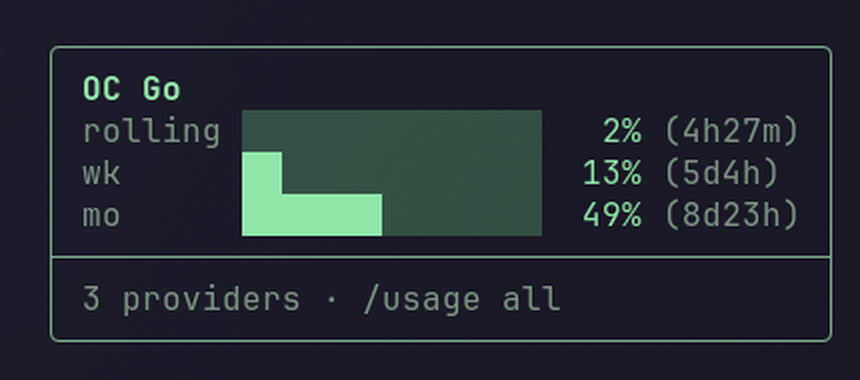
`pi-usage-live` adds a usage card to Pi that is simply *there*. No command to remember, no dashboard to open: the card docks in the corner, follows the model you are actually using, and keeps itself current while you work.
Highlights
- Zero commands. The number you need is on screen before you think to ask for it.
/usage allexpands the card when you want the whole picture. - It follows your model. The card shows the allowance behind your next request, so it is always the number that matters. Switch providers and the card switches with you.
- Free where the provider allows it. Providers that publish quota in the headers of responses you were already making are read passively, at no extra request cost. Only the rest are polled.
- **Claude stays live eve
Related Skills
AI Quota Meter
Claude Code knows how much quota you have left on nearly every turn, and only shows you if you ask. This puts


Musage
跨平台 AI 套餐用量监控悬浮窗 / Cross-platform AI quota monitor - MiniMax · DeepSeek · Claude Code · Cursor · OpenRouter ·

Agent Network
助力搭建你的数字 AI 员工军团 — 多 Agent 一行命令组网协作。Claude Code / Claude Agent SDK / Codex / Grok Build 4 runtime + 8+ 家 LLM(A


AI Consultants:Consult
Consult AI experts (Gemini, Codex, Mistral, Kimi, Qwen, GLM, Grok, DeepSeek, MiniMax) for coding questions. Us


Coding Plan Limit
聚合展示多个 AI Coding Plan / Token Plan 套餐剩余额度的跨平台托盘工具。Tauri 2 + Rust,内置 15 个模板(智谱/Kimi/Codex/Claude/MiniMax/DeepSe

Pi Subs
Subscription usage panel for pi coding agent: OpenCode Go, Kimi, Codex, Command Code, Claude, Copilot, Z.AI, O

Related Agents

ChatGPT On Wechat
CowAgent是基于大模型的超级AI助理,能主动思考和任务规划、访问操作系统和外部资源、创造和执行Skills、拥有长期记忆并不断成长,比OpenClaw更轻量和便捷。同时支持微信、飞书、钉钉、企微、QQ、公众号、网页


Openrouter Agent
Runs a model from any of ~60 vendors through OpenRouter's OpenAI-compatible endpoint, billed per token against

Oc Coder
Giao 1 task brief cho opencode (DeepSeek) thuc thi va bao cao lai ket qua gon. Dung khi orchestrator da viet x
