

Bloobyapp — Development skill for Claude Code
A desktop companion for Claude Code: every project gets an animated mascot that shows what its session is doing.
How to install Bloobyapp
This entry records only its repository, not the path inside it, so there is no
exact command to give. Open FrBmt-BIGetNouf/bloobyapp and copy the folder into
~/.claude/skills/, or the file into ~/.claude/agents/.
What Bloobyapp does
A desktop companion for Claude Code: every project gets an animated mascot that shows what its session is doing. Downloads and issues here, the app itself at blooby.me.
Alternatives in Development
- Screenshot — Capture desktop, app windows, or pixel regions across OS platforms 14.6k ★
- Claude Desktop Debian — Unofficial Claude desktop app for Debian/Linux 2.5k ★
- OpenSail — OpenSail is the open-source alternative to Codex App, Claude Desktop, Cursor, and Cowork for agentic software 634 ★
README

Your coding agents, as creatures that live on the edge of your screen.
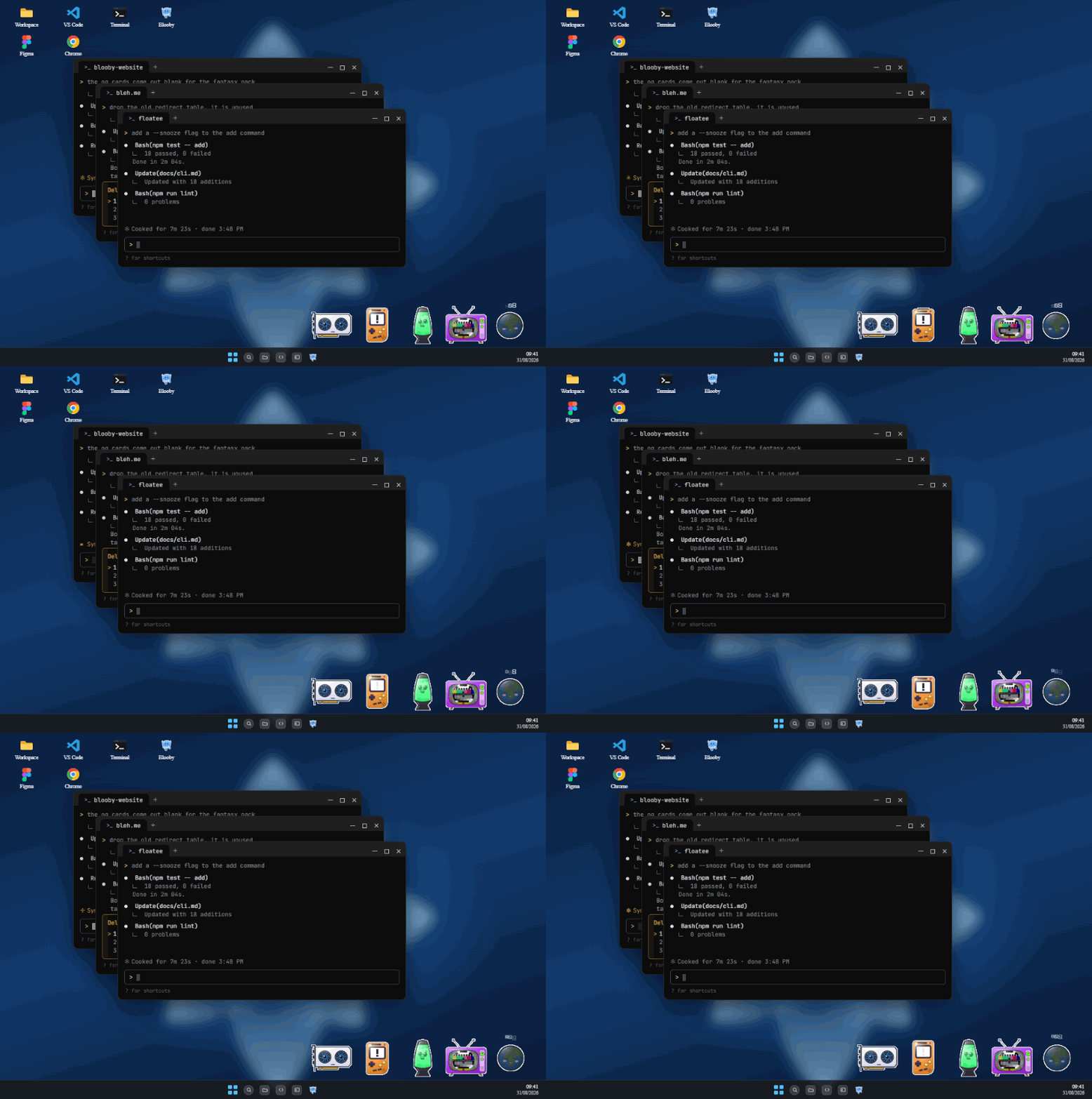
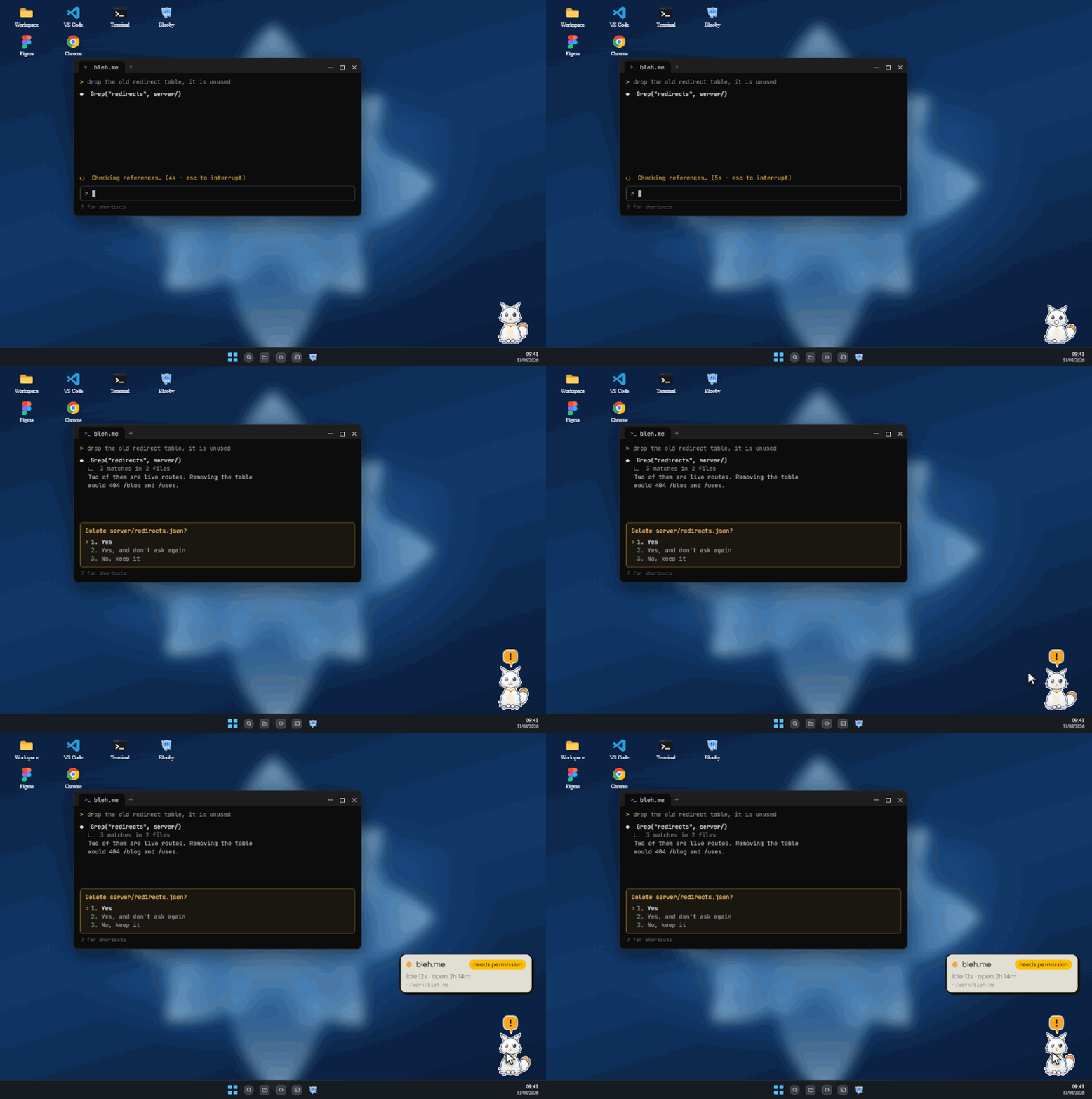
Every project you run a coding agent in gets a small animated familiar. It works when the agent works. It looks up at you when the agent needs a permission. It falls asleep when you walk away.
[](https://blooby.me/download) [](#platform-support)
[Website](https://blooby.me) · [Changelog](./CHANGELOG.md) · [Report a bug](https://github.com/FrBmt-BIGetNouf/bloobyapp/issues/new/choose)
Why
You start your agent, you go read something else, and you come back to find it has spent most of that time waiting for you to approve a single file write.
With three projects open at once it gets worse: something wants you, and you have no idea which window it is in.
Blooby puts that where you cannot miss it. A row of creatures along the edge of your screen, one per project, each animated according to what its agent is doing right now.
What a mascot tells you
One mascot is one **project**, not one session. Three sessions in the same repository share a creature, whichever agents they belong to, and it shows you whichever state needs you most.
| Two creatures, one state | ||
|---|---|---|
  |
Working | Running |
Related Skills

Notch Pilot
A live companion for Claude Code that lives in your MacBook notch. Reacts to what Claude is doing, intercepts


Gumarn Pet
A Ragnarok Online Deviruchi that floats over your desktop and shows what Claude Code is doing

Notchling
A native macOS notch widget that shows what every Claude Code session is doing — click a row to land in the te

Clacoroo
CLACOROO, the Claude Code Control Room: free desktop app that shows what eats your context window and quota, b


SVG Animate
Animate an SVG — icon, logo reveal, stroke draw, morph, mascot loop — or turn a frame sequence / flat clip int


Cc Companion
A desktop companion app for Claude Code — monitors multiple instances all in one view

Related Agents
SVG Animator
Load when the user wants an SVG to move — an animated icon, logo reveal, stroke drawing, path morph, mascot lo

Gads Brands
Brand exclusions for Performance Max. Search Google's brand catalogue, then attach exclusions to selected PMax


Abacus AI Agent
Abacus.AI, the company behind ChatLLM and CodeLLM, ships its coding assistant as an agent extension for VS Cod
