
SpliceKit
Description
Final Cut Pro, unlocked. A Command Palette, MCP server, and an open plugin framework to do almost anything.
Installation
This entry records only its repository, not the path inside it, so there is no
exact command to give. Open the source below and copy the folder into
~/.claude/skills/, or the file into ~/.claude/agents/.
README
SpliceKit
[](https://github.com/elliotttate/SpliceKit/releases/latest) [](LICENSE) [](https://discord.com/invite/HD3FPc4Azu) [](https://splicekit.fcp.cafe)
**Final Cut Pro, unlocked. A Command Palette, MCP server, and an open plugin framework to do almost anything.**
| 🎹 Command Palette | 🤖 MCP Server | 🧩 Plugin Framework |
|---|---|---|
Hit Cmd+Shift+P and type what you want. Apple Intelligence runs it. |
Any LLM can read and edit your timeline — and build new tools as it goes. | Every built-in feature is just an example plugin. You (or an AI) can ship more. |
**Editor? Start here.** The [official SpliceKit site](https://splicekit.fcp.cafe) and the [FAQ](https://splicekit.fcp.cafe/faq/) are the friendliest way in. Questions, help, or feature requests? Join the SpliceKit channels on the [FCP Cafe Discord](https://discord.com/invite/HD3FPc4Azu). Bug reports: [open a GitHub issue](https://github.com/elliotttate/SpliceKit/issues).
Can't wait to see what you do with it. 🥳
The Three Pillars
🎹 1. The Command Palette
*One keystroke to anything.*
Hit **Cmd+Shift+P** inside the patched FCP. Fuzzy-search 100+ built-in editing actions — blade, trim, color, speed, markers, effects, transitions, export — or type plain English and let **Apple Intelligence** (on-device, private) figure out what you meant.
[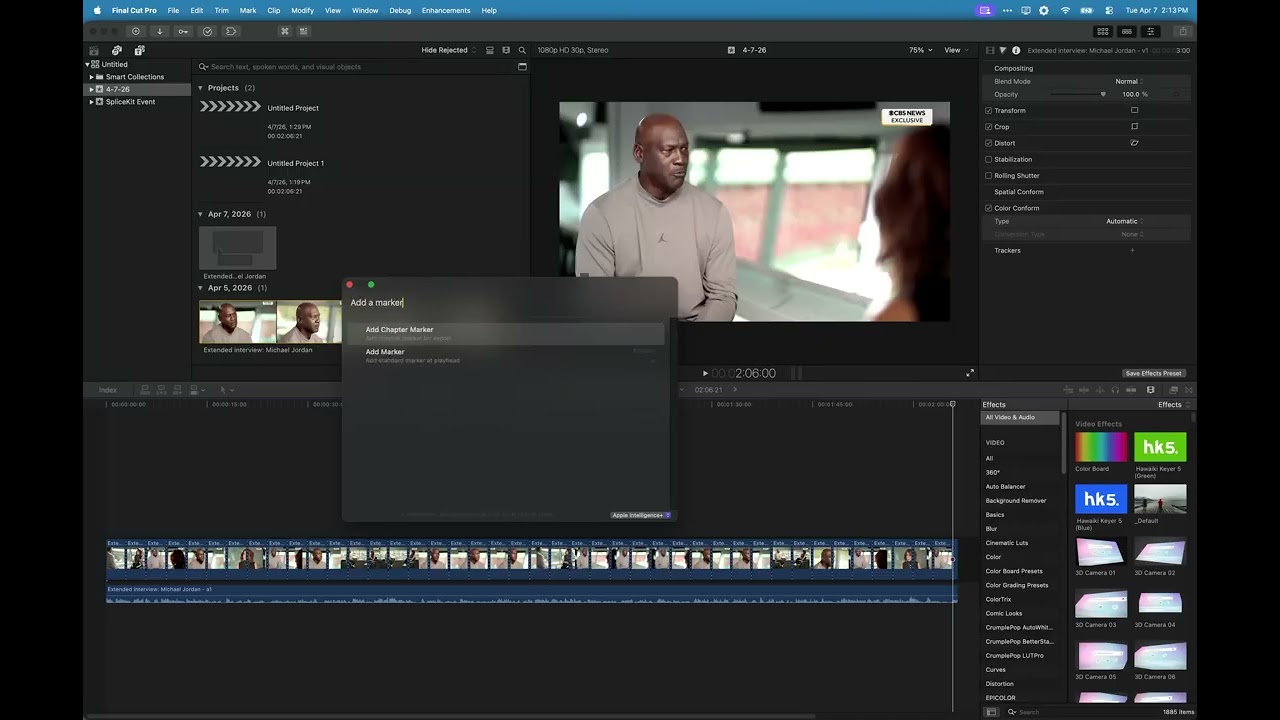](https://youtu.be/Q4GjHmmUISw)
Try saying…
- "add markers every 5 seconds"
- "slow this clip to half speed"
- "blade at every scene change"
- "remove all the silences"
- "add a cross dissolve"
No more menu hunting. No more memorizing shortcuts.
Related Skills
Auto Update
Pull the latest ECC repo changes and reinstall the current managed targets.

Ecc Guide
Navigate ECC's current agents, skills, commands, hooks, install profiles, and docs from the live repository su
Epic Claim
Claim an epic issue, stamp coordination state, and sync local ownership.
Epic Publish
Publish a validated epic update back to the issue and local cache.
Epic Review
Mark epic review requested, approved, or changes requested.
Epic Unblock
Sweep blocked epic issues and reopen anything whose dependencies are closed.