Claude Threads — AI skill for Claude Code
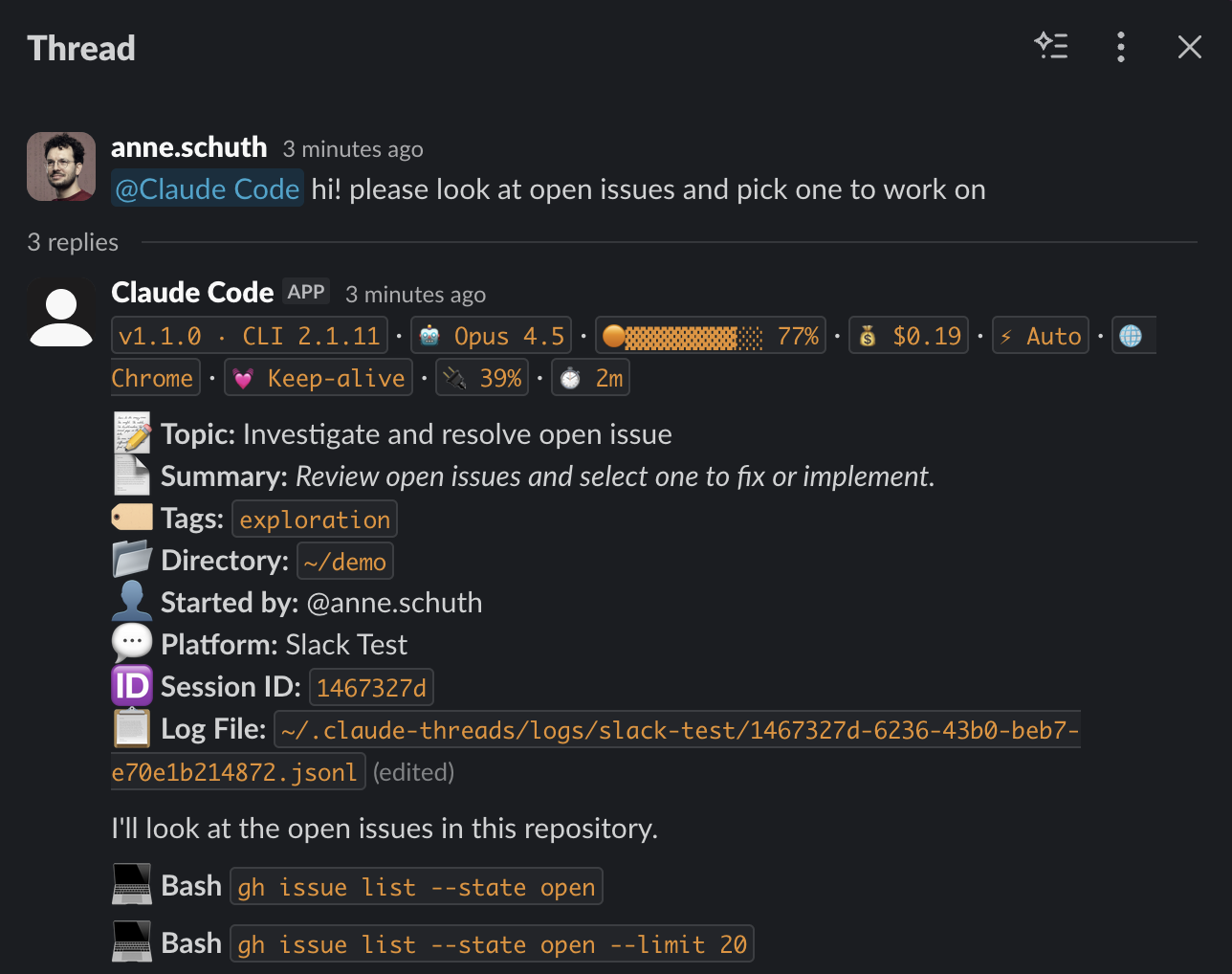
Think of it as screen-sharing for AI pair programming, but everyone can type.
How to install Claude Threads
This entry records only its repository, not the path inside it, so there is no
exact command to give. Open anneschuth/claude-threads and copy the folder into
~/.claude/skills/, or the file into ~/.claude/agents/.
What Claude Threads does
Think of it as screen-sharing for AI pair programming, but everyone can type.
Alternatives in AI
- Project Next 14 AI Prompt Sharing — Next.js recently became the official React framework as outlined in React docs 3k ★
- Agent Rules Books — AGENTS.md rules / skills for AI coding agents: Codex, Cursor & Claude Code 2.6k ★
- PRD: Agent Builder — Create Your Own Sub-Agent — Your ecosystem, your rules 1.9k ★
README
Claude Threads

Claude Code × Slack & Mattermost
[](https://www.npmjs.com/package/claude-threads) [](https://www.npmjs.com/package/claude-threads) [](https://github.com/anneschuth/claude-threads/actions/workflows/ci.yml) [](https://github.com/anneschuth/claude-threads/actions/workflows/ci.yml) [](https://opensource.org/licenses/Apache-2.0) [](https://nodejs.org/) [](https://github.com/anneschuth/claude-threads/pulls)
**Run Claude Code from your team's chat.** The bot lives on your machine, next to your checkout and your local tools. Sessions stream live into Slack or Mattermost threads where teammates watch and steer what Claude does. No cloud sandbox and no enterprise plan required: it works with the Claude subscription or API key you already have.
_Think of it as screen-sharing for AI pair programming, but everyone can type._