
Wmux — AI skill for Claude Code
The original Windows terminal multiplexer for AI agents.
How to install Wmux
This entry records only its repository, not the path inside it, so there is no
exact command to give. Open amirlehmam/wmux and copy the folder into
~/.claude/skills/, or the file into ~/.claude/agents/.
What Wmux does
The original Windows terminal multiplexer for AI agents.
Alternatives in AI
- Open Science — Open Science Desktop — local-first, model-agnostic AI research workbench for macOS, Windows & Linux 1.5k ★
- NeuroAPI — NeuroAPI: российский AI API для Codex CLI и Claude Code — безопасные one-click установщики для Windows и macOS 1.3k ★
- Pebrel — AI-native, GPU-accelerated terminal emulator for Windows with SSH, persistent sessions, split panes, and first 670 ★
README

wmux
The original visibility layer for coding agents on Windows - never hunt for the one that's waiting on you
Built on Electron + xterm.js. Inspired by cmux, with the agent-visibility model modelled on herdr.




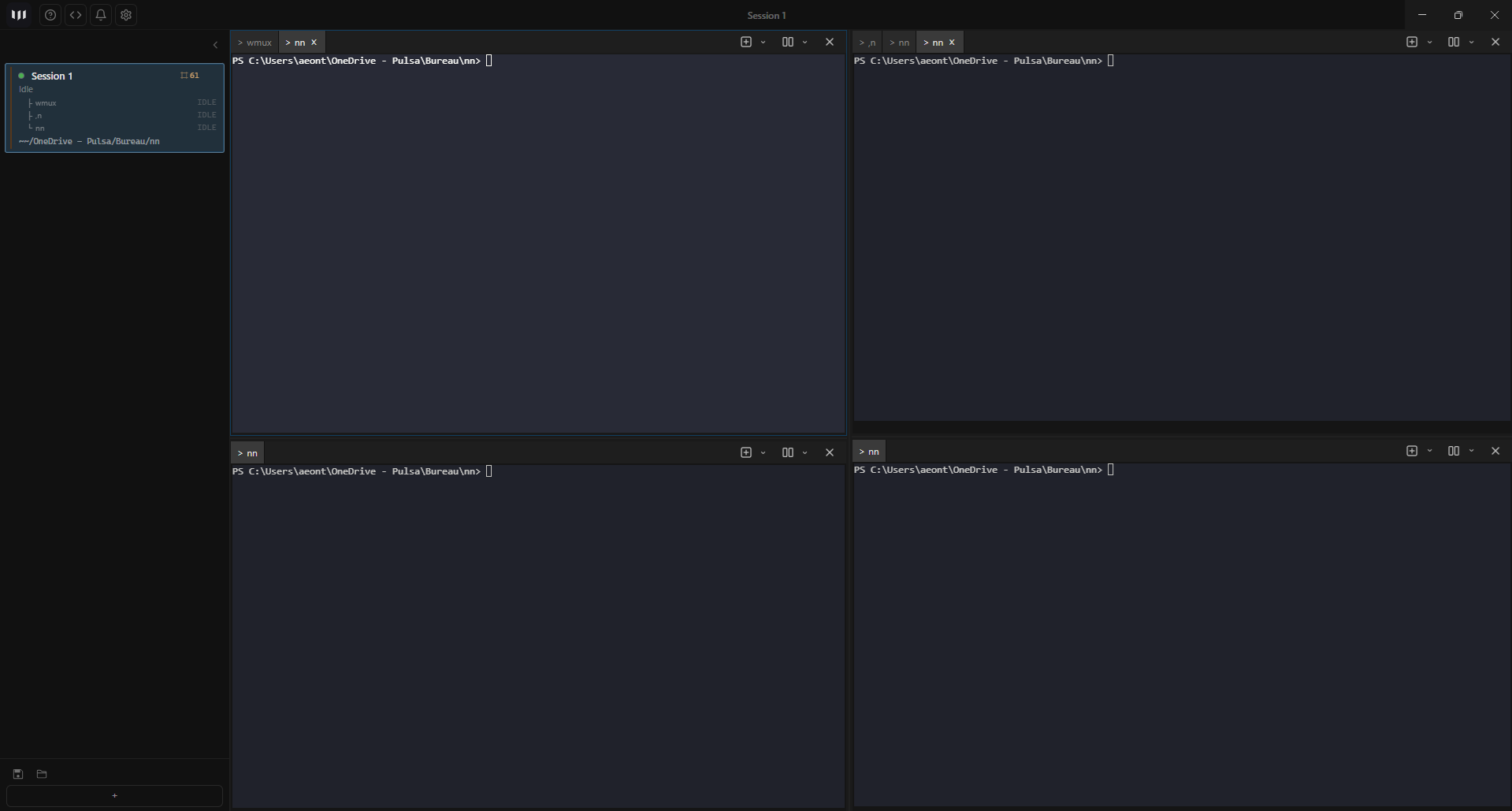
New in 2.0 - wmux sees every agent, not just Claude Code
Until now wmux could only tell you what an agent was doing if that agent **told it**. That meant Claude Code (hooks), OpenCode (plugin) and Kiro. Codex, Gemini, Aider, Amp, Cursor and Copilot ran in panes wmux could display and could not read.
2.0 closes that with three layers, each of which only fills the gap the one above left:
**1. One roster for every agent in the window.** wmux already knew which panes were blocked — it just never said so above a single sidebar row. Now a banner over the workspace list answers *"who needs me?"* across every workspace at once, ranked by who has been waiting longest.
**2. `
Related Skills
Claude Orchestra
Run multiple Claude Code instances in parallel from one web interface. Terminal multiplexer for AI coding agen

Cerberus Term
A GUI terminal multiplexer with remote control — native panes that run any CLI (Claude Code, Copilot, Codex, a


Herdr App
macOS desktop app for the herdr terminal multiplexer: manage Claude Code, pi and other AI coding agents across

PolyClaw
PolyClaw is a vendor-independent fork of Claude Code. While the original tool locks terminal agentics into a s

Warpalert
Wmux — Warp alert: native toasts when your AI agent (Claude, Codex, OpenCode, Gemini) finishes a turn.


Session Kit
Close the terminal windows, not the AI coding sessions. One number takes you back in. Every Claude Code and Co

Related Agents

Continuous Claude V2
Context management for Claude Code. Hooks maintain state via ledgers and handoffs. MCP execution without conte

Windows Privesc Agent


Packager Troubleshooter
Use this agent when packaging fails or needs changes — yarn build:package:windows mac linux, PyInstaller error
