
Agentlogs — Development skill for Claude Code
Collaboration in the age of agentic engineering.
How to install Agentlogs
This entry records only its repository, not the path inside it, so there is no
exact command to give. Open agentlogs/agentlogs and copy the folder into
~/.claude/skills/, or the file into ~/.claude/agents/.
What Agentlogs does
Collaboration in the age of agentic engineering.
Alternatives in Development
- Routing — Reverse Engineering Skill Routing Matrix 29.6k ★
- LifeOS — ⛰️ The Life Operating System — an intent engineering platform that moves you from your current state to your i 18.7k ★
- Scientific Agent Skills — A set of ready to use Agent Skills for research, science, engineering, analysis, finance and writing 18.7k ★
README

AgentLogs
Coding agents, visible to your team.
Open-source and self-hostable. Track sessions, share prompts, and link every conversation to the commit it produced.
Website · Docs · Discord · Changelog
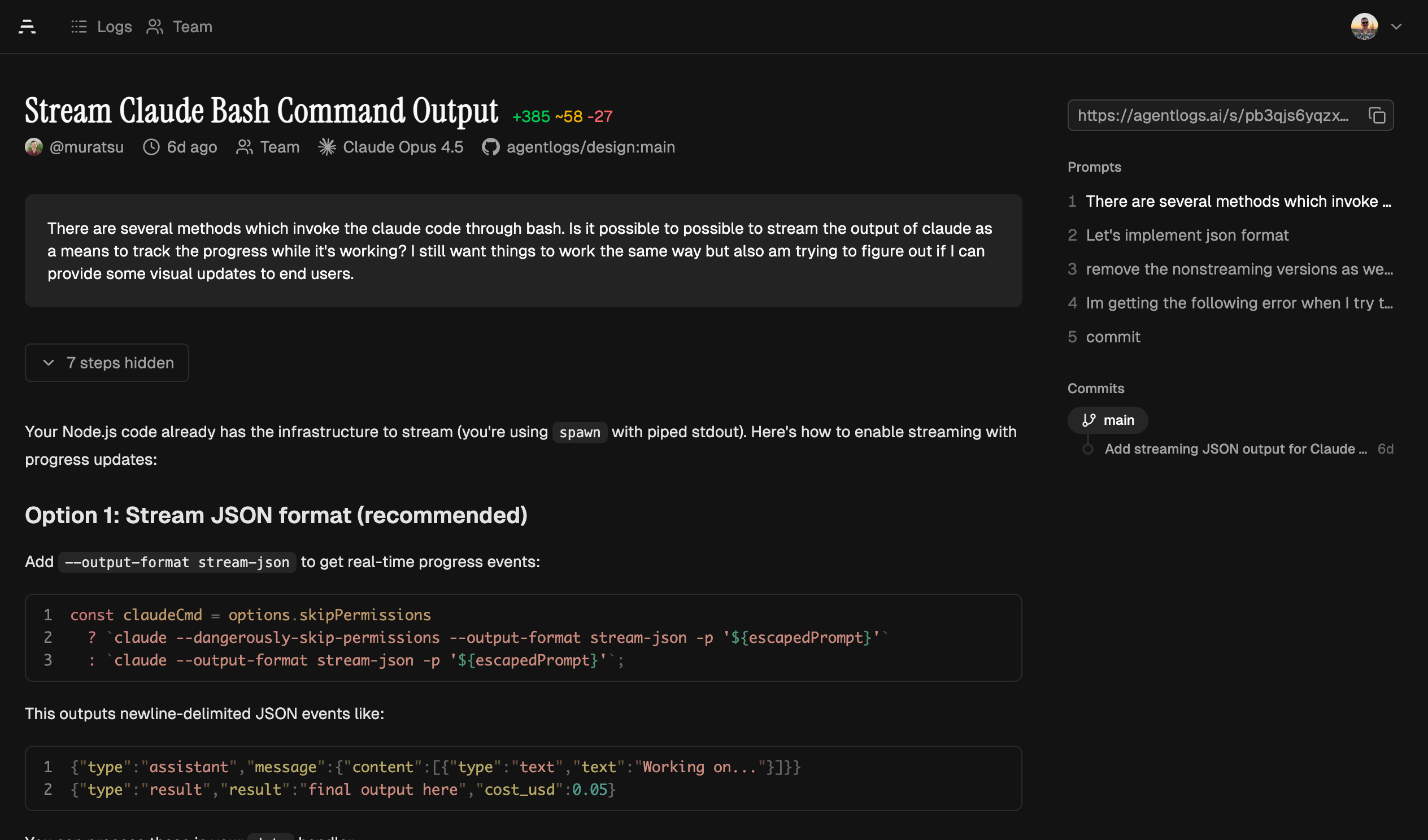
AgentLogs captures and analyzes transcripts from AI coding agents (like Claude Code, Codex, OpenCode, and Pi) to give your team visibility into how AI tools are used in their codebases.
**See it in action →** [Example transcript](https://agentlogs.ai/s/ijz0z090jxrmmfjsz9lkcq7j)
Why AgentLogs?
AI coding agents are becoming core to how teams write software. But right now, every session is a black box stored on the machine of the user. You can't see the context put into each session and there is no knowledge sharing between teammates.
AgentLogs fixes that:
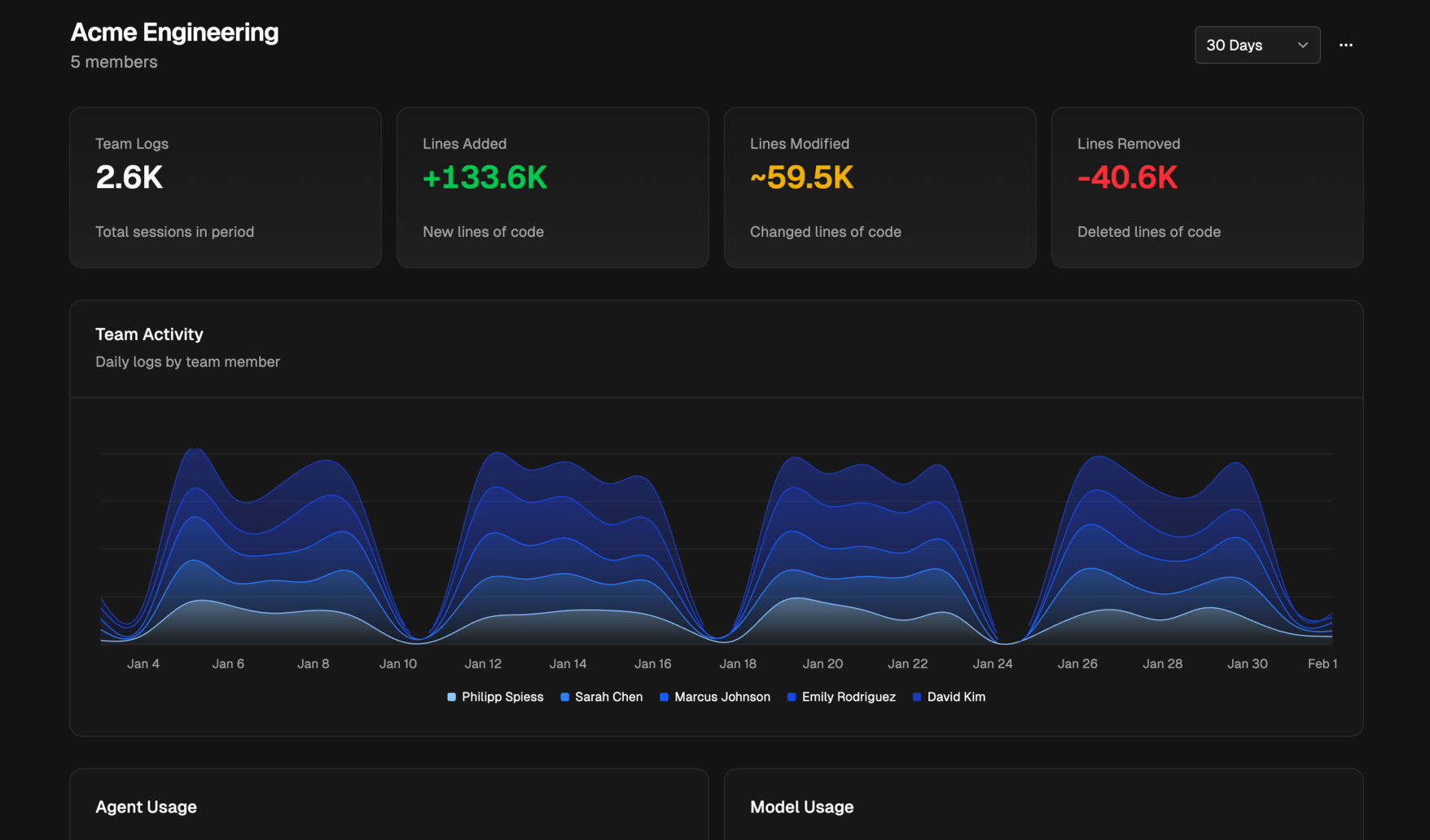
- Team observability — Dashboard with activity metrics, agent & model usage, and per-member breakdowns
- Git integration — Links sessions to the commits they produced. See which transcript wrote which code
- Shared learning — Browse and share your team's sessions to discover effective prompts and workflows
| Team Dashboard | Git Integration | Session Browser |
|---|---|---|
 |

Rvm
RVM — The Virtual Machine Built for the Agentic Age, in Rust.

PRPs Agentic Eng
Prompts, workflows and more for agentic engineering 2063 68 1

Tempest
Agentic Engineering that actually scales. Run Claude Code, Codex, Gemini and any other CLI Agents in parallel


Agentists Quickstart Deprecated
Opinionated DevPod workspace configs for agentic engineering — Claude Code, shared secrets, VS Code extensions

BorisChernyClaudeMarkdown
A template CLAUDE.md file implementing Agentic Context Engineering (ACE)

Learn Loops
Interactively learn how to think about agentic loops (loop engineering)

Related Agents
Presentation Vibe Coding
当用户想要更新、修改或修复 VIBE-CODING 演示文稿(presentation/vibe-coding-to-agentic-engineering/index.html)时,主动使用此 Agent — 包括幻灯


Recon Ranker
Attack surface ranking agent. Takes recon output and hunt memory, produces a prioritized attack plan. Ranks by


Claude Code Hook Comms (hcom)
by aannoo - Lightweight CLI tool for real-time communication between Claude Code sub agents using hooks. Enabl
